Our Verdict
If it was only just a little bit cheaper. The Asus TUF Gaming A16 mixes an entry-level GPU with a fairly hot CPU and produces something that can run the latest games with little fuss. It’s heavy and makes a bit of noise, but that’s fine: the main issue here is that it costs just a bit too much, and your eye will be drawn by other offerings at the same price point.
For
- 5050 acts like it’s bigger
- Strong CPU performance
- Lots of useful USB
Against
- Should be cheaper
- Gets hot and noisy
- Quite heavy
PC Gamer's got your back Our experienced team dedicates many hours to every review, to really get to the heart of what matters most to you. Find out more about how we evaluate games and hardware.
The entry level is a funny place to be. While laptops with RTX 5080 and 5090 GPUs are pored over, looking for every little fluctuation in frame rate to discover the different effects various CPUs and cooling solutions have on the rendering ability of Nvidia’s finest silicon, the low end tends to get lumped into an amorphous mass.
In fact, PC Gamer hasn’t reviewed many laptops with an RTX 5050 GPU. Creeping through the dusty stacks, marvelling at the symmetrical book stacking (just like the Philadelphia mass turbulence of 1947) and trying not to attract the attention of the librarian, I could find only one other point of reference: the Medion Erazer Scout 15 E1.
It didn’t do particularly well when put through the testing regime, which might have something to do with the Core i5 13420H and low, low price, but if you’re looking for PC gaming on a budget, it’s worth a look.

Model: FA608UH-RV027W
CPU: AMD Ryzen 7 260
GPU: Nvidia GeForce RTX 5050 8GB
Memory: 16 GB DDR5-5600
Storage: 1 TB SSD
Screen size: 16-inch
Screen type: IPS
Resolution: 1920 x 1200
Refresh rate: 165Hz
Ports: 1x HDMI 2.1, 2x USB 3.2 Gen 2 Type-A, 1x USB 2.0 Type-A, 1x Type-C USB 4, 1x Type-C USB 3.2, 1x Ethernet, 1x 3.5mm audio, charging
Wireless connectivity: Wi-Fi 6E, Bluetooth 5.3
Dimensions: 35.4 x 26.9 x 1.79cm
Weight: 2.2 kg
Price: £1,400
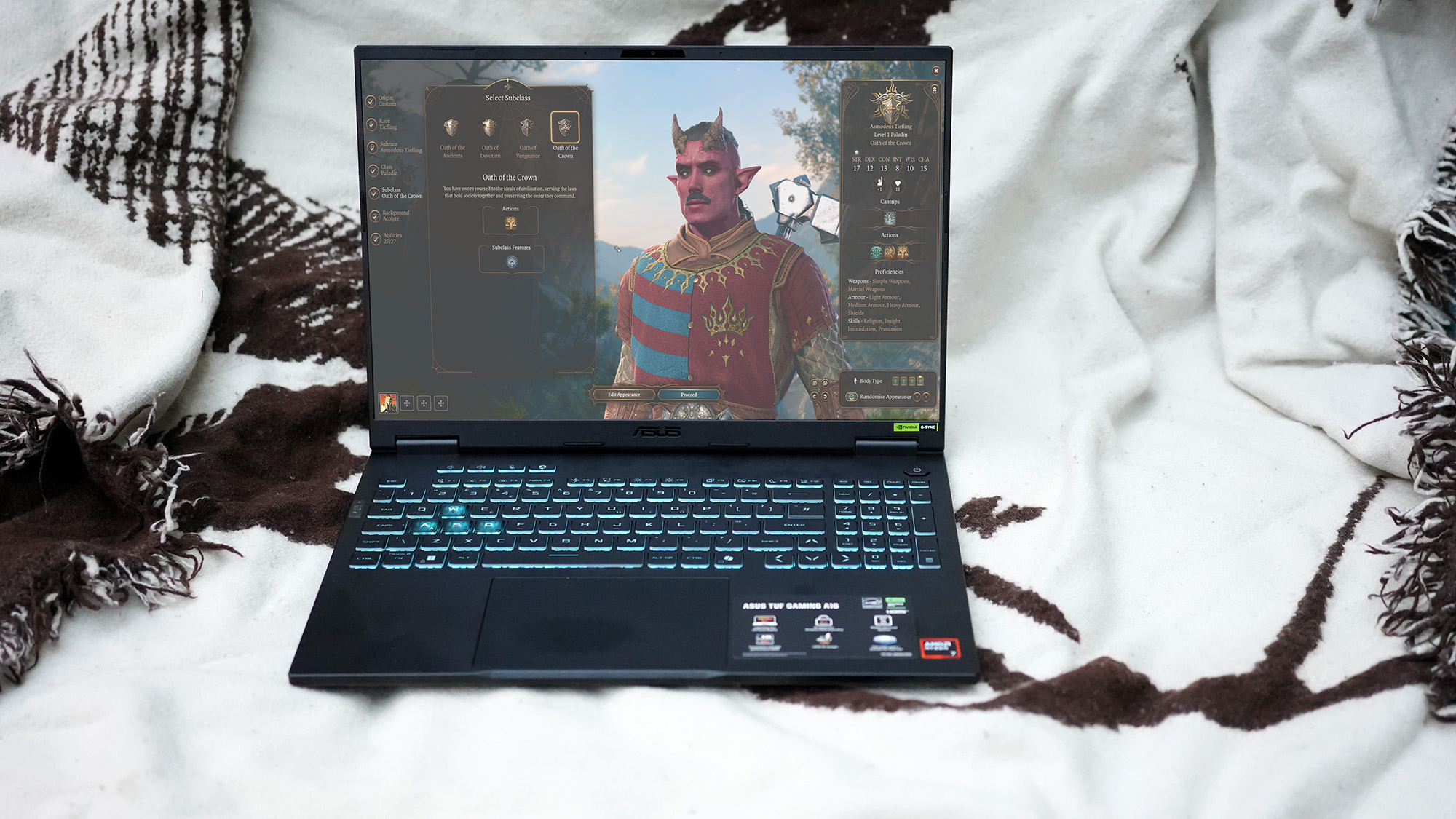
In Baldur’s Gate 3 it performs as well as the new Framework 16, which has a higher spec on paper.
At first, the GPU looks like it’s going to be the millstone around the A16’s neck, dragging it down to mediocre benchmark scores and making the graphs on this page look very sad indeed. In practice, no one’s arguing that it’s as good as a 5070, but it can give a 5060 a run for its money.
The 55W RTX 5050 here can use as much as 115 W of power, which puts it ahead of 5060s and even 5070s. A 115 W 5060, such as that in the Erazer Deputy 15 P1, beats the A16 in the Time Spy Extreme benchmark, but the 85 W model in the Gigabyte Gaming A16 produces a slightly lower score than the TUF’s (but a similar frame rates in Cyberpunk 2077 and Black Myth: Wukong). It just goes to show that core count isn’t everything in choosing a GPU. This is a hot little chip.
| Header Cell - Column 0 | Avg CPU (°C) | Max CPU (°C) | Avg GPU (°C) | Max GPU (°C) |
|---|---|---|---|---|
Asus TUF Gaming A16 2025 | 75 | 81 | 69 | 74 |
Acer Nitro V15 | 81 | 100 | 79 | 85 |
Oh yes indeed. You should expect a modicum of fan noise from your gaming laptop, especially one with a CPU that tops out at 100 °C, but whack this into Turbo mode using Asus’ ridiculously named Armoury Crate software (and put your own flavour of RGB flashing into the keyboard while you’re at it) and you not only get improved performance, but a level of noise to make you reach for your headset.
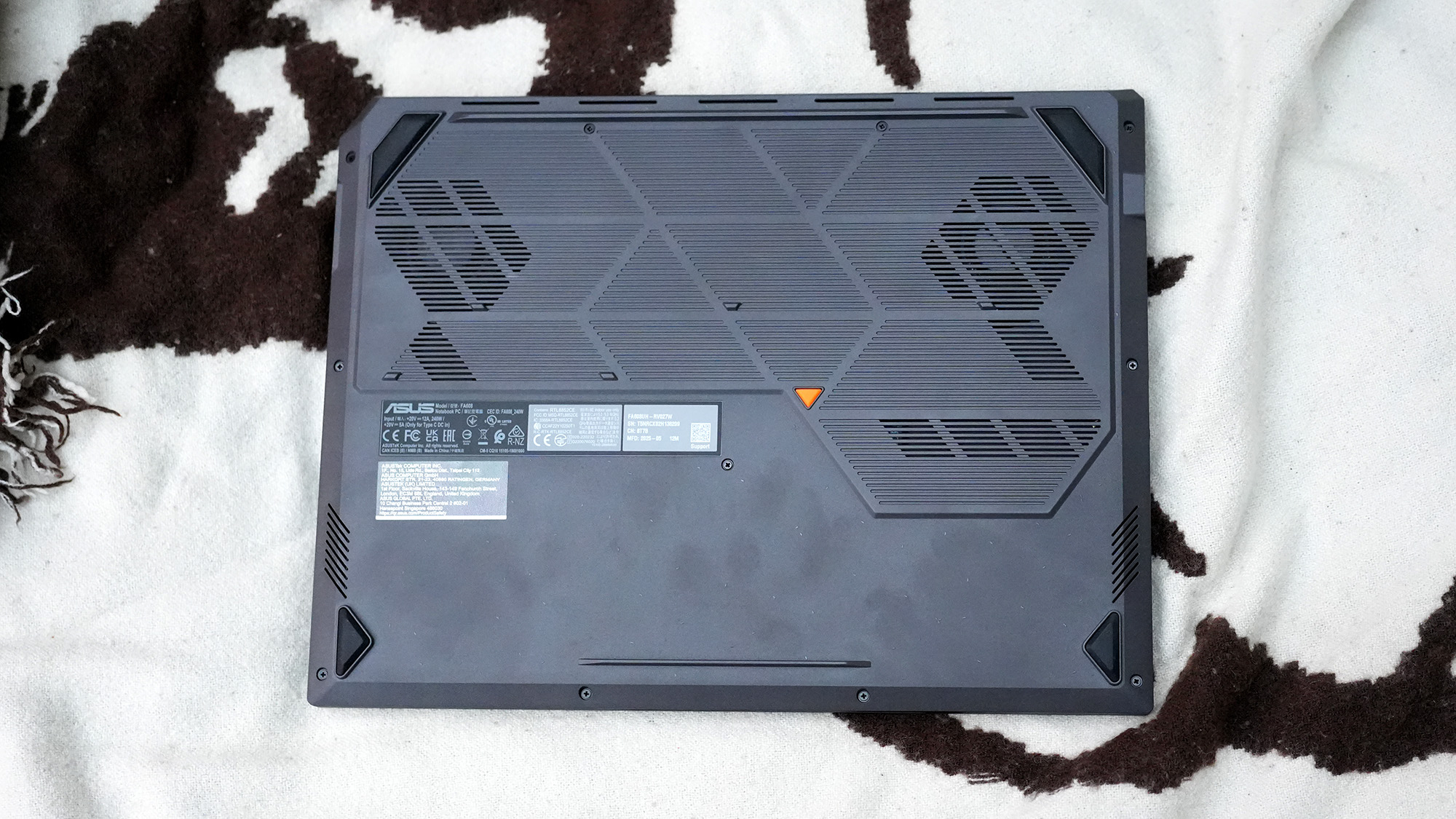
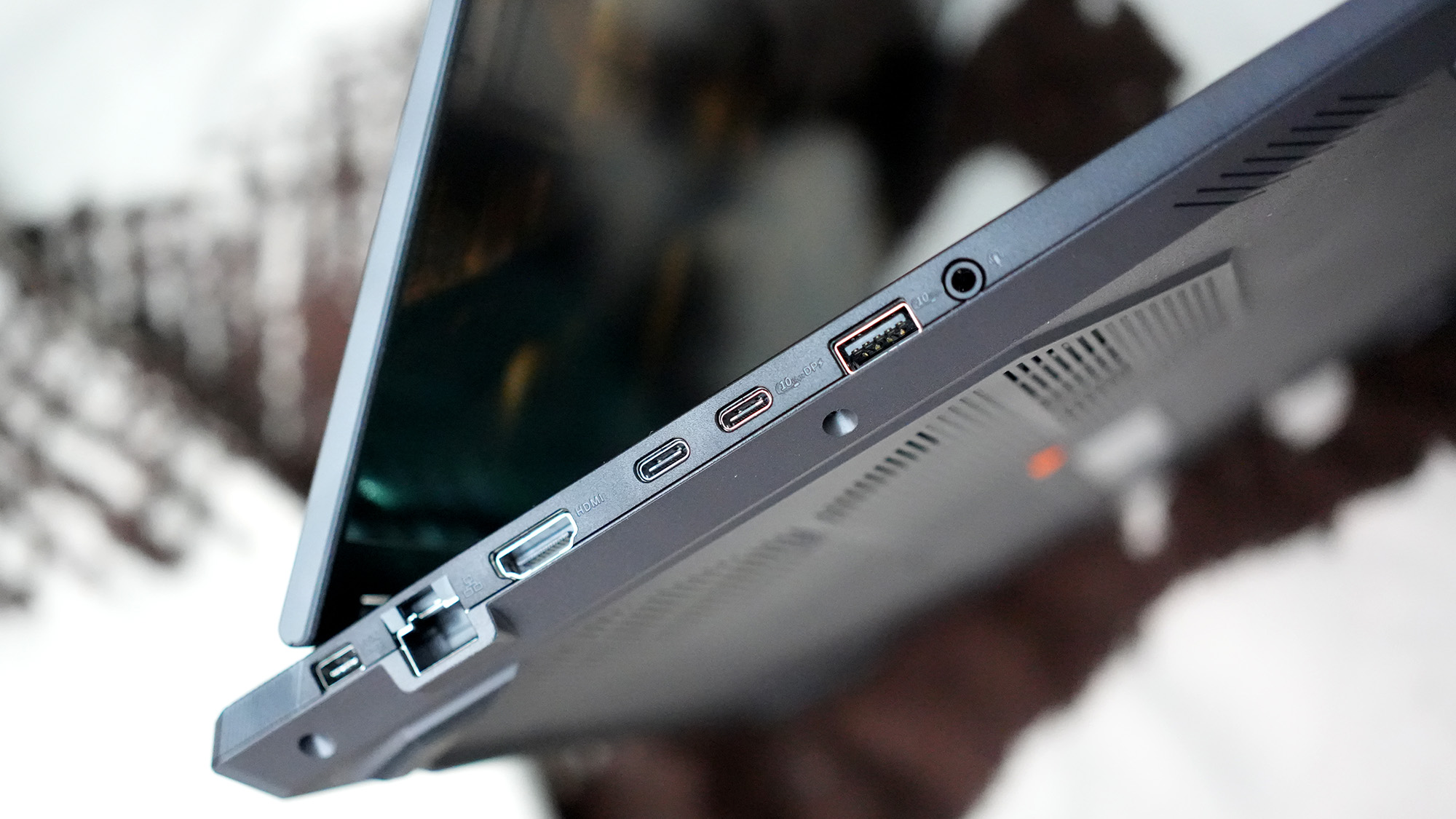
Luckily, the TUF A16 is well supplied with ports. Alongside the 3.5 mm audio jack and Bluetooth 5.3, you’ll find a single USB4 (mercifully labelled as such on the top of the casing, something more manufacturers should do as the Type-C USB 3.2 port next to it is identical) and three USB-A ports too. There's an HDMI and an Ethernet and a charging port. You’ll always be able to find a place to stick a cable, and all this, along with the rubber feet underneath that lift it up to improve airflow, and the sheer weight of the metal and plastic constriction, lead to a machine that gives the impression it’s more suited to use on a desk than resting on the top of your legs.
The rear corners have been cut across in a nice little design touch, but you’ll want to watch out for the front, where they can be a bit sharp. Otherwise, it’s a standard black rectangle, devoid of lighting except in the keyboard and a scattering of status LEDs on the bit that protrudes back past the screen, where you’ll never see them if the screen is raised.
✅ You’re really keen on Asus products: there's little to set this laptop apart from similar machines from Lenovo and Acer, so buy whichever one has the better pricing on the day you go to the shops.
❌ You’d rather pay a bit less or a bit more: there's no shame in gaming on integrated graphics, but an entry-level laptop like this can start to make you dream of larger numbers, and a machine with a 5070 isn’t that far away.
The IPS panel can go pretty bright, at 385 nits, and its resolution doesn’t over-stretch the GPU, bringing its 165 Hz refresh rate into sight if you enable multi-frame generation in compatible games (or just run older ones that consume less resources). The only drawback is if you’re using the A16 for anything that requires accurate colour reproduction, as while it’s capable of displaying 100% of the sRGB gamut, it only manages 80% or so of wider spaces such as Adobe RGB and DCI-P3 - you’ll need an external monitor for that kind of thing.
Asus has seen fit to stuff a 90 Wh battery in the A16, which leads to a kind of interesting dichotomy. Leave it looping a video, which leads it to switch off the Nvidia chip and rely on the CPU’s Radeon 780M integrated cores, and you can get almost eight hours of life out of it. Fire up a gaming benchmark that activates the 5050, however, and this drops like the aforementioned millstone to just an hour and a quarter. You’ll be wanting to carry the charger with you, though it will also top up over USB-C if you can feed it enough watts.
The TUF Gaming A16 for 2025 is big and heavy and makes a lot of noise. It also manages to keep pace with laptops that should, in theory, beat it, which is the setup for a heartwarming story of a plucky underdog gaming laptop that becomes the people’s good-value champion. The thing is, it’s just a little too expensive for this to be true. When Gigabyte’s A16 and the Lenovo LOQ 15 Gen10 (both 5060-equipped) are cheaper, and that Erazer Deputy is much less money, the best thing to do with the TUF A16 is wait for some sort of discount.

1. Best overall:
Razer Blade 16 (2025)
2. Best budget:
Lenovo LOQ 15 Gen 10
3. Best 14-inch:
Razer Blade 14 (2025)
4. Best mid-range:
MSI Vector 16 HX AI
5. Best high-performance:
Lenovo Legion Pro 7i Gen 10
6. Best 18-inch:
Alienware 18 Area-51
If it was only just a little bit cheaper. The Asus TUF Gaming A16 mixes an entry-level GPU with a fairly hot CPU and produces something that can run the latest games with little fuss. It’s heavy and makes a bit of noise, but that’s fine: the main issue here is that it costs just a bit too much, and your eye will be drawn by other offerings at the same price point.

You must confirm your public display name before commenting
Please logout and then login again, you will then be prompted to enter your display name.