September 9, 2026: Valheim 1.0 is finally here, bringing the Deep North biome to the Viking underworld! If you want to jump directly to the new Deep North cheats we've discovered, click here to skip ahead—but if you're new to using Valheim cheats, you'd better read the next few paragraphs first.
Looking for Valheim cheats and console commands on Steam or PC Game Pass? The Viking survival game may appear fairly peaceful when you're starting out, but you'll soon find mythical Valheim bosses to battle. You might discover that you need some extra juice to weather Valheim's tougher regions—or maybe you just want to build the ultimate base without having to worry about gathering materials. Here are all the Valheim console commands and cheats from god mode to item spawning, and how to activate them whether you're playing on Steam or on PC Game Pass.

You can only use Valheim console commands in singleplayer mode but there are lots of fun cheats to use, including a god mode which makes you invulnerable, the ability to add skill points and spawn weapons and armor, and even the power to fly through the air like Thor. There's also a 'debug mode' that lets you build without the need for a workbench or resources. For those in a multiplayer world, there are some console commands that can be used by server admins and these have also been listed below.
How to use Valheim cheats
Activating Valheim cheats with PC Game Pass version

Before you can use cheats, you need to activate the in-game console. Here are the instructions for players using PC Game Pass.
- Navigate to the game's installation folder. Typically, it's C:\XboxGames\Valheim\Content
- In that folder, find Valheim.exe
- Right-click Valheim.exe and select Create shortcut
- Drag the shortcut to your desktop or preferred location
- Right-click the shortcut and select Properties
- In the Shortcut tab, add -console to the end of the Target field
- Click Apply, then click OK
- Launch the game from the shortcut
Activating Valheim cheats with Steam version

To activate the console so you can use cheats, you will need to set it as a launch option in Steam. By default, the command console is locked.
Here's how to activate the console:
- Right-click Valheim in your Steam library
- Select Properties
- In the General tab, look for the Launch Options field
- In it, type -console
- Close the General tab
Valheim cheats and console commands for singleplayer

How to use singleplayer Valheim cheats
You can activate Valheim cheats in a singleplayer game by using F5 to open the console, then type devcommands, and press enter. Deactivate cheats by entering devcommands again.
You'll be able to use the following cheats in Valheim's singleplayer mode. They won't work on a multiplayer server.
god |
Enables god mode |
heal |
Restores current max health |
puke |
Empties stomach of food and resets health and stamina |
killall |
Kills all nearby enemies |
tame |
Tames all nearby creatures |
ghost |
Enemies will ignore you |
raiseskill [skill] [amount] |
Raises the named skill by the value entered |
resetcharacter |
Resets all of your character data |
hair |
Removes character's hair (permanently) |
beard |
Removes character's beard (permanently) |
model 0 |
Switches character to masculine body |
model 1 |
Switches character to feminine body |
resetmap |
Hides entire map |
pos |
Shows player coordinates |
goto [x,z] |
Teleports player to the specified coordinates |
location |
Sets spawn location |
freefly |
Activates the free camera |
ffsmooth 1 |
Adds smooth movements to free camera |
ffsmooth 0 |
Resets smooth movements to normal |
exploremap |
Reveals the entire map |
dpsdebug |
Toggles dps debug print on and off |
wind [angle][intensity] |
Adjusts direction and intensity of the wind |
resetwind |
Resets the wind angle and intensity |
tod |
Sets time of day. Values are between 0-1 (tod .5 is noon, 0 and 1 are midnight. tod -1 returns time of day to default.) |
event [name] |
Starts the named event |
players [nr] |
Adjusts the difficulty scale. Enter 0 to reset difficulty |
randomevent |
Starts a random event |
removedrops |
Removes all items dropped in the area |
stopevent |
Stops the current event |
save |
Forces the game to save the current world state |
This won't fit in a table, but here's the command for enabling achievements while using mods or devcommands:
yesiuseddevcommandsbutiwantmyachievementsanyway
Valheim cheats: Debug/creative mode commands
How to enter the Valheim Creative mode

Also in singleplayer, you can enter debug mode to access a few more cheats and a creative mode, where you can build without a workbench or resources.
- debugmode - Enters creative mode
- B - Toggle for creative mode building, no workbench or resources needed
- Z - Toggle to fly. Spacebar gives you altitude, Ctrl brings you back down
- K - Tap to kill all nearby enemies and creatures within range
- CTRL+F3 - Hide HUD elements
Valheim cheats: Server admin console commands
Valheim admin commands for multiplayer servers
Admins on multiplayer Valheim worlds can use the console to enter commands on the server. To open the console, the admin can press F5. From there, they can use the following commands.
- help - Shows all the available server commands
- kick [name/ip/userID] - Kicks the named user
- ban [name/ip/userID] - Bans the named user
- unban [ip/userID] - Unbans the named user
- banned - Shows a full list of banned users
- ping - Pings the server to measure latency.
- lodbias [number] - Sets the server draw distance, using values 1 to 5
- info - Prints the current system information
Valheim Cheats for the Deep North

Valheim Deep North console commands
Valheim 1.0 introduces the final biome, the Deep North, which comes along with new weapons, items, materials, ingredients, and meals. Type spawn [item] [number] in the console to spawn an item from the Deep North. For instance, if you wanted 10 Oatseeds, you'd type spawn oatseeds 10
Note that gold is the ID for bloodgold, the new crafting metal in the Deep North. Here are the item codes for the Deep North we've found so far:
spawn [item] [number] |
gold |
CrownJewel |
ElakingHairBundle |
| Row 1 - Cell 0 | FaderEmber |
FrostCore |
Hook |
| Row 2 - Cell 0 | ice |
Leatherstraps |
Moosehide |
| Row 3 - Cell 0 | Moldkeys |
Nornthread |
Sealblubber |
| Row 4 - Cell 0 | Sealhide |
Orbthunderblood |
memorialcoal |
spawn [item] [number] |
Kale |
Oatseeds |
Poteitr |
| Row 1 - Cell 0 | BakedPoteitr |
Cookedmoose |
Fishsoup |
| Row 2 - Cell 0 | Kalechips |
Lingonberry |
oatflour |
| Row 3 - Cell 0 | oatmilk |
oatmeallingonberryjam |
meatballsmashedpoteitr |
| Row 4 - Cell 0 | ovenpancake |
Sealsoup |
Row 4 - Cell 3 |
spawn [item] [number] |
bloodgoldkey |
saddlemoose |
| Row 1 - Cell 0 | shovel |
grapplinghook |
| Row 2 - Cell 0 | AxeGold_BloodLightning |
BattleaxeGold_BloodLightning |
| Row 3 - Cell 0 | CrossbowGold_BloodLightning |
FirstGold_BloodLightning |
| Row 4 - Cell 0 | MaceGold_BloodLightning |
SledgeGold_BloodLightning |
| Row 5 - Cell 0 | SwordGold_BloodLightning |
AtgeierGold_Frostfire |
| Row 6 - Cell 0 | Battleaxe_Gold_Frostfire |
BowGold_Frostfire |
| Row 7 - Cell 0 | KnifeGold_Frostfire |
SledgeGold_Frostfire |
| Row 8 - Cell 0 | BowGold |
SwordGold |
| Row 9 - Cell 0 | Capedeepnorth |
LanternHooded |
| Row 10 - Cell 0 | AtgeirGold_BloodLightning |
AxeGold_Frostfire |
| Row 11 - Cell 0 | BowGold_BloodLightning |
CrossbowGold_Frostfire |
| Row 12 - Cell 0 | KnifeGold_BloodLightning |
ShieldGold |
| Row 13 - Cell 0 | SpearGold_BloodLightning |
Arrowbloodgold |
spawn [item] [number] |
upgrader0armor |
upgrader1armor |
| Row 1 - Cell 0 | upgrader2armor |
upgrader3armor |
| Row 2 - Cell 0 | upgrader4armor |
upgrader5armor |
| Row 3 - Cell 0 | upgrader6armor |
upgrader0weapon |
| Row 4 - Cell 0 | upgrader1weapon |
upgrader2weapon |
| Row 5 - Cell 0 | upgrader3weapon |
upgrader4weapon |
| Row 6 - Cell 0 | upgrader5weapon |
upgrader6weapon |
| Row 7 - Cell 0 | upgrader7weapon |
Row 7 - Cell 2 |

Valheim cheats for Call to Arms

Valheim Call to Arms console commands
The Call to Arms update added Trinkets to Valheim, giving you one more way to gear up before charging into danger. There's a little extra danger too, as Valheim introduced bears and their horrific, undead counterparts, the Vile. Type spawn [item] [number] in the console to use the Call to Arms item IDs.
spawn [item] [number] |
ArmorBerserkerChest |
ArmorBerserkerUndeadLegs |
| Row 1 - Cell 0 | ArmorBerserkerLegs |
ArmorBerserkerUndeadChest |
| Row 2 - Cell 0 | HelmetBerserkerHood |
HelmetBerserkerUndead |
spawn [item] [number] |
TrinketBronzeHealth |
TrinketBlackDamageHealth |
| Row 1 - Cell 0 | TrinketBronzeStamina |
TrinketBlackStamina |
| Row 2 - Cell 0 | TrinketIronHealth |
TrinketChitinSwim |
| Row 3 - Cell 0 | TrinketIronStamina |
TrinketCarapaceEitr |
| Row 4 - Cell 0 | TrinketSilverDamage |
TrinketFlametalStaminaHealth |
| Row 5 - Cell 0 | TrinketSilverResist |
TrinketScaleStaminaDamage |
spawn [item] [number] |
BlobVial |
TrophyGhost |
Row 0 - Cell 3 |
| Row 1 - Cell 0 | Ectoplasm |
TrophyBjorn |
Row 1 - Cell 3 |
| Row 2 - Cell 0 | BjornPaw |
TrophyBjornUndead |
Row 2 - Cell 3 |
| Row 3 - Cell 0 | BjornHide |
UndeadBjornRibcage |
Row 3 - Cell 3 |
| Row 4 - Cell 0 | BjornMeat |
Row 4 - Cell 2 | Row 4 - Cell 3 |
Valheim cheats for Mistlands
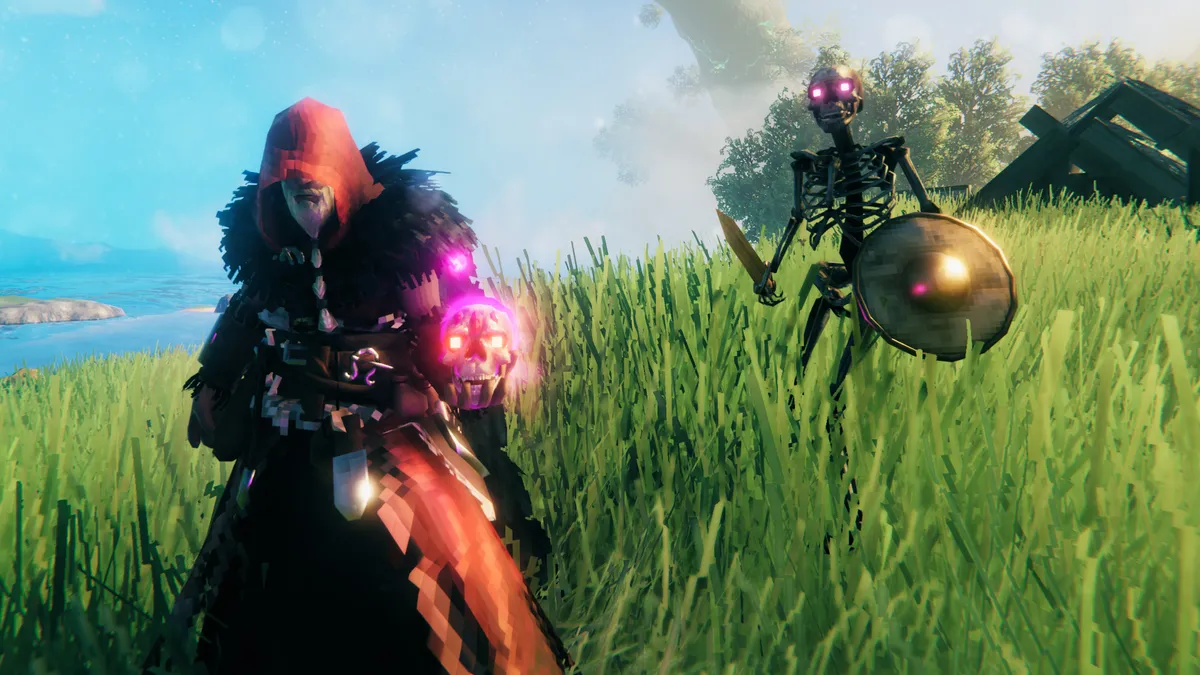
Valheim Mistlands console commands
The Valheim Mistlands update added a number of new resources, weapons, armor, foods, and other items to the game. Type spawn [item] [number] in the console to spawn an item from the Mistlands. For instance, if you wanted 10 yggdrasil wood, you would type: spawn yggdrasilwood 10
Here are the item codes for the spawnable Mistlands items we've found so far:
spawn [item] [number] |
Bilebag |
DvergrKeyFragment |
sap |
| Row 1 - Cell 0 | blackcore |
eitr |
ScaleHide |
| Row 2 - Cell 0 | Blackmarble |
GiantBloodSack |
Softtissue |
| Row 3 - Cell 0 | carapace |
Mandible |
wisp |
| Row 4 - Cell 0 | yagluthdrop |
Yggdrasilwood |
Row 4 - Cell 3 |
spawn [item] [number] |
cookedegg |
MushroomMagecap |
| Row 1 - Cell 0 | MagicallyStuffedShroom |
seekeraspic |
| Row 2 - Cell 0 | MeatPlatter |
YggdrasilPorridge |
| Row 3 - Cell 0 | MisthareSupreme |
Row 3 - Cell 2 |
spawn [item] [number] |
AxeJotunBane |
SledgeDemolisher |
| Row 1 - Cell 0 | BoneSpineSnap |
SwordMistwalker |
| Row 2 - Cell 0 | Himminafl |
THSwordKrom |
| Row 3 - Cell 0 | KnifeSkollAndHati |
Row 3 - Cell 2 |
spawn [item] [number] |
ArmorCarapaceChest |
HelmetCarapace |
| Row 1 - Cell 0 | ArmorCarapace |
HelmetMage |
| Row 2 - Cell 0 | ArmorMageChest |
ShieldCarapace |
| Row 3 - Cell 0 | ArmorMageLegs |
ShieldCarapaceBuckler |
| Row 4 - Cell 0 | CapeFeather |
Row 4 - Cell 2 |
Valheim cheats for Ashlands

Valheim Ashlands console commands
The Valheim Ashlands update added a new biome suitable only for the bravest dead Vikings, plus lots of new weapons, armor, and resources. After enabling cheats, type the spawn [item] [number] command and press enter.
Here are the item names for the spawnable Ashlands items we know about:
spawn [item] [number] |
AsksvinCarrionNeck |
Blackwood |
GemstoneBlue |
| Row 1 - Cell 0 | AsksvinCarrionRibcage |
CharredCogwheel |
GemstoneGreen |
| Row 2 - Cell 0 | AsksvinCarrionSkull |
CharredSkull |
GemstoneRed |
| Row 3 - Cell 0 | AsksvinEgg |
FlametalOreNew |
Grausten |
| Row 4 - Cell 0 | AsksvinMeat |
ProustitePowder |
MoltenCore |
| Row 5 - Cell 0 | CharcoalResin |
SulfurStone |
Row 5 - Cell 3 |
spawn [item] [number] |
SwordNiedhoggLightning |
BowAshlandsLightning |
| Row 1 - Cell 0 | THSwordSlayerLightning |
CrossbowRipperLightning |
| Row 2 - Cell 0 | MaceEldnerLightning |
SwordDyrnwyn |
| Row 3 - Cell 0 | AxeBerzerkrLightning |
StaffRedTroll |
| Row 4 - Cell 0 | SpearSplitner_Lightning |
StaffLightning |
| Row 5 - Cell 0 | DvergerArbalest_shootAshlands |
Row 5 - Cell 2 |
spawn [item] [number] |
ArmorMageChest_Ashlands |
HelmetAshlandsMediumHood |
| Row 1 - Cell 0 | ArmorMageLegs_Ashlands |
ArmorAshlandsMediumChest |
| Row 2 - Cell 0 | HelmetMage_Ashlands |
ArmorAshlandsMediumlegs |
| Row 3 - Cell 0 | DvergerSuitArbalest_Ashlands |
Row 3 - Cell 2 |
Valheim cheats: Item spawn list

Valheim item IDs for other biomes
To spawn items, type spawn in the console, followed by the item you want, followed by the amount of that item. For instance, if you wanted 50 coal, you would type:
- spawn Coal 50
Remember, items are case-sensitive! We’ve split them by category and excluded codes with no in-game implementations (for now). Also, spawned items won’t appear in your inventory but beside you.
Copper |
Iron |
Silver |
BlackMetal |
CopperOre |
IronNails |
SilverOre |
BlackMetalScrap |
Bronze |
IronOre |
Tin |
Flametal |
BronzeNails |
IronScrap |
TinOre |
FlametalOre |
spawn [item] [number] |
BoneFragments |
GreydwarfEye |
RoundLog |
| Row 1 - Cell 0 | Chitin |
Guck |
SerpentScale |
| Row 2 - Cell 0 | Coal |
HardAntler |
Stone |
| Row 3 - Cell 0 | Crystal |
LeatherScraps |
SurtlingCore |
| Row 4 - Cell 0 | Dandelion |
LinenThread |
Tar |
| Row 5 - Cell 0 | DeerHide |
LoxPelt |
Thistle |
| Row 6 - Cell 0 | ElderBark |
NeckTail |
TrollHide |
| Row 7 - Cell 0 | Feathers |
Needle |
WitheredBone |
| Row 8 - Cell 0 | FineWood |
Obsidian |
WolfFang |
| Row 9 - Cell 0 | Flax |
Ooze |
WolfPelt |
| Row 10 - Cell 0 | Flint |
QueenBee |
Wood |
| Row 11 - Cell 0 | FreezeGland |
Resin |
YmirRemains |
spawn [item] [number] |
BloodPudding |
Mushroom |
| Row 1 - Cell 0 | Blueberries |
MushroomBlue |
| Row 2 - Cell 0 | Bread |
MushroomYellow |
| Row 3 - Cell 0 | Carrot |
NeckTailGrilled |
| Row 4 - Cell 0 | CarrotSoup |
QueensJam |
| Row 5 - Cell 0 | Cloudberry |
Raspberry |
| Row 6 - Cell 0 | CookedLoxMeat |
Sausages |
| Row 7 - Cell 0 | CookedMeat |
SerpentMeatCooked |
| Row 8 - Cell 0 | FishCooked |
SerpentStew |
| Row 9 - Cell 0 | FishWraps |
Turnip |
| Row 10 - Cell 0 | Honey |
TurnipStew |
| Row 11 - Cell 0 | LoxPie |
Row 11 - Cell 2 |
spawn [item] [number] |
Barley |
FishRaw |
| Row 1 - Cell 0 | BarleyFlour |
LoxMeat |
| Row 2 - Cell 0 | BarleyWine |
RawMeat |
| Row 3 - Cell 0 | Bloodbag |
SerpentMeat |
| Row 4 - Cell 0 | Entrails |
Row 4 - Cell 2 |
spawn [item] [number] |
AncientSeed |
TurnipSeeds |
| Row 1 - Cell 0 | BeechSeeds |
PineCone |
| Row 2 - Cell 0 | CarrotSeeds |
FirCone |
spawn [item] [number] |
BarleyWineBase |
MeadBasePoisonResist |
| Row 1 - Cell 0 | MeadBaseFrostResist |
MeadBaseStaminaMedium |
| Row 2 - Cell 0 | MeadBaseHealthMedium |
MeadBaseStaminaMinor |
| Row 3 - Cell 0 | MeadBaseHealthMinor |
MeadBaseTasty |
spawn [item] [number] |
AxeBlackMetal |
FishingRod |
PickaxeIron |
| Row 1 - Cell 0 | AxeBronze |
FishingBait |
PickaxeStone |
| Row 2 - Cell 0 | AxeFlint |
Hammer |
Row 2 - Cell 3 |
| Row 3 - Cell 0 | AxeIron |
Hoe |
Row 3 - Cell 3 |
| Row 4 - Cell 0 | AxeStone |
PickaxeAntler |
Row 4 - Cell 3 |
| Row 5 - Cell 0 | Cultivator |
PickaxeBronze |
Row 5 - Cell 3 |
spawn [item] [number] |
Cart |
Trailership |
| Row 1 - Cell 0 | Karve |
VikingShip |
| Row 2 - Cell 0 | Raft |
Row 2 - Cell 2 |
spawn [item] [number] |
BeltStrength |
Wishbone |
| Row 1 - Cell 0 | HelmetDverger |
Row 1 - Cell 2 |
spawn [item] [number] |
ArrowBronze |
ArrowIron |
ArrowSilver |
| Row 1 - Cell 0 | ArrowFire |
ArrowNeedle |
ArrowWood |
| Row 2 - Cell 0 | ArrowFlint |
ArrowObsidian |
Row 2 - Cell 3 |
| Row 3 - Cell 0 | ArrowFrost |
ArrowPoison |
Row 3 - Cell 3 |
Weapons
- AtgeirBlackmetal
- AtgeirBronze
- AtgeirIron
- Battleaxe
- Bow
- BowDraugrFang
- BowFineWood
- BowHuntsman
- Club
- KnifeBlackMetal
- KnifeChitin
- KnifeCopper
- KnifeFlint
- MaceBronze
- MaceIron
- MaceNeedle
- MaceSilver
- ShieldBanded
- ShieldBlackmetal
- ShieldBlackmetalTower
- ShieldBronzeBuckler
- ShieldIronSquare
- ShieldIronTower
- ShieldKnight
- ShieldSerpentscale
- ShieldSilver
- ShieldWood
- ShieldWoodTower
- SledgeIron
- SledgeStagbreaker
- SpearBronze
- SpearChitin
- SpearElderbark
- SpearFlint
- SpearWolfFang
- SwordBlackmetal
- SwordBronze
- SwordCheat
- SwordIron
- SwordIronFire
- SwordSilver
- Tankard
- TankardOdin
- Torch
Armor
- ArmorBronzeChest
- ArmorBronzeLegs
- ArmorIronChest
- ArmorIronLegs
- ArmorLeatherChest
- ArmorLeatherLegs
- ArmorPaddedCuirass
- ArmorPaddedGreaves
- ArmorRagsChest
- ArmorRagsLegs
- ArmorTrollLeatherChest
- ArmorTrollLeatherLegs
- ArmorWolfChest
- ArmorWolfLegs
- CapeDeerHide
- CapeLinen
- CapeLox
- CapeOdin
- CapeTest
- CapeTrollHide
- CapeWolf
- HelmetBronze
- HelmetDrake
- HelmetDverger
- HelmetIron
- HelmetLeather
- HelmetOdin
- HelmetPadded
- HelmetTrollLeather
- HelmetYule
Valheim item IDs for bosses, enemies, and spawners

Bosses and enemies
- Bonemass
- Dragon
- Eikthyr
- gd_king
- GoblinKing
Enemies
- Blob
- BlobElite
- Boar
- Boar_piggy
- Crow
- Deathsquito
- Deer
- Draugr
- Draugr_Elite
- Draugr_Ranged
- Fenring
- Ghost
- Goblin
- GoblinArcher
- GoblinBrute
- GoblinClub
- GoblinHelmet
- GoblinLegband
- GoblinLoin
- GoblinShaman
- GoblinShoulders
- GoblinSpear
- GoblinSword
- GoblinTorch
- GoblinTotem
- Greydwarf
- Greydwarf_Elite
- Greydwarf_Root
- Greydwarf_Shaman
- Greyling
- Leech
- Lox
- Neck
- Seagal
- Serpent
- Skeleton
- Skeleton_Poison
- StoneGolem
- Surtling
- Troll
- Valkyrie
- Wolf
- Wolf_cub
- Wraith
Trophies
- TrophyBlob
- TrophyBoar
- TrophyBonemass
- TrophyDeathsquito
- TrophyDeer
- TrophyDragonQueen
- TrophyDraugr
- TrophyDraugrElite
- TrophyDraugrFem
- TrophyEikthyr
- TrophyFenring
- TrophyForestTroll
- TrophyFrostTroll
- TrophyGoblin
- TrophyGoblinBrute
- TrophyGoblinKing
- TrophyGoblinShaman
- TrophyGreydwarf
- TrophyGreydwarfBrute
- TrophyGreydwarfShaman
- TrophyHatchling
- TrophyLeech
- TrophyLox
- TrophyNeck
- TrophySerpent
- TrophySGolem
- TrophySkeleton
- TrophySkeletonPoison
- TrophySurtling
- TrophyTheElder
- TrophyWolf
- TrophyWraith
Spawners
- BonePileSpawner
- Spawner_Blob
- Spawner_BlobElite
- Spawner_Boar
- Spawner_Draugr
- Spawner_DraugrPile
- Spawner_Draugr_Elite
- Spawner_Draugr_Noise
- Spawner_Draugr_Ranged
- Spawner_Draugr_Ranged_Noise
- Spawner_Draugr_respawn_30
- Spawner_Fenring
- Spawner_Fish4
- Spawner_Ghost
- Spawner_Goblin
- Spawner_GoblinArcher
- Spawner_GoblinBrute
- Spawner_GoblinShaman
- Spawner_Greydwarf
- Spawner_GreydwarfNest
- Spawner_Greydwarf_Elite
- Spawner_Greydwarf_Shaman
- Spawner_Hatchling
- Spawner_imp
- Spawner_imp_respawn
- Spawner_Leech_cave
- Spawner_Location_Elite
- Spawner_Location_Greydwarf
- Spawner_Location_Shaman
- Spawner_Skeleton
- Spawner_Skeleton_night_noarcher
- Spawner_Skeleton_poison
- Spawner_Skeleton_respawn_30
- Spawner_StoneGolem
- Spawner_Troll
- Spawner_Wraith