Join The Club





As much as I like a good motherboard, reviewing them can often be a frustrating experience, especially if it has a brand-new chipset. Wonky BIOS files and awkward connectors are easy enough to deal with, but it's a whole different story when it comes to Wi-Fi drivers. That's why Asus' new ROG Crosshair X870E Glacial is noteworthy, because it comes with those drivers pre-installed on the board.
It's not the only spangly feature the X870E Glacial has; it's a high-end Asus model, after all. In fact, the mobo sports a veritable smorgasbord of gadgets, extras, and options, all designed to make it as user-friendly as possible. I also have to say that the whole thing really does look very nice.
Article continues belowIt's not just Asus that has this problem with guess-the-vendor Wi-Fi drivers, as I know that some Gigabyte motherboards are like this, too. To be fair to both companies, it wouldn't really be an issue if Microsoft just let you quickly skip past the Internet requirement during Windows installation, though you would still be faced with guessing which set is the right one to use.
The automatic installation of drivers is something that's relatively new in the world of motherboards, but I'm glad it's here, as it really does help with the whole process of setting up a new build. That said, it only takes place once Windows is fully installed and even then, you're reliant on the board vendors having the latest drivers on their servers, and you still need a net connection to start with.
Sticking all of the key drivers into a bit of onboard memory on the motherboard seems to be the best solution, to my eyes at least. Unfortunately, it also adds to the cost of manufacturing the motherboard (not just the increase in the bill of materials but also the time it takes to package the product), so we may never see this filter down to the mainstream or budget sector.
There again, with DRAM set to be hugely expensive for at least another year, perhaps Asus and the like might just add it as an option to all their new motherboards as a means to keep people interested in buying a new mobo. It won't make building a PC as easy as sticking Lego bricks together, but every little helps.
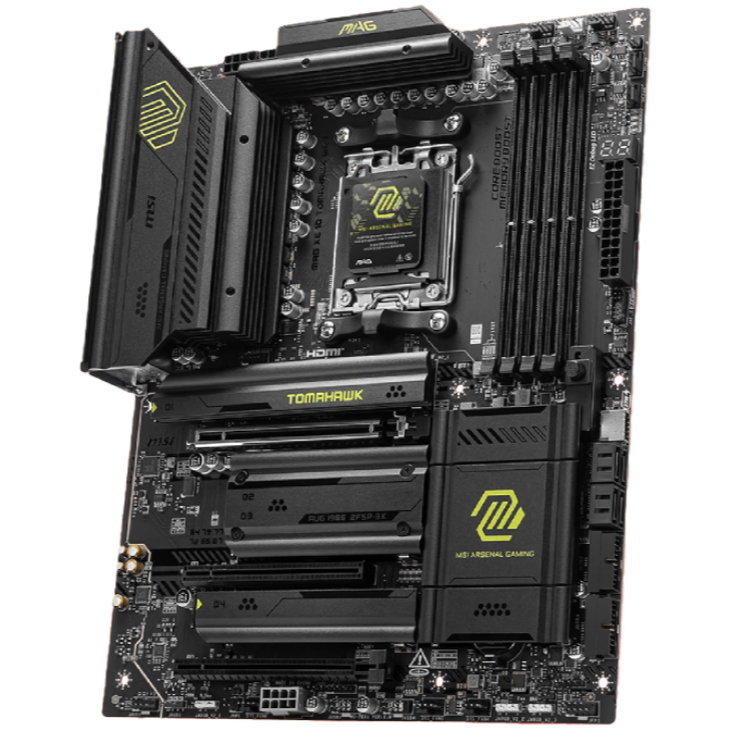
1. Best AM5 - AMD Ryzen 9000/7000:
MSI MAG X870 Tomahawk WiFi
2. Best budget AM5 - AMD Ryzen 9000/7000:
Asus TUF Gaming B650-Plus WiFi
3. Best midrange AM5 - AMD Ryzen 9000/7000:
ASRock B850 Steel Legend WiFi
4. Best AM4 - AMD Ryzen 5000/3000:
Asus ROG Strix B550-E Gaming
5. Best LGA1851 - Intel Core Ultra 200S:
Asus ROG Maximus Z890 Hero
6. Best budget LGA1851 - Intel Core Ultra 200S
ASRock B860 Steel Legend Wi-Fi
7. Best LGA1700 - Intel 14/13th Gen:
MSI MAG Z790 Tomahawk WiFi
8. Best budget LGA1700 - Intel 14/13th Gen:
Asrock B760M PG Sonic WiFi

You must confirm your public display name before commenting
Please logout and then login again, you will then be prompted to enter your display name.