The latest Windows 11 dev build gives you the ability to snap together commonly paired apps for access in a single click, and I'm already sold
Now I can open Solitaire and Spotify even quicker.
Keep up to date with the most important stories and the best deals, as picked by the PC Gamer team.
You are now subscribed
Your newsletter sign-up was successful
Want to add more newsletters?
Every Friday
GamesRadar+
Your weekly update on everything you could ever want to know about the games you already love, games we know you're going to love in the near future, and tales from the communities that surround them.
Every Thursday
GTA 6 O'clock
Our special GTA 6 newsletter, with breaking news, insider info, and rumor analysis from the award-winning GTA 6 O'clock experts.
Every Friday
Knowledge
From the creators of Edge: A weekly videogame industry newsletter with analysis from expert writers, guidance from professionals, and insight into what's on the horizon.
Every Thursday
The Setup
Hardware nerds unite, sign up to our free tech newsletter for a weekly digest of the hottest new tech, the latest gadgets on the test bench, and much more.
Every Wednesday
Switch 2 Spotlight
Sign up to our new Switch 2 newsletter, where we bring you the latest talking points on Nintendo's new console each week, bring you up to date on the news, and recommend what games to play.
Every Saturday
The Watchlist
Subscribe for a weekly digest of the movie and TV news that matters, direct to your inbox. From first-look trailers, interviews, reviews and explainers, we've got you covered.
Once a month
SFX
Get sneak previews, exclusive competitions and details of special events each month!
If you have signed up for the dev build of the latest Windows update, you should now have access to a smart new feature allowing you to pair apps together for easy access, alongside a few new additions.
According to the latest Windows blog, in the recommended tab of the Start menu (which pops up at the bottom when you hit Start), you should now see a 'frequently snapped apps' section, which opens up multiple apps at the same time.
If you tend to pair Chrome for search and Notepad for writing at the same time, it may automatically pick up on that and allow you to open them up from the Start menu in a single click. This is not the only way the new Windows 11 developer update is further implementing its recommended function.
File Explorer will now give you commonly used files from the home tab. I personally don't think I'll get as much use from this as the snapped apps function, as I tend to flit through files a lot, but Windows getting smarter ways of accessing files and apps certainly feels like a good direction for future updates.
If you don't like the new functions or their implementation and currently have access to the developer version of the next Windows update, you can file feedback in the Feedback Hub with the shortcut Windows Key + F.
As well as the above, the next version of the software is getting live caption support for AMD and Intel-based Copilot+ PCs to do real-time translation to Chinese (simplified) from 27 languages, including English.
The latest build also includes easier access to emojis through a dedicated section on the Taskbar, better search via the Taskbar, an extra prompt to add a recovery email, and it makes Windows easier for web developers to build apps for.
Keep up to date with the most important stories and the best deals, as picked by the PC Gamer team.
This new build also fixes some bugs that have popped up in the latest build. Notably, Window is now open for a limited time to more easily swap from a developer or beta access to its software.
The Developer build gets access to new features earlier but is less developed and more prone to issues. The beta build will get future updates slower but will be more consistent when they arrive.
If you've been wanting to swap the type of Windows builds you get access to, now is a great time to do so.
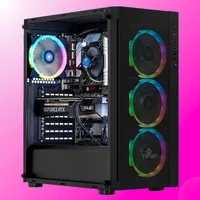
Best gaming PC: The top pre-built machines.
Best gaming laptop: Great devices for mobile gaming.

James is a more recent PC gaming convert, often admiring graphics cards, cases, and motherboards from afar. It was not until 2019, after just finishing a degree in law and media, that they decided to throw out the last few years of education, build their PC, and start writing about gaming instead. In that time, he has covered the latest doodads, contraptions, and gismos, and loved every second of it. Hey, it’s better than writing case briefs.
You must confirm your public display name before commenting
Please logout and then login again, you will then be prompted to enter your display name.