I'll be the first to admit that I've been rather critical of our new AI-integrated, "woops-it's-broken" world. That's not to say I'm completely down on the tech, though. I like me a dose of DLSS, and vibe coding has shown some genuine promise in terms of bringing software development to the masses.
I'm also a huge Lego fan. Which means I'm happy to admit that Brickbacklog.com, a vibe-coded web tool that helps you identify and source missing pieces for your old Lego sets, is a very cool thing.
The tool's creator, James Bruce, has written a Linkedin post describing its inception. They're a Lego connoisseur like myself, only with what sounds like a much, much larger collection.
"I love buying old bargain bulk boxes and figuring out what sets were mixed in there," says Bruce. "But finding the right bits to rebuild those sets can be tedious, especially when there are 5 kg of bricks to wade through.
"So one Saturday evening, I decided to make a web-based tool to help me find the pieces I need: something where I could enter a set number, see all the parts, and use a dead-simple tick-box interface to check them off, ideally with a satisfying sound."

No such tool was found to exist. But despite having two decades of experience as a web developer and programmer, Bruce decided to take the easier route and see if ChatGPT Codex could make one instead.
"Within fifteen minutes, it had built a working prototype. Less than an hour later, I’d bought a domain name and uploaded the first version. It was rough, and it didn’t work for larger sets yet, but the proof of concept was there, and it was already useful," says Bruce.
"By Sunday morning, I’d added new features, fixed bugs, and made sure it could scale for massive sets. Then I added a way to save your progress without ever needing to log in, so no sensitive user data is stored. And it all just… worked."
This doesn't quite track with my own (limited) experience with vibe coding, but being a dev to begin with probably helps in terms of prompting the AI in the right direction. Anyway, the resulting tool looks incredibly useful, especially for someone who's planning a move in the near future, like myself.

I have far too many completed Lego sets in my home at the moment. And I know that, no matter how carefully I disassemble them, half my Lego Technic cars will end up without their wing mirrors by the time I unpack them at the other end.
But lo and behold, even my 2022 Ford GT is supported by the app. And yes, half those little doohickies are probably spread underneath various bits of furniture in my house already, and I've simply not noticed they've fallen off. But when I do, I'll be using this little tool to help order replacements—and that's pretty cool if you ask me.
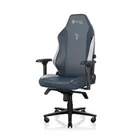
1. Best gaming chair: Secretlab Titan Evo
2. Best gaming desk: Secretlab Magnus Pro XL
3. Best gaming headset: Razer BlackShark V3
4. Best gaming keyboard: Asus ROG Strix Scope II 96 Wireless
5. Best gaming mouse: Razer Viper V4 Pro
6. Best PC controller: GameSir G7 Pro
7. Best steering wheel: Logitech G Pro Racing Wheel
8. Best microphone: Shure MV6 USB Gaming Microphone
9. Best webcam: Elgato Facecam MK.2