Join The Club





Yes, the memory pricing crisis is real—I'm calling it either the RAMpocalypse or the Great Dying (depending on how much sleep I've had)—but there are still gaming laptop deals out there to be had that are actually a good priceTM. Case in point, here I have a pair of RTX 5080-powered gaming laptops for a shade under $2,000. That was kind of the goal for Black Friday last year and it's gratifying to see some sticking around into 2026.
Yes, we'll have new gaming laptops on the way soon, with Intel Panther Lake machines and rebadged AMD Ryzen AI 300-series (now labelled as AI 400-series), which could drive prices lower on older stock, but this is still a good price today.
Quick links
The gaming laptop deals
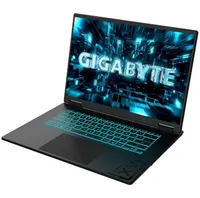
This first machine, a Gigabyte Gaming A6 Pro for $2,000 at Newegg looks immediately like the best option with its mix of 32 GB of DDR5 memory and RTX 5080 graphics card, but there are both hidden and obvious compromises with this machine that make the MSI below more tempting for me.
Sure, that 32 GB RAM complement looks good on paper during a memory pricing boom where a 32 GB SODIMM kit will cost over $300 at retail, but I wouldn't take that at the expense of a quicker GPU. The issue here is that the TGP of the graphics chip Gigabyte has used tops out at 115 W. That's fine if you want to keep the noise, heat, and power draw down, but it's not going to get you the same gaming performance as the 175 W RTX 5080 of the Vector 16 HX AI.
You're also rocking an old 10-core Raptor Lake CPU in the Core 7 240H, versus the 24-core Arrow Lake chip in the larger machine.
But, if you value memory capacity above all else, and maybe want a cooler, quieter machine, then I can understand why you'd be looking at the Gigabyte. I, however, won't.
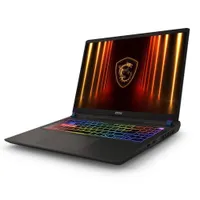
That's because I definitely have a soft spot for the slightly anachronistic MSI Vector 16 HX AI. It's still $2,000 at Newegg but you're getting a far more powerful CPU and GPU combination for the money, and I'd take that over another 16 GB of DDR5 any day. Gaming on a 16 GB laptop isn't a terrible experience at all, especially when the graphics card is going to take the brunt of the performance anxiety you might have regarding your machine.
You're also looking at a quicker 1600p screen into the bargain, too. And while you might look at the Gigabyte and be charmed by the promise of cooler, quieter operation, I've actually had the MSI Vector up and running, and while yes it is loud as all hell when you crank it up there are ways around that.
And I don't mean any tricky mods or anything, either. Simply switch from the performance modes to a balanced system mode in the MSI software and it pulls down the pacey GPU just enough to stop the laptop sounding like a turbine, while still delivering gaming frame rates only a smidge slower.
It's absolutely the machine I would choose of the two.

1. Best overall:
Razer Blade 16 (2025)
2. Best budget:
Lenovo LOQ 15 Gen 10
3. Best 14-inch:
Razer Blade 14 (2025)
4. Best mid-range:
MSI Vector 16 HX AI
5. Best high-performance:
Lenovo Legion Pro 7i Gen 10
6. Best 18-inch:
Alienware 18 Area-51

You must confirm your public display name before commenting
Please logout and then login again, you will then be prompted to enter your display name.