You are now subscribed
Your newsletter sign-up was successful
Want to add more newsletters?

Every Friday
GamesRadar+
Your weekly update on everything you could ever want to know about the games you already love, games we know you're going to love in the near future, and tales from the communities that surround them.

Every Thursday
GTA 6 O'clock
Our special GTA 6 newsletter, with breaking news, insider info, and rumor analysis from the award-winning GTA 6 O'clock experts.

Every Friday
Knowledge
From the creators of Edge: A weekly videogame industry newsletter with analysis from expert writers, guidance from professionals, and insight into what's on the horizon.

Every Thursday
The Setup
Hardware nerds unite, sign up to our free tech newsletter for a weekly digest of the hottest new tech, the latest gadgets on the test bench, and much more.

Every Wednesday
Switch 2 Spotlight
Sign up to our new Switch 2 newsletter, where we bring you the latest talking points on Nintendo's new console each week, bring you up to date on the news, and recommend what games to play.

Every Saturday
The Watchlist
Subscribe for a weekly digest of the movie and TV news that matters, direct to your inbox. From first-look trailers, interviews, reviews and explainers, we've got you covered.

Once a month
SFX
Get sneak previews, exclusive competitions and details of special events each month!
Larry Hryb, the man known to the world as Major Nelson, announced on Twitter today that Microsoft has "made some backend updates to improve your experience playing @Windows 10 games offline." Basically, if you're going to be somewhere that lacks online coverage—on a submarine, for instance—it will still be possible to play your games. But there are some restrictions.
"Most games available in the Store on your Windows 10 device support offline play, but check the details of the game to make sure yours is supported by searching for your game at http://www.xbox.com," the Xbox support site says. "Most games with a campaign mode will be playable offline, but games with network co-op or multiplayer features will not work while you’re offline. While playing offline, some features, such as the ability to purchase additional items from the Windows Store, will not be available. Additionally, any leaderboards will be unavailable while you're offline."
Obviously, online features like buying stuff from in-game stores won't be available when you're offline, but the bit about "games with network co-op or multplayer features" not working while offline really isn't clear. We tested with Gears of War 4 and confirmed that the offline features like campaign and LAN multiplayer worked just fine when disconnected.
There are more caveats, though. You're limited to just one "designated offline device" at a time, and you can only change your designated offline device three times per year. Switching into offline mode isn't all that easy, either. First, you'll need to set your designated offline device:
- Make sure that you’re online.
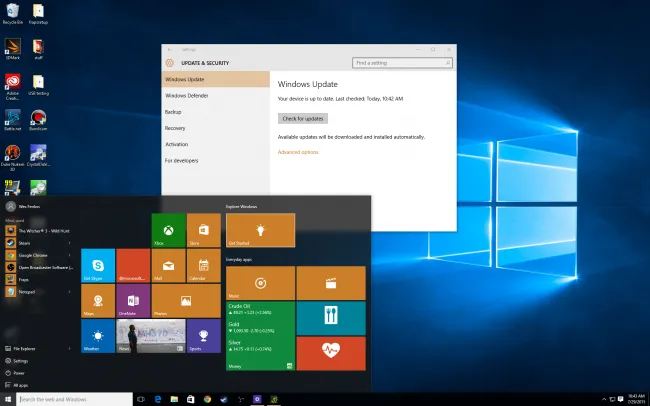
- Check that your device has the latest Windows updates: Go to Start, Settings, Update and security, and then Windows Update and see if any relevant updates are available.
- Open the Store. You’ll be prompted to sign in if you haven’t already.
- Select the Me icon (this is your profile picture).
- Select Settings, and then under Offline Permissions, make sure that the toggle is set to On.
After that, you'll have to "prepare" your games by launching each one that you want to play offline while you're still online, and logging into your Xbox Live account. This is a bit like launching Steam into Offline mode while you still have an internet connection... but you'll have to prepare each individual Xbox game this way before going offline.
Once you've logged into the game while you're online, you can exit at any time and you'll be set. Of course, if you change your mind and want to play something you haven't properly prepared, you're out of luck.
The upside is that this only affects Windows 10 games, but it still seems wildly complicated and restrictive to me. Worse, while improved functionality is always welcome, I can't see how this does anything but beg for unflattering comparisons with Steam: When I want to play my Steam games offline, I set Steam offline, restart it, and I'm on my way—and I can do it as often as I want. Microsoft's implementation of offline play is an improvement, but only because it wasn't available at all previously. As a step toward becoming more competitive with Steam, though, it falls woefully short.


