For the quickest way to join, simply enter your email below and get access. We will send a confirmation and sign you up to our newsletter to keep you updated on all your gaming news.
Six months ago, this wouldn't have been much of a deal, but now that DRAM is ludicrously expensive, it's the only sensible way of bagging an upgrade for an older gaming PC.
If you've got an old-ish gaming PC, maybe one that's around six to ten years old, you might be despairing over doing a full system upgrade right now. While you can transplant your current graphics card and storage drives into any new build, the very latest processors all use DDR5 RAM, and that costs a small fortune. It's no better with DDR4, so there's not much point in choosing an older CPU, either.
(Image credit: Future)
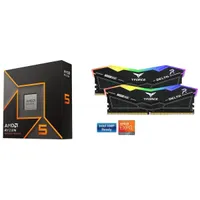
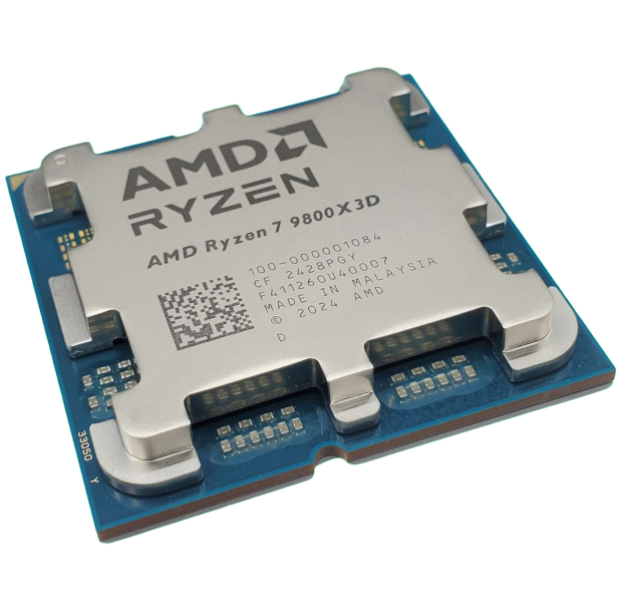
Fortunately, there is some light in the grim tunnel, and it's in the form of Newegg's CPU bundles. Not all of them are worth considering, but this one certainly is, because you're getting a nifty Ryzen 5 9600X CPU, a 16 GB dual-channel DDR5-6000 memory kit, and an MSI Coreliquid AIO cooler for a smidge under $400.
Given that the CPU alone normally retails for around $190, and you're looking at least $230 for a basic 16 GB DRAM kit, you're already saving a bit of money before Newegg throws in an MSI liquid cooler.
The process has six Zen 5 cores, with support for 12 threads; it also has 32 MB of L3 cache and a boost clock of 5.4 GHz. With a standard power limit of just 60 W, it's very easy to keep cool, too. AMD's budget gaming chip was rather overpriced at launch, but not anymore, and it's a great little gaming processor.
Team Group's T-Force DDR5 kit is pretty decent, too. Sure, the looks are a bit over-the-top, but you won't really notice that once it's installed inside your PC. And don't worry about the capacity, either, because 16 GB is still plenty enough memory for gaming for most scenarios.
1 / 2
Gaming performance
16 vs 32 GB system memory
Avg FPS
1% Low FPS
RTX 5070 - 32 GB system RAM
38
27
RTX 5070 - 16 GB system RAM
36
27
010203040
Cyberpunk 2077 (RT Overdrive) Data
Product
Value
RTX 5070 - 32 GB system RAM
38 Avg FPS, 27 1% Low FPS
RTX 5070 - 16 GB system RAM
36 Avg FPS, 27 1% Low FPS
Avg FPS
1% Low FPS
RTX 5070 - 32 GB system RAM
67
46
RTX 5070 - 16 GB system RAM
67
44
020406080
Kingdom Come: Deliverance 2 (Experimental) Data
Product
Value
RTX 5070 - 32 GB system RAM
67 Avg FPS, 46 1% Low FPS
RTX 5070 - 16 GB system RAM
67 Avg FPS, 44 1% Low FPS
Avg FPS
1% Low FPS
RTX 5070 - 32 GB system RAM
34
24
RTX 5070 - 16 GB system RAM
34
24
010203040
Black Myth: Wukong (Cinematic/Full Path Tracing) Data
Product
Value
RTX 5070 - 32 GB system RAM
34 Avg FPS, 24 1% Low FPS
RTX 5070 - 16 GB system RAM
34 Avg FPS, 24 1% Low FPS
Avg FPS
1% Low FPS
RTX 5070 - 32 GB system RAM
71
51
RTX 5070 - 16 GB system RAM
70
46
020406080
Stalker 2 (Epic) Data
Product
Value
RTX 5070 - 32 GB system RAM
71 Avg FPS, 51 1% Low FPS
RTX 5070 - 16 GB system RAM
70 Avg FPS, 46 1% Low FPS
Avg FPS
1% Low FPS
RTX 5070 - 32 GB system RAM
120
63
RTX 5070 - 16 GB system RAM
110
47
037.575112.5150
Escape from Tarkov (Ultra) Data
Product
Value
RTX 5070 - 32 GB system RAM
120 Avg FPS, 63 1% Low FPS
RTX 5070 - 16 GB system RAM
110 Avg FPS, 47 1% Low FPS
Avg FPS
1% Low FPS
RTX 5070 - 32 GB system RAM
9
6
RTX 5070 - 16 GB system RAM
8
2
02.557.510
Microsoft Flight Simulator 2024 (Ultra) Data
Product
Value
RTX 5070 - 32 GB system RAM
9 Avg FPS, 6 1% Low FPS
RTX 5070 - 16 GB system RAM
8 Avg FPS, 2 1% Low FPS
Avg FPS
1% Low FPS
RTX 5070 - 32 GB system RAM
53
27
RTX 5070 - 16 GB system RAM
52
25
015304560
Hogwarts Legacy (Ultra/Ultra RT) Data
Product
Value
RTX 5070 - 32 GB system RAM
53 Avg FPS, 27 1% Low FPS
RTX 5070 - 16 GB system RAM
52 Avg FPS, 25 1% Low FPS
Avg FPS
1% Low FPS
RTX 5070 - 32 GB system RAM
56
28
RTX 5070 - 16 GB system RAM
54
15
015304560
Star Citizen (Very High) Data
Product
Value
RTX 5070 - 32 GB system RAM
56 Avg FPS, 28 1% Low FPS
RTX 5070 - 16 GB system RAM
54 Avg FPS, 15 1% Low FPS
Memory usage (total/process)
16 vs 32 GB system memory
Avg system RAM
Avg process RAM
RTX 5070 - 32 GB system RAM
13800
6200
RTX 5070 - 16 GB system RAM
12900
6000
03,7507,50011,25015,000
Cyberpunk 2077 Data
Product
Value
RTX 5070 - 32 GB system RAM
13800 Avg system RAM, 6200 Avg process RAM
RTX 5070 - 16 GB system RAM
12900 Avg system RAM, 6000 Avg process RAM
Avg system RAM
Avg process RAM
RTX 5070 - 32 GB system RAM
15300
8600
RTX 5070 - 16 GB system RAM
11800
6299.8
05,00010,00015,00020,000
Kingdom Come: Deliverance 2 Data
Product
Value
RTX 5070 - 32 GB system RAM
15300 Avg system RAM, 8600 Avg process RAM
RTX 5070 - 16 GB system RAM
11800 Avg system RAM, 6299.8 Avg process RAM
Avg system RAM
Avg process RAM
RTX 5070 - 32 GB system RAM
15800
7700
RTX 5070 - 16 GB system RAM
12200
5899.9
05,00010,00015,00020,000
Black Myth: Wukong Data
Product
Value
RTX 5070 - 32 GB system RAM
15800 Avg system RAM, 7700 Avg process RAM
RTX 5070 - 16 GB system RAM
12200 Avg system RAM, 5899.9 Avg process RAM
Avg system RAM
Avg process RAM
RTX 5070 - 32 GB system RAM
18700
7000
RTX 5070 - 16 GB system RAM
12600
4300
05,00010,00015,00020,000
Stalker 2 Data
Product
Value
RTX 5070 - 32 GB system RAM
18700 Avg system RAM, 7000 Avg process RAM
RTX 5070 - 16 GB system RAM
12600 Avg system RAM, 4300 Avg process RAM
Avg system RAM
Avg process RAM
RTX 5070 - 32 GB system RAM
18000
9799.9
RTX 5070 - 16 GB system RAM
11400
6200
05,00010,00015,00020,000
Escape from Tarkov Data
Product
Value
RTX 5070 - 32 GB system RAM
18000 Avg system RAM, 9799.9 Avg process RAM
RTX 5070 - 16 GB system RAM
11400 Avg system RAM, 6200 Avg process RAM
Avg system RAM
Avg process RAM
RTX 5070 - 32 GB system RAM
27300
19500
RTX 5070 - 16 GB system RAM
14900
899.7
07,50015,00022,50030,000
Microsoft Flight Simulator 2024 Data
Product
Value
RTX 5070 - 32 GB system RAM
27300 Avg system RAM, 19500 Avg process RAM
RTX 5070 - 16 GB system RAM
14900 Avg system RAM, 899.7 Avg process RAM
Avg system RAM
Avg process RAM
RTX 5070 - 32 GB system RAM
22400
13700
RTX 5070 - 16 GB system RAM
12800
7900
07,50015,00022,50030,000
Hogwarts Legacy Data
Product
Value
RTX 5070 - 32 GB system RAM
22400 Avg system RAM, 13700 Avg process RAM
RTX 5070 - 16 GB system RAM
12800 Avg system RAM, 7900 Avg process RAM
Avg system RAM
Avg process RAM
RTX 5070 - 32 GB system RAM
29300
19800
RTX 5070 - 16 GB system RAM
13700
7200
07,50015,00022,50030,000
Star Citizen Data
Product
Value
RTX 5070 - 32 GB system RAM
29300 Avg system RAM, 19800 Avg process RAM
RTX 5070 - 16 GB system RAM
13700 Avg system RAM, 7200 Avg process RAM
Lastly, while the cooler isn't a massive beast of a thing, it's going cope absolutely fine with the little Ryzen's modicum of heat. Plus, being 240 mm in size, it's going to fit in a lot more cases than a 360 mm will. Do note that the cooler isn't technically part of the bundle: it's a 'free gift offer', so just make sure it's selected when you head for the checkout.
There's only one aspect missing from this bundle for a gaming PC upgrade, and that's a motherboard. Fortunately, you've got plenty to choose from, covering all kinds of budgets, and the RAMpocalypse hasn't affected these at all. For example, Gigabyte's B850 Gaming X is well-specced and nice to look at, and only costs $180 at Newegg.
You can spend less or considerably more on a motherboard, but the point is that you have plenty of options. So while you might not be able to build the upgrade of your dreams because of RAM prices, you can do a little one that will serve you well for years to come.
Nick, gaming, and computers all first met in the early 1980s. After leaving university, he became a physics and IT teacher and started writing about tech in the late 1990s. That resulted in him working with MadOnion to write the help files for 3DMark and PCMark. After a short stint working at Beyond3D.com, Nick joined Futuremark (MadOnion rebranded) full-time, as editor-in-chief for its PC gaming section, YouGamers. After the site shutdown, he became an engineering and computing lecturer for many years, but missed the writing bug. Cue four years at TechSpot.com covering everything and anything to do with tech and PCs. He freely admits to being far too obsessed with GPUs and open-world grindy RPGs, but who isn't these days?
You must confirm your public display name before commenting
Please logout and then login again, you will then be prompted to enter your display name.
 Join The Club