Our Verdict
You’d need to be slightly mad or very rich to own a $700 motherboard, and you should max out your graphics card, SSD and cooling before you did too, Still, if we had that kind of cash left over in our PC budget we’d own this stunning motherboard in a heartbeat.
For
- Stunning design and RGB lighting
- Enormous feature set
- 10 Gbps Ethernet
- Loads of high-speed USB ports
Against
- It won’t make your PC faster
- Some ports share bandwidth
- Software not as polished as the EFI
- Hefty price premium
PC Gamer's got your back Our experienced team dedicates many hours to every review, to really get to the heart of what matters most to you. Find out more about how we evaluate games and hardware.
MSI has had a sizeable gap in its high-end X870E product stack, with its Carbon Wi-Fi option sitting well below the likes of the ultra high-end Godlike models, which now have several variations. The older X670E chipset benefitted from an additional model, the MEG Ace, and it’s this model that finally makes the transition to AMD’s latest high-end chipset in the form of the MEG X870E Ace Max.
Offering more features and added aesthetic tweaks than the Carbon Wi-Fi, but with a substantially lower price tag than the cheapest Godlike models, the MEG X870E Ace Max is an imposing beast bristling with high-end features. These include 10 Gbps Ethernet, dual PCIe 5.0 SSD support and loads of overclocking and tweaking features that will keep you busy for days.
As well as offering the new features of all of MSI’s new Max range of AMD motherboards such as a 64 MB BIOS for new feature and CPU support and independent base clock frequency adjustment with jumpers for on-the-fly tweaking, you get all the other benefits of the flagship X870E chipset and then some.
Socket: AMD Socket AM5
Chipset: AMD X870E
CPU compatibility: AMD Ryzen 7000/8000/9000 desktop
Form factor: ATX
Memory support: DDR5-4800 to DDR5-8400 (OC), up to 256 GB
Storage: 5x M.2, 4x SATA
USB (rear): 2x USB4 Type-C 40 Gbps, 2x USB 3.1 Type-C 10 Gbps, 9x USB 3.1 Type-A 10 Gbps,
Display: 1x HDMI, 2x DisplayPort over Type-C
Networking: Marvell 10G LAN, Wi-Fi 7
Audio: Realtek ALC4082
Price: $699 | £599 | $AU 1,322
The headline feature list is a long one. You get 10 Gbps Ethernet as well as 5 Gbps port, and dual PCIe 5.0 M.2 support, although to run PCIe Gen 5 SSDs the second slot requires the USB 4 Type-C ports to be disabled, while the first slot requires the third PCIe slot to remain empty. However, all M.2 ports are cooled on both sides by heatsinks so SSD temperatures should not be an issue. The onboard audio includes Realtek’s ALC4082 codec as well as an ESS DAC.
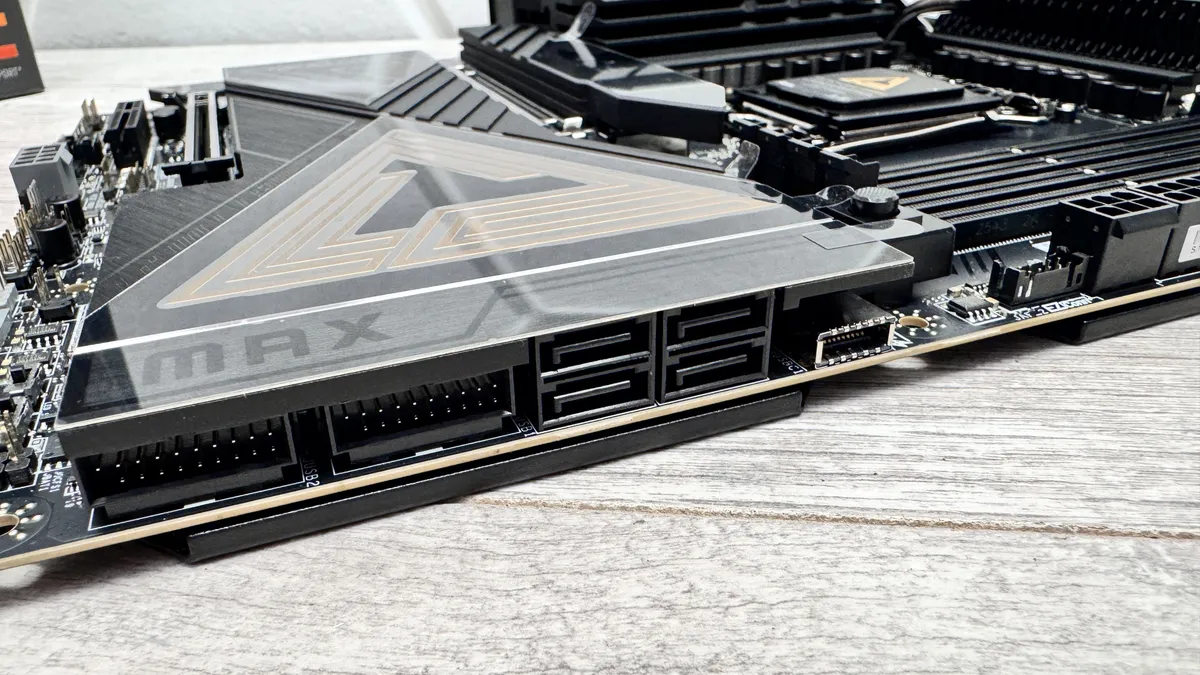
The massive VRM heatsinks, which cool an impressive 18+2+1 power delivery, are topped with a large illuminated holographic display and the top M.2 heatsink is equipped with an illuminated Ace logo. Powered up the MEG X870E Ace Max is sure to turn heads. MSI has included all of its DIY features too, such as a GPU release button, tool-free M.2 SSD and heatsink installation and quick-connect aerials for the Wi-Fi 7 module.
Including MSI’s EZ Conn-Cable (V2) which splits a header on the PCB into 3-pin and 4-pin RGB connectors plus a 4-pin fan header, there are nine fan headers in total. The PCB also includes two thermal sensor headers, three more 3-pin ARGB headers, a water cooling system water flow header and voltage measuring points plus power and reset buttons.

There are more buttons on the rear I/O panel too, including a CMOS clear button, one for USB BIOS Flashback and another called a smart button, which defaults to reset but can be configured to other tasks in the EFI. The EFI itself is generally excellent with an appealing color scheme and layout plus superb fan control.
The software is a little clunky and slow, but you are able to tweak your fans and lighting easily within Windows, albeit often with less granular control than the EFI when it comes to fan speed.
Motherboard benchmarks - AM5
| Product | Value |
|---|---|
| MSI MEG X870E Ace Max | 149 |
| NZXT N9 X870E | 148 |
| Gigabyte X870 Aorus Elite WiFi Ice | 150 |
| ASRock X870 Nova WiFi | 148 |
| ASRock Phantom Gaming B850I Lightning Wi-Fi | 147 |
| ASRock B850 Steel Legend Wi-Fi | 149 |
| MSI MAG B850 Gaming Plus Max WiFi | 147 |

PC Gamer test bench
CPU: AMD Ryzen 9 9900X | Cooler: Asus ROG Ryujin III 360 ARGB Extreme | RAM: 32 GB Corsair Vengeance Pro DDR5-6000 | Storage: 2 TB Corsair MP700 | PSU: MSI MAG AB50GL 850 W | OS: Windows 11 24H2 | Chassis: Open platform | Monitor: Dell U2415
The VRM temperature only just topped 60 °C with our open air test bench and minimal airflow so in a well-cooled case there should be even lower results and plenty of room for overclocking, even with AMD’s flagship 16-core CPUs. Both chipsets on the PCB are cooled by a single large heatsink and the peak temperature sat at 61 °C, which is reasonable given the heatsink is comparatively small for X870E.
The CPU package power was 10 W lower in games than the MSI MAG B850 Gaming Plus Max WiFi and NZXT N9 X870E at 120 W but we have seen lower, such as the MSI MEG X870E Godlike X, which draw only 104 W in the same tests. Things were near identical under heavy loads though. As usual, the extra premium didn’t result in much extra performance at our stock speed settings, but the average PCIe Gen 5 SSD temperature of 68 °C was one of the lowest we’ve seen and kept our super-fast SSD well away from throttling.

✅ You want a super high-end motherboard without taking out a bank loan: This is still a pricy motherboard, but it’s one of the cheapest to include ultra high-end features such as 10 Gbps Ethernet, dual PCIe 5.0 SSD support and 60W Type-C power delivery
❌ Your other hardware doesn’t include an RTX 5090: You’ll need to max out the rest of your system before splashing cash otherwise better spent on a faster graphics card or larger SSD
This is a monster motherboard that doesn’t just tick all the boxes when it comes to premium features, but includes plenty of future proofing too with 10 Gbps Ethernet, 64 MB BIOS, Wi-Fi 7 plus PCIe 5.0 SSD and GPU support. As usual with AMD’s flagship chipset, there’s enough bandwidth to offer loads of USB ports and PCIe slots, including USB4, although there are some situations that result in shared bandwidth.
Still, it does pip mighty competition in the like of the ASUS ROG Crosshair X870E Hero in a few areas, costing $100 more mind you, but does look set to cost less than its own refreshed replacement, the ROG Crosshair X870E Dark Hero and about the same as Gigabyte’s X870E Aorus Master X3D Ice. Ultimately, at this price, most boards have similar features so it usually comes to aesthetics and perhaps a dose of brand loyalty. Thankfully, MSI has certainly created a droolworthy motherboard that’s significantly cheaper than its Godlike range, but still packs an enormous punch.
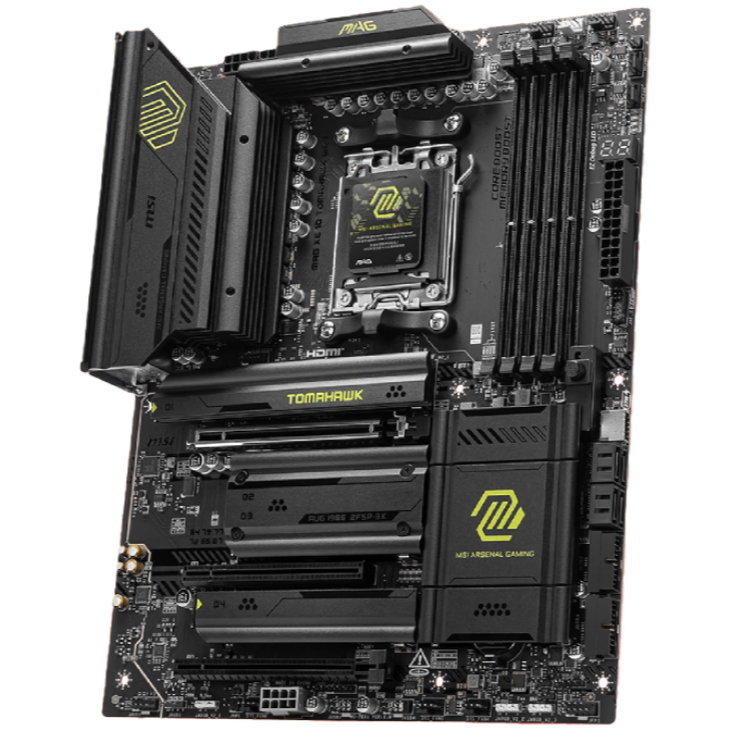
1. Best AM5 - AMD Ryzen 9000/7000:
MSI MAG X870 Tomahawk WiFi
2. Best budget AM5 - AMD Ryzen 9000/7000:
Asus TUF Gaming B650-Plus WiFi
3. Best midrange AM5 - AMD Ryzen 9000/7000:
ASRock B850 Steel Legend WiFi
4. Best AM4 - AMD Ryzen 5000/3000:
Asus ROG Strix B550-E Gaming
5. Best LGA1851 - Intel Core Ultra 200S:
Asus ROG Maximus Z890 Hero
6. Best budget LGA1851 - Intel Core Ultra 200S
ASRock B860 Steel Legend Wi-Fi
7. Best LGA1700 - Intel 14/13th Gen:
MSI MAG Z790 Tomahawk WiFi
8. Best budget LGA1700 - Intel 14/13th Gen:
Asrock B760M PG Sonic WiFi
You’d need to be slightly mad or very rich to own a $700 motherboard, and you should max out your graphics card, SSD and cooling before you did too, Still, if we had that kind of cash left over in our PC budget we’d own this stunning motherboard in a heartbeat.

You must confirm your public display name before commenting
Please logout and then login again, you will then be prompted to enter your display name.