This kind of gaming (or engineering) laptop deserves a solid place to stand, from where it can move the Earth. The combination of CPU and GPU power means there's nothing it can’t do, except run on battery for more than about an hour.
This review is, if I can read a spreadsheet correctly, the first time this site has assessed a laptop containing the Ryzen 9 9955HX. So if you’ve ever wanted one of AMD’s thundering 16-core Zen 5 chips in your portable(ish) PC, this is your chance. It’s fast, though not 9950X3D fast. An unfair comparison considering the desktop chip doesn’t have to deal with the constrained thermal envelope and limited power draw of a laptop, and the 3D V-Cache really does make a difference.
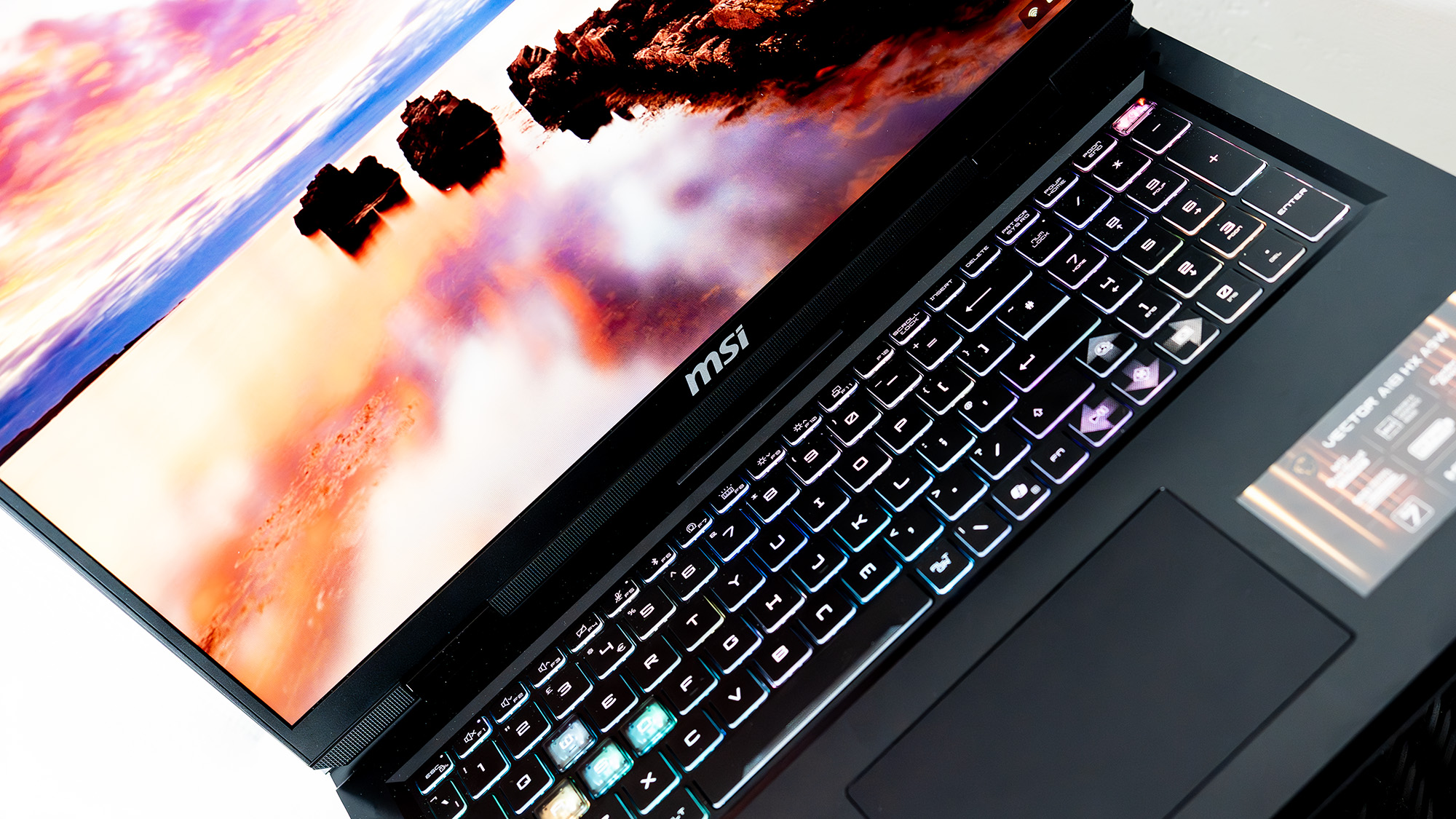
Despite the rainbow keyboard and presence of an RTX 5080 GPU, you’ll be surprised to hear this this isn’t a gaming laptop. MSI positions it as “engineered for the demands of STEM professionals,” which probably doesn’t mean gardeners, and then takes a puff on some burning leaves to huskily exhale the phrase “it operates like a high-tech brain”.
Yeah, man.
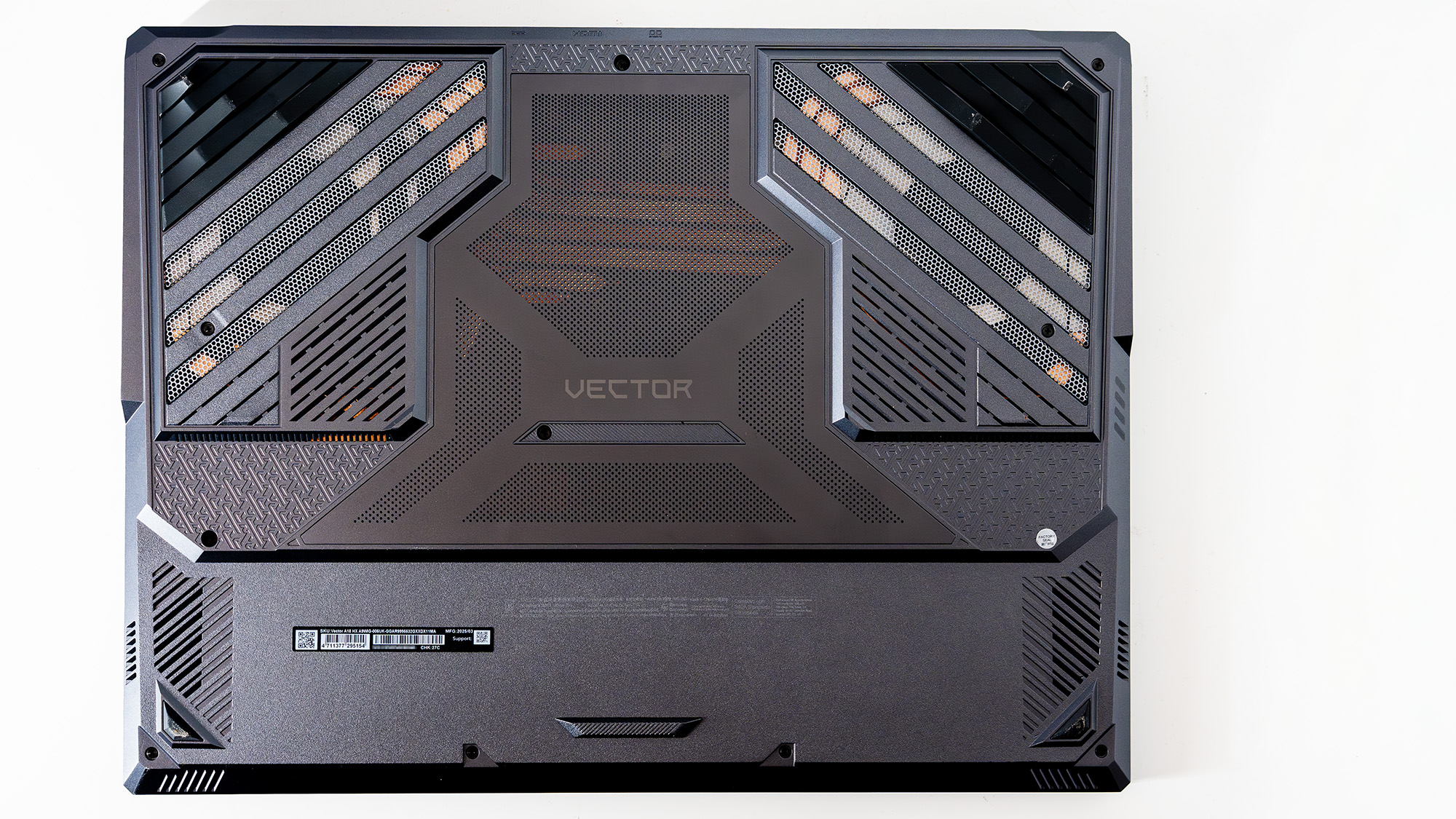
The Vector A18 HX may well “deliver the performance and reliability engineers need to excel in every challenge,” but luckily for us it also delivers the kind of frame rates that make PC gamers very happy, and is so obviously a gaming laptop in an unconvincing disguise with its 240 Hz display, seven heat pipes, and two fans to keep it all cool. We’d be amazed if any actual work gets done if someone pulls it out at a meeting about building a bridge or some other towering concrete structure.
A18 HX specs
(Image credit: Future)
CPU: AMD Ryzen 9 9955HX GPU: Nvidia GeForce RTX 5080 RAM: 32 GB DDR5-5600 Storage: 2 TB SSD Screen: 18-inch IPS, 2560 x 1600 Networking: Wi-Fi 7 Connectivity: 2x USB 4, 1x USB 3.2 Type-A, 1x HDMI 2.1, 1x Ethernet Dimensions: 404 x 307.5 x 32 mm Weight: 3.6 kg Price: $3,000/£3,199
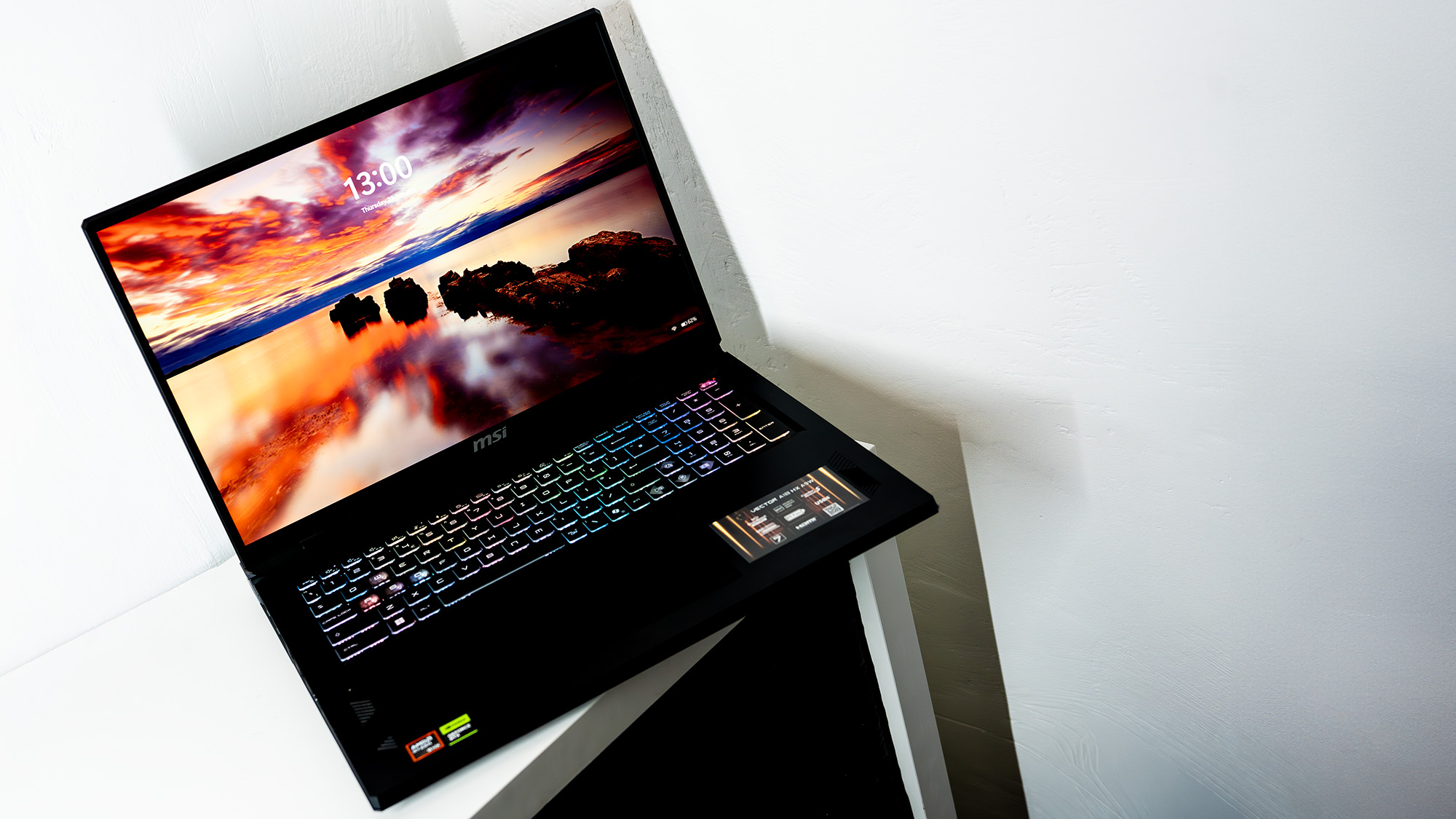
Being an 18-inch laptop, the Vector A18 HX is a bit of a towering concrete structure itself. You’re not going to want to pass it one-handed to your engineering colleague, even if it is their turn to play Kerbal Space Program. At 3.6 kg it weighs the same as an adult sloth or about a dozen mangoes, and if you’ve ever tried lugging either of those around with you you’ll know how heavy they can get.
The enormous 400 W power brick only adds to the burden, though luckily it has a reasonably long cable attached, and the laptop can happily charge from one of its USB4 ports as long as you can feed it enough juice. Once it’s charged, however, you’ll only get about an hour of use out of it before you’re heading back to the plug socket.
It’s also very expensive, and there's a version with a Mini-LED 4K-adjacent display that will probably push the price up to truly eye-watering levels. The one we’ve got here has a normal IPS attached, with a 16:10 WQXGA resolution.It’s capable of 500 nits of brightness, and the fact it’s relatively modest in pixel density allows the RTX 5080 to really stretch its legs.
Image 1 of 2
(Image credit: Future)
(Image credit: Future)
At native resolution it doesn’t take much DLSS for Cyberpunk 2077 to hit 60 fps or higher in its Ray Tracing Ultra mode, and once you start messing with frame-gen you can push that much further. CPU-intensive games such as Baldur’s Gate III just love that 16-core chip, pumping out 90 fps without resorting to any upscaling.
It does all this without making too much noise, suggesting the extra size of an 18-incher is really helpful to cooling system engineers. You can use the MSI Center app to spin the fans up to full all the time, in which case you’ll definitely know it’s there, but in general use the system is intelligent enough to keep the noise down compared to some 16-inch or smaller machines. There's no grinding or whining from the fans, and the peak temperatures from the Vector’s chips are very reasonable, hitting just 74 °C from the GPU after a gaming session, with the CPU a little higher.
Image 1 of 5
(Image credit: Future)
(Image credit: Future)
(Image credit: Future)
(Image credit: Future)
(Image credit: Future)
A few laptops have scored higher than the Vector A18 in our CPU tests, and they all use the Core Ultra 9 275HX, a 24-core, 24-thread chip. The Ryzen’s 16 cores are all the equivalent of P-cores, plus it has Hyper-Threading, and it absolutely dominates in things like Zip file decompression and CPU rendering in Blender.
It would be very interesting to see what this chip could do if paired with a 5090, but the 5080 does an excellent job. The GPU power measurement of 132 W is beaten by other 5080 laptops such as MSI’s own Vector 16 HX AI A2XW (with the Ultra 9 275HX), but the frame rates from the AMD-powered 18-incher are a smidgen higher.
Performance-wise, you’re getting as much as a laptop at this price-point can possibly manage, and the only way to get more is to pay another $1,000 more for a 5090 in something like the Alienware 18 Area-51. I have no idea what engineers earn, but I hope it’s lots.
The Vector A18 HX is well supplied with ports. It’s good to see USB4 in a laptop rather than old-fashioned 3.2, even though the 10 Gbps speed of that connector still hasn’t been saturated by anything other than SSDs. It means you can plug whatever you like into it and expect to get great performance without having to worry about flavours of Thunderbolt, and the HDMI port is a 2.1 model so you can output VRR to a TV that supports it.
System benchmarks
Overall index score
Avg bandwidth (MB/s)
MSI Vector A18 HX
1946
332.57
MSI Raider 18 HX AI A2XW
1589
272.43
Lenovo Legion 9i Gen 10 (STOCK/QUIET Profile)
2070
351.51
Asus ROG Zephyrus G16 (2025)
2162
370.06
07501,5002,2503,000
3DMark Storage Data
Product
Value
MSI Vector A18 HX
1946 Overall index score, 332.57 Avg bandwidth (MB/s)
MSI Raider 18 HX AI A2XW
1589 Overall index score, 272.43 Avg bandwidth (MB/s)
Lenovo Legion 9i Gen 10 (STOCK/QUIET Profile)
2070 Overall index score, 351.51 Avg bandwidth (MB/s)
Asus ROG Zephyrus G16 (2025)
2162 Overall index score, 370.06 Avg bandwidth (MB/s)
176.7 CPU (samples/min), 1842.72 GPU (samples/min)
MSI Raider 18 HX AI A2XW
154.35 CPU (samples/min), 1865.75 GPU (samples/min)
Lenovo Legion 9i Gen 10 (STOCK/QUIET Profile)
109.3 CPU (samples/min), 1425.58 GPU (samples/min)
Asus ROG Zephyrus G16 (2025)
73.56 CPU (samples/min), 1575.28 GPU (samples/min)
Multi-core index score
Single-core index score
MSI Vector A18 HX
1510
129
MSI Raider 18 HX AI A2XW
2156
130
Lenovo Legion 9i Gen 10 (STOCK/QUIET Profile)
1254
79
Asus ROG Zephyrus G16 (2025)
1171
125
07501,5002,2503,000
Cinebench 2024 Data
Product
Value
MSI Vector A18 HX
1510 Multi-core index score, 129 Single-core index score
MSI Raider 18 HX AI A2XW
2156 Multi-core index score, 130 Single-core index score
Lenovo Legion 9i Gen 10 (STOCK/QUIET Profile)
1254 Multi-core index score, 79 Single-core index score
Asus ROG Zephyrus G16 (2025)
1171 Multi-core index score, 125 Single-core index score
MSI Vector A18 HX
63
MSI Raider 18 HX AI A2XW
93
Lenovo Legion 9i Gen 10 (STOCK/QUIET Profile)
73
Asus ROG Zephyrus G16 (2025)
112
037.575112.5150
Battery life (minutes)
PCMark 10 Data
Product
Value
MSI Vector A18 HX
63
MSI Raider 18 HX AI A2XW
93
Lenovo Legion 9i Gen 10 (STOCK/QUIET Profile)
73
Asus ROG Zephyrus G16 (2025)
112
Max CPU temp (°C)
Max GPU temp (°C)
MSI Vector A18 HX
93
70
MSI Raider 18 HX AI A2XW
102
72
Lenovo Legion 9i Gen 10 (STOCK/QUIET Profile)
83
54
Asus ROG Zephyrus G16 (2025)
104
76
037.575112.5150
System temperatures Data
Product
Value
MSI Vector A18 HX
93 Max CPU temp (°C), 70 Max GPU temp (°C)
MSI Raider 18 HX AI A2XW
102 Max CPU temp (°C), 72 Max GPU temp (°C)
Lenovo Legion 9i Gen 10 (STOCK/QUIET Profile)
83 Max CPU temp (°C), 54 Max GPU temp (°C)
Asus ROG Zephyrus G16 (2025)
104 Max CPU temp (°C), 76 Max GPU temp (°C)
Buy if...
✅ Size matters: An 18-inch laptop isn’t for the faint-hearted, and you’ll need a comparable wallet volume to even think about it, but it gives you fearsome power and fast frames at the highest graphical settings, which is BRILLLIANT.
Don't buy if...
❌ Literally anything else will do: Happy with a 14-incher? Merely ‘high’ graphics settings? A desktop PC? Get that instead, your bank manager will thank you and you can spend the difference on tuition fees at engineering school.
It’s also positioned next to the Ethernet and charging sockets on the back edge of the laptop casing, which is ideal in a desktop replacement machine (you’re not going to be throwing this into a bag to take to the coffee shop, but it’s perfect as a powerful machine that can be tidied out of the way into a cupboard) as it keeps the cables from snaking across the desk.
The 18-inch screen is probably good enough by itself for many uses, but being able to hook it up to something bigger, maybe an OLED or Mini-LED for extra vibrancy, is always going to be helpful if you’re spinning large models around in CAD (or maybe playing Battlefield 6). Elsewhere, the keyboard and trackpad are both a good size, and while the latter has a good amount of movement and a solid click when you press down on it, the keys themselves are nothing special.
This isn’t a bargain laptop, and it’s not the kind of thing you’ll buy hoping it will punch above its weight. Both its weight and its punch are considerable, but then so is the price, and so you’ll need to weigh up whether to get an 18-inch laptop or a desktop machine. They’re basically the same thing once you’ve added an external monitor into the equation. Pick this one from MSI, and you’ll have the warm fuzzy feeling of knowing you’ve got one of the best-performing RTX 5080 laptops (until the next one comes along) and you can cosplay as an engineer at the weekends too.
This kind of gaming (or engineering) laptop deserves a solid place to stand, from where it can move the Earth. The combination of CPU and GPU power means there's nothing it can’t do, except run on battery for more than about an hour.
Ian Evenden has been doing this for far too long and should know better. The first issue of PC Gamer he read was probably issue 15, though it's a bit hazy, and there's nothing he doesn't know about tweaking interrupt requests for running Syndicate. He's worked for PC Format, Maximum PC, Edge, Creative Bloq, Gamesmaster, and anyone who'll have him. In his spare time he grows vegetables of prodigious size.
You must confirm your public display name before commenting
Please logout and then login again, you will then be prompted to enter your display name.