Our Verdict
One of the first AMD motherboards to feature a 64 MB BIOS for future feature and CPU compatibility plus new independent base clock overclocking tools. However, you pay a hefty premium for these new features that mean better value can be had elsewhere.
For
- White color scheme
- Wi-Fi 7 support
- PCIe 5.0 SSD and M.2 SSD support
- Overclockable
Against
- Toasty VRMs
- M.2 heatsink struggles with PCIe 5.0 SSDs
- No USB4
- Mediocre audio codec
PC Gamer's got your back Our experienced team dedicates many hours to every review, to really get to the heart of what matters most to you. Find out more about how we evaluate games and hardware.
We’re in the middle of AMD’s 800-series chipset lifecycle and several manufacturers including MSI have seen fit for a motherboard refresh. This often includes tweaks to designs to improve performance, include modern features or even add support for new CPUs. The MSI MAG B850 Gaming Plus Max WiFi will retail for around $260, so what do you get for your money?
Its headline features aren’t huge, but could be useful for those that want to maximise their future proofing or have an additional easy way to overclock their system.
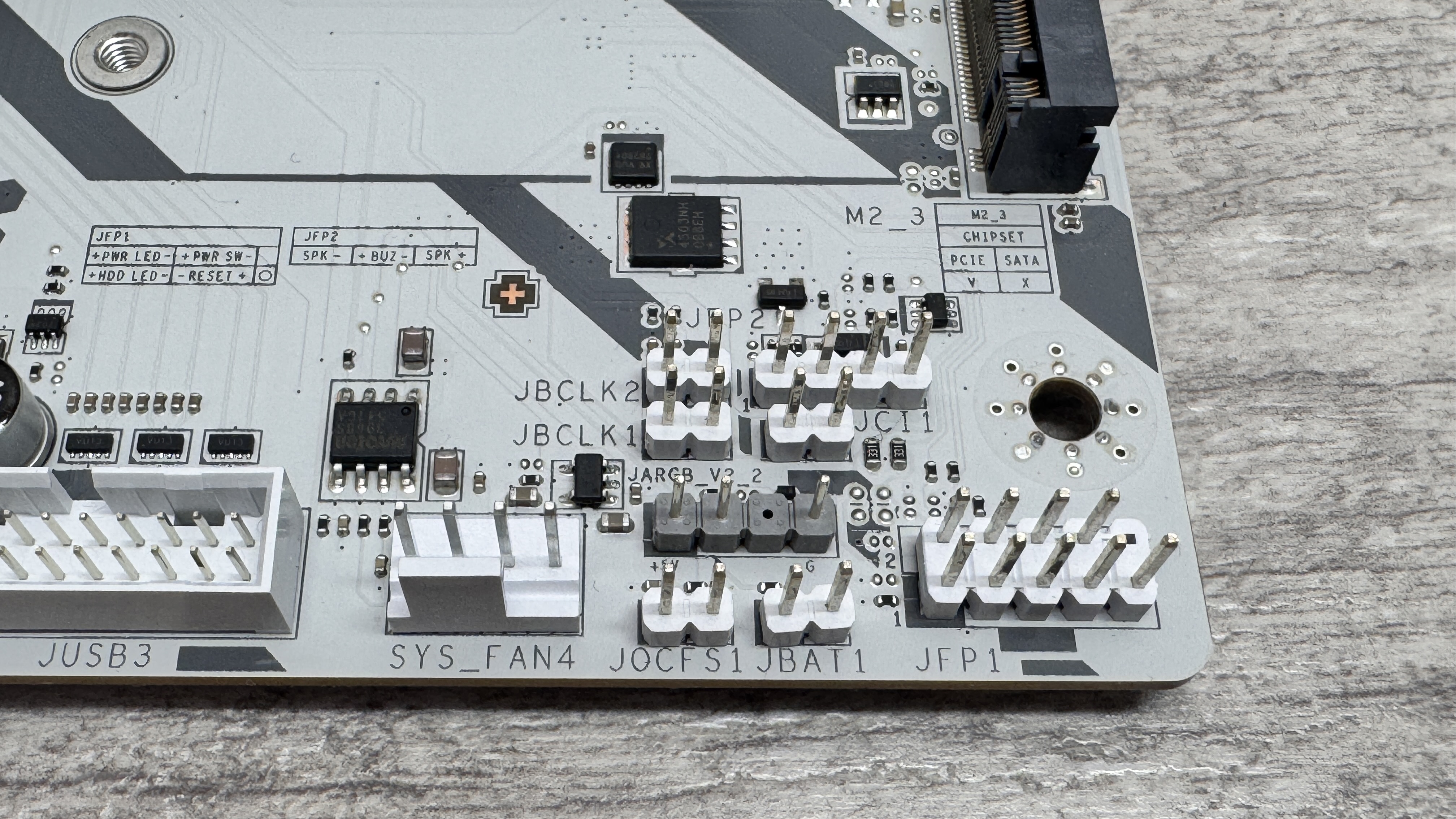
A base clock generator chip allows for separate adjustment to this frequency so it’s not tied to the rest of the system, providing an additional way to overclock and gain free performance. You can even adjust this on the fly outside of the EFI using two jumpers on the PCB.

Socket: AMD Socket AM5
Chipset: AMD B850
CPU compatibility: AMD Ryzen 7000/8000/9000 desktop
Form factor: ATX
Memory support: DDR5-4800 to DDR5-8200 (OC), up to 256 GB
Storage: 3x M.2, 4x SATA
USB (rear): 2x USB 3.1 Type-C 10 Gbps, 1x USB 3.1 Type-A 10 Gbps, 1x USB 3.0 Type-A 5 Gbps, 4 x USB 2.0
Display: 1x DisplayPort
Networking: Realtek 5G LAN, Wi-Fi 7
Audio: Realtek ALC897
Price: $259 | £TBC | $AU TBC
MSI has gone all out here with the white theme on this $260 B850 chipset motherboard, even including the PCIe and DIMM slots as well as the CPU cooler mounting brackets and GPU release button mechanism, so if you have a white PC case, it’s already a contender. It’s attractive, uncluttered, but does lack its own RGB lighting, if that’s your thing.
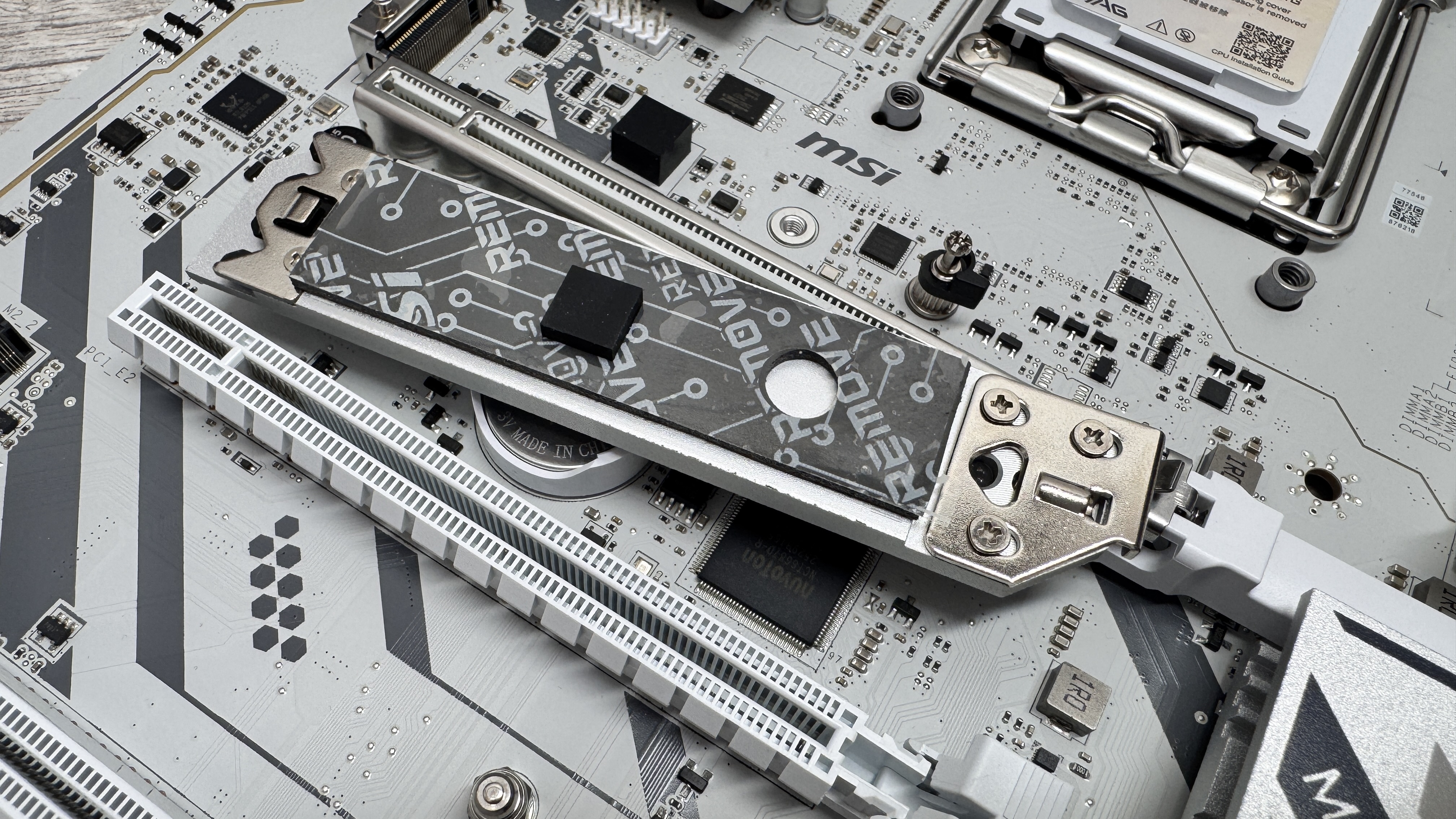
Aside from its minor feature updates that include the 64 MB BIOS as well as separate base clock adjustment and physical jumper buttons to tweak that on the fly, the usual bits are here such as PCIe 5.0 GPU and M.2 SSD support, although cooling for the latter may be an issue due to the tiny heatsink included here, which is also devoid of underside cooling too.
Still, the heatsink and SSD installation across the board in its three M.2 slots are all tool-free so there are no tiny screws to deal with. The first M.2 slot is PCIe 5.0 compatible, the second PCIe 4.0 with four lanes, but the third is PCIe 4.0 with only two lanes, so you’ll likely want to avoid that one unless your SSD specifically meets that slower speed.
The MSI MAG B850 Gaming Plus Max WiFi also has an impressive four PCIe slots, which are made up of the primary PCIe 5.0 slot, a PCIe 4.0 slot with four lanes and two PCIe 3.0 slots with just a single lane each, so there’s no much flexibility here. The slower slots here also share bandwidth with the PCIe 4.0 slot, which gives up two lanes if either of the former are used. Due to the number of slots, the board also has an additional 8-pin PCIe power connector.
Fans and RGB lighting headers are plentiful with seven 4-pin headers for fans, including one using MSIs EZ Conn-header connector and it’s included splitter cable. In total there’s also one 4-pin and four 3-pin and RGB headers. There does seem to be an unusual number of headers on the board in general, but this is partly thanks to a pair of 2-pin headers being added to provide on-the-fly base clock adjustment.
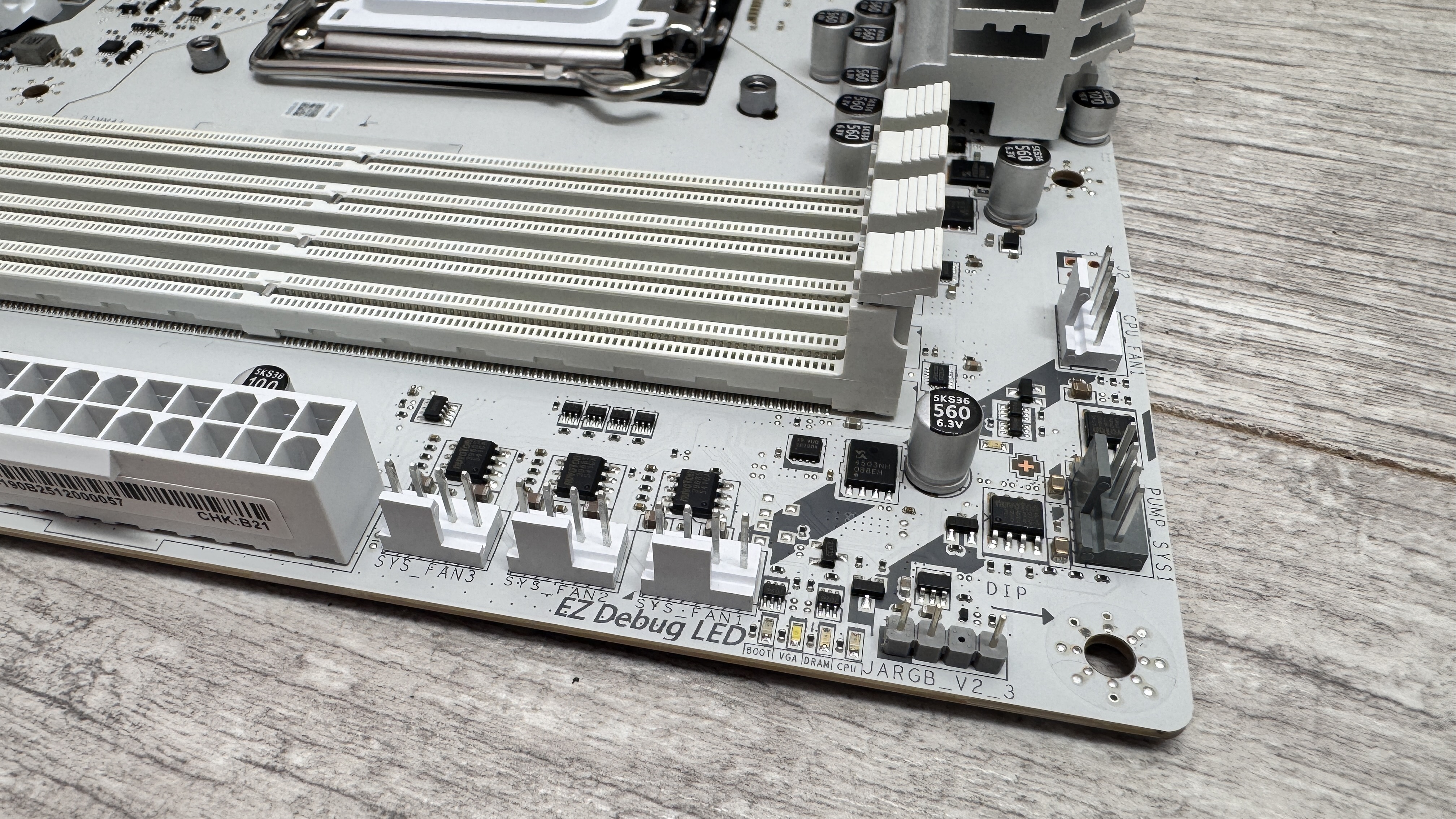
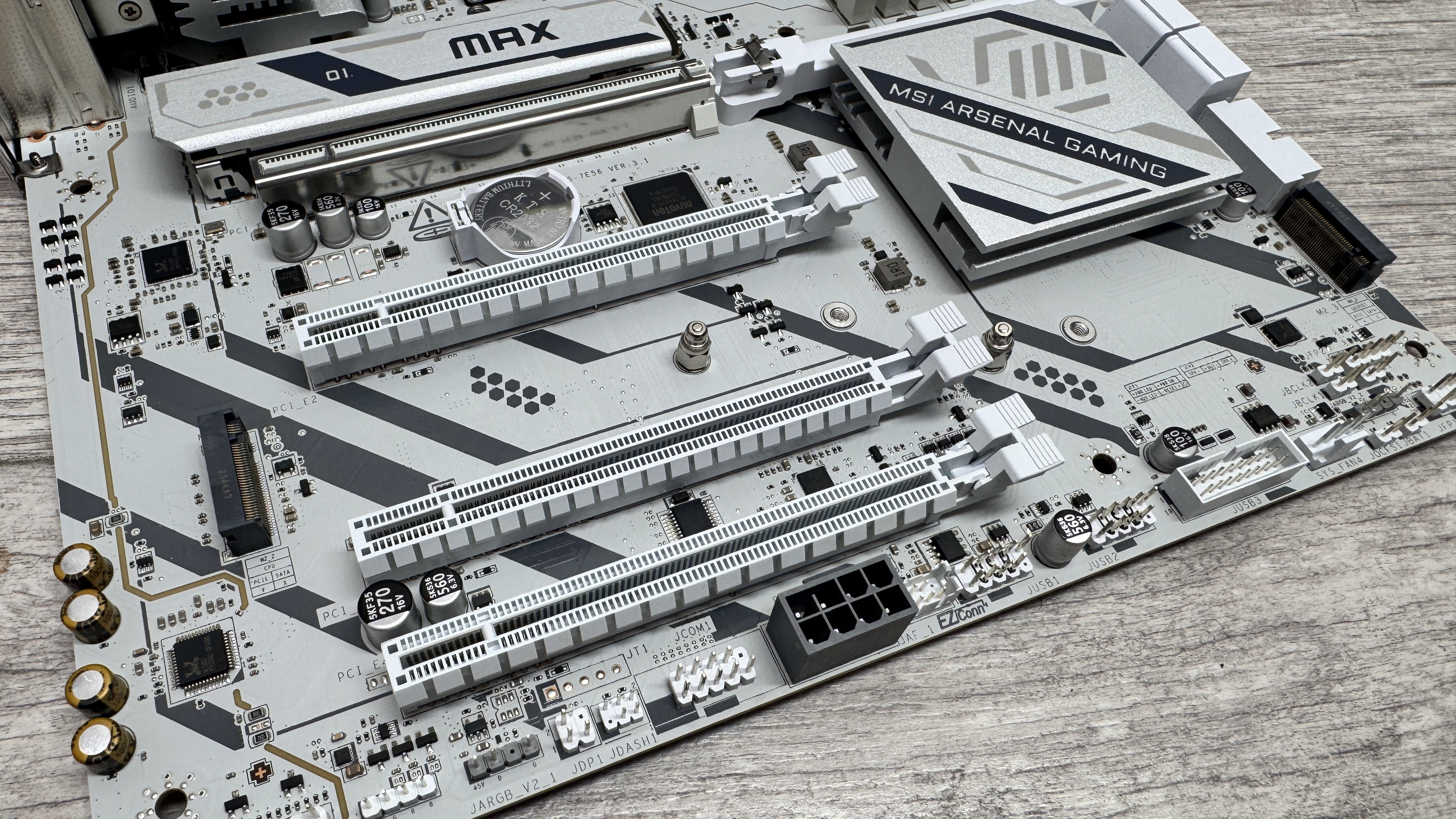
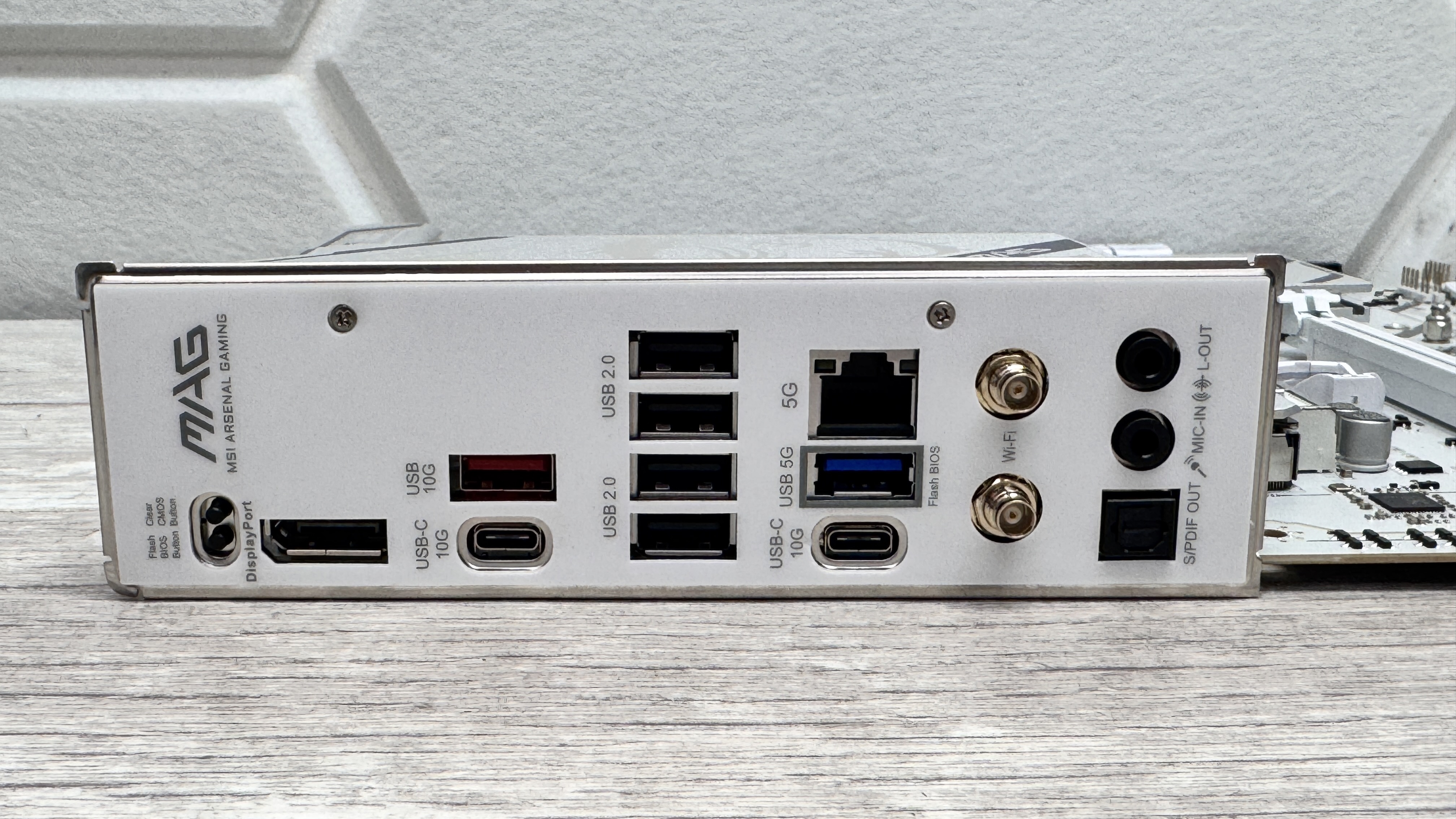
If you like plenty of fast USB ports, unfortunately this is one area that’s left wanting. The Type-C front panel port only offers USB 3.0 speed rather than sprightlier USB 3.2 Gen 2x2’s 20 Gbps. The rear I/O panel has a very mediocre six Type-A ports and four of those are only USB 2.0. This is no worse than this board’s predecessor, but then it currently costs considerably less.
We do get a pair of USB 3.2 Gen 2 10 Gbps Type-C ports, but it also cuts corners with audio too, only mustering Realtek’s low-end ALC897 codec rather than ALC4080 or ALC1220. The rear I/O panel does at least have buttons for clearing the CMOS and using USB BIOS Flashback and there’s also 5 Gbps Ethernet.
Motherboard benchmarks - AM5
| Product | Value |
|---|---|
| MSI MEG X870E Ace Max | 149 |
| NZXT N9 X870E | 148 |
| Gigabyte X870 Aorus Elite WiFi Ice | 150 |
| ASRock X870 Nova WiFi | 148 |
| ASRock Phantom Gaming B850I Lightning Wi-Fi | 147 |
| ASRock B850 Steel Legend Wi-Fi | 149 |
| MSI MAG B850 Gaming Plus Max WiFi | 147 |

PC Gamer test bench
CPU: AMD Ryzen 9 9900X | Cooler: Asus ROG Ryujin III 360 ARGB Extreme | RAM: 32 GB Corsair Vengeance Pro DDR5-6000 | Storage: 2 TB Corsair MP700 | PSU: MSI MAG AB50GL 850 W | OS: Windows 11 24H2 | Chassis: Open platform | Monitor: Dell U2415
The VRM and chipset temperatures both remained under 60 °C, which isn’t bad considering they were dealing with some extended high-load tests with hardware such as AMD’s Ryzen 9 9900X and a high-end SSD. There’s certainly scope for pushing the CPU a little further with Precision Boost Overdrive or manual overclocking.
✅ You want a white motherboard and additional future-proofing as well as modern features: While the likes of a 64MB BIOS, Wi-Fi 7 and PCIe Gen 5 might not be useful at the moment for many, they will be within the lifetime of AMD’s current socket.
❌ You want the best value: It’s processor is nearly $100 cheaper and the competition offers a lot more for less so you pay a premium for its short list of upgrades
The benchmark scores were on par with more expensive boards too, with the 147 scored in Blender and 1,763 in Cinebench’s multi-thread score closely matching those of the mighty and hideously expensive MEG X870E Godlike X, with the same being true in our game tests. One area it was a little below par was the CPU power, which was on average around 30 W higher in our game tests. This is likely down to the more basic discrete P-PACK power phases used.
The benefits of a 64 MB BIOS are still unclear and likely won’t have an impact immediately. AMD’s next generation of CPUs is already slated to work on 800-series chipset motherboards so these benefits will likely be revealed a little further into the future. The independent base clock overclocking is certainly useful, but most only venture as far as Precision Boost Overdrive features so may have limited appeal. Still, MSI should be applauded for going the extra mile.
The biggest issue, though, is that while it has solid performance and somewhat cool VRMs, it’s just too expensive compared to equivalent options. Even MSI’s own MAG B850 Tomahawk costs less and is better in nearly every way. Unless you must have its new features, then we’d suggest either it or white alternatives such as the Gigabyte X870 Aorus Elite WiFi7 Ice are much better buys.
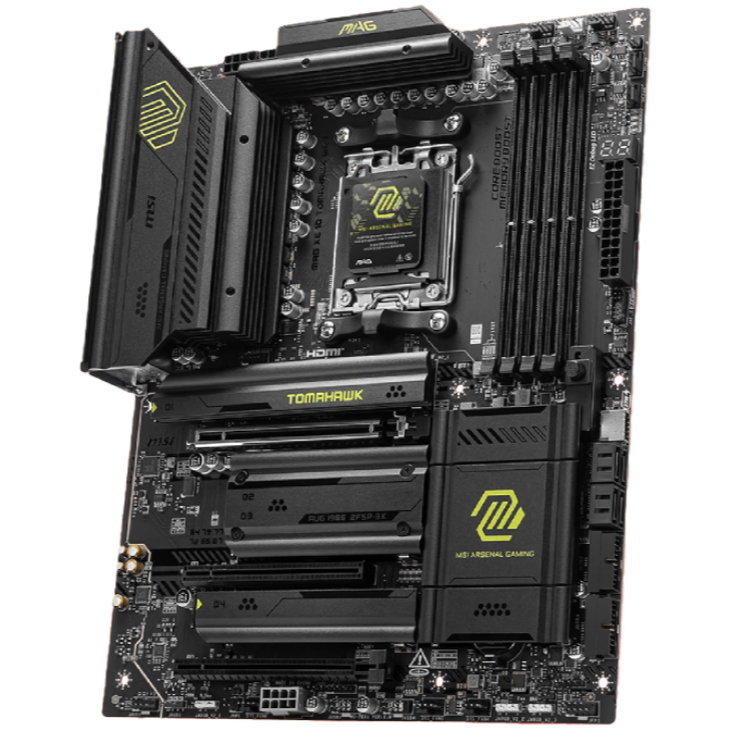
1. Best AM5 - AMD Ryzen 9000/7000:
MSI MAG X870 Tomahawk WiFi
2. Best budget AM5 - AMD Ryzen 9000/7000:
Asus TUF Gaming B650-Plus WiFi
3. Best midrange AM5 - AMD Ryzen 9000/7000:
ASRock B850 Steel Legend WiFi
4. Best AM4 - AMD Ryzen 5000/3000:
Asus ROG Strix B550-E Gaming
5. Best LGA1851 - Intel Core Ultra 200S:
Asus ROG Maximus Z890 Hero
6. Best budget LGA1851 - Intel Core Ultra 200S
ASRock B860 Steel Legend Wi-Fi
7. Best LGA1700 - Intel 14/13th Gen:
MSI MAG Z790 Tomahawk WiFi
8. Best budget LGA1700 - Intel 14/13th Gen:
Asrock B760M PG Sonic WiFi
One of the first AMD motherboards to feature a 64 MB BIOS for future feature and CPU compatibility plus new independent base clock overclocking tools. However, you pay a hefty premium for these new features that mean better value can be had elsewhere.

You must confirm your public display name before commenting
Please logout and then login again, you will then be prompted to enter your display name.