In September last year I reported that Microsoft had started testing a virtual keyboard layout for controllers. This controller-oriented keyboard layout is now out of beta and launching in the latest Insider Release Preview build on Windows 11 24H2 Build 26100.3613.
Microsoft says: "We have enabled the Gamepad keyboard layout for the touch keyboard in Windows 11. This change introduces the ability to use your Xbox controller to navigate and type. This includes button accelerators (example: X button for backspace, Y button for spacebar) additionally the keyboard keys have been vertically aligned for better controller navigation patterns."
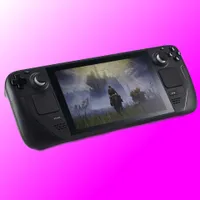
In other words, this should let you more easily use a controller to navigate the Windows virtual keyboard. While this is useful for standalone controllers (perhaps for couch gaming with a PC hooked up to a TV), it should be especially useful for handhelds—and this is specifically for the taskbar-residing 'touch keyboard', not the standard 'on-screen keyboard', which are two distinct things.
That's because while handhelds do have touchscreens, sometimes you just wanna enter your password without having to take your hands off the grips and going tablet-mode.
It's not exactly a surprise that Microsoft is trying to beef up the handheld Windows gaming experience, either. After all, Microsoft is apparently preparing a handheld Xbox for later this year in collaboration with an OEM.

And if Microsoft wants to retain market share in the handheld segment, improving the experience might be necessary given SteamOS should be coming to non-Steam Deck handhelds soon. I recently reviewed the Legion Go S, and there's said to be a SteamOS version of that coming out in the very near future, which I will certainly have my eyes on rather than the Windows version. Our Andy certainly enjoyed his time with it at CES in January.
So, the more that Microsoft can do to make Windows more handheld-friendly the better, I guess, and releasing a more controller-friendly virtual keyboard is a good start.
Also included in this build are updates we've previously noted with praise, such as an emoji button (which our Jacob Ridley reckons might actually be useful!), and a fix for the Task Manager incorrectly displaying CPU utilisation. You'll also now be able to do live real-time video/audio translation via captions.
Plenty to look forward to, then. I know I'll be trying out the new keyboard layout on the Legion Go S and seeing if it can tempt me into keeping Windows installed rather than installing Bazzite… I won't hold my breath, but you never know.