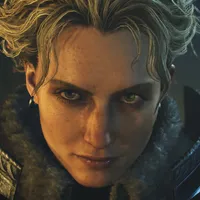
Any real hunter understands that the true Monster Hunter endgame is fashion, and Monster Hunter Wilds is elevating aesthetics to new heights with simplified access to layered armor and the removal of gender-specific armor sets. But there's a hurdle tripping up this bold new era of hunter drip: Wilds has plenty of outfits, but it's also got a mountain of meal buffs, consumable items, weapon effects, and armor skills that drench your hunter in an irritating full-body glow.
How are you supposed to upstage all those hunters with black-and-red Gore Magala suits when your immaculate Blangonga ensemble is washed in a bright orange sheen after chugging a Hot Drink for an arctic hunt? It's unjust. But it's one of the many injustices modders have provided a solution for.

Over on Nexus Mods, you can download Persistent Buff Glow Removal from modder PeaslyWellbott. It's an REFramework script that nixes as many or as few of Wilds' full-body glow effects as you desire.
By default, it'll hide glows from buff consumables and Palico skills, but it also has options for disabling glow effects from healing items, weapon charges, and Frenzy effects. Some of those latter options might make optimal play a little trickier without the visual cues, but beauty demands sacrifice.
Here's a quick rundown for how to use the Persistent Buff Glow Removal mod:
- Download the REFramework mod. It's a scripting API required by most Monster Hunter Wilds mods. To install it, extract the "dinput8.dll" file from the .zip to your Wilds install folder (\steamapps\common\MonsterHunterWilds).
- Run Monster Hunter Wilds once. This should automatically create a 'reframework' folder in your Wilds install directory.
- Download the Persistent Buff Glow Removal mod. Extract the "Persistent Buff Glow Removal.lua" file into the 'autorun' folder inside the 'reframework' folder added to your Wilds directory (steamapps\common\MonsterHunterWilds\reframework\autorun).
- Launch the game and press Insert to open the REFramework menu. Expand the Script Generated UI dropdown and select "[Persistent Buff Glow Removal] Options" to configure which glow effects you want to disable.
- Bask in your unblemished style.
Note that REFramework may produce some game instability or crashes, as there are still plenty of wrinkles to iron out with the new version developed for Monster Hunter Wilds. If you find yourself running into issues, uninstalling REFramework is extremely easy: Just delete the dinput8.dll file from your Wilds install folder.
Fair warning that, as of October 2023, Capcom's official stance was that "all mods are defined as cheats, except when they are officially supported." For the most part, Capcom seemed to ignore PC players who modded World and Rise, especially if they only used visual mods. But if you're going to mod Wilds, know that it's technically not without risk.