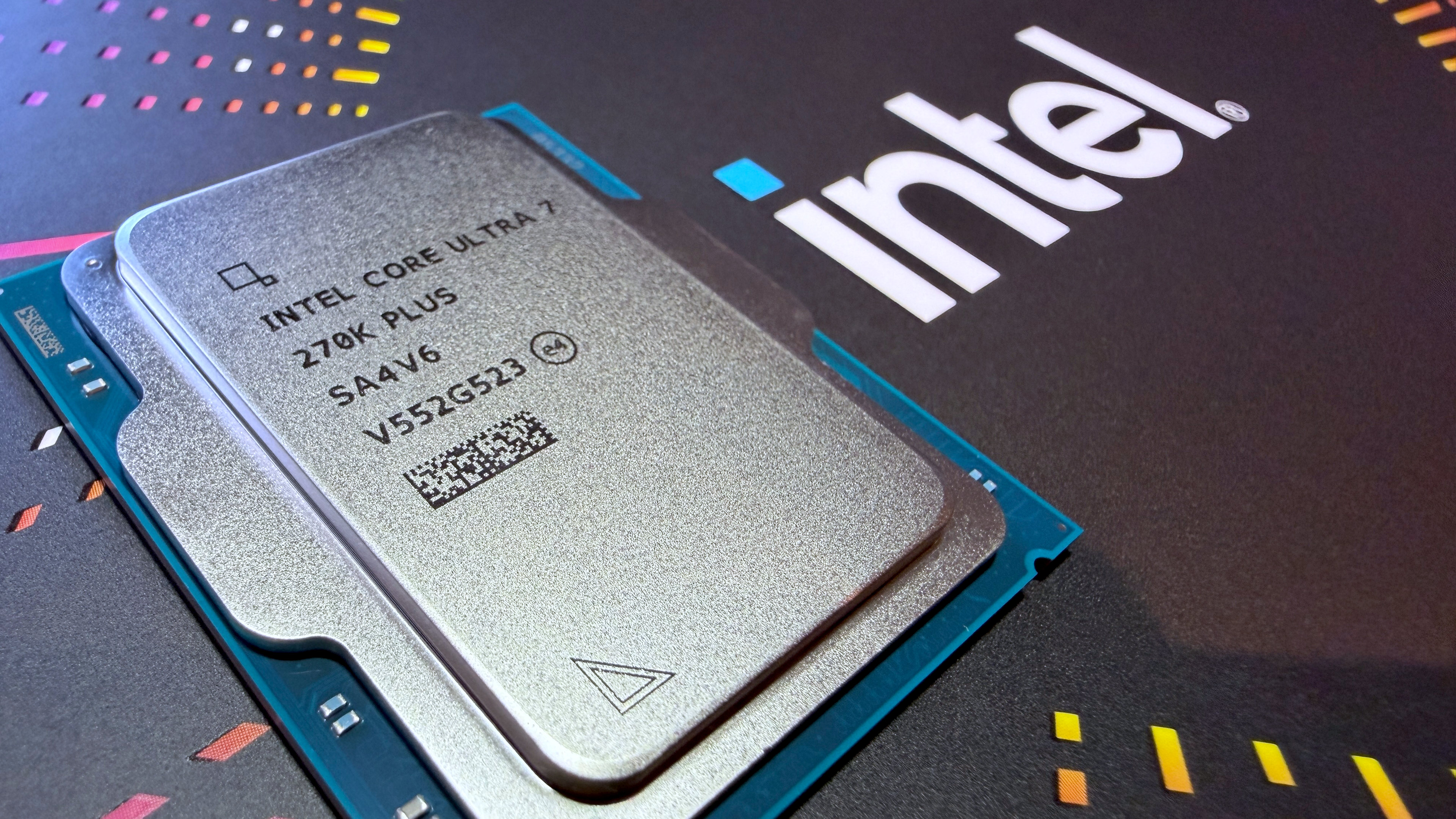
Our Verdict
For a 'mere' refresh, Intel has worked wonders with its Arrow Lake tiles, clocks, and configurations to make the Core Ultra 7 270K Plus. The performance and price tag are both very appealing, and it's easily Intel's best desktop processor. It also happens to be one of the best all-round chips you can buy.
For
- Superb performance
- Outstanding all-rounder
- Very competitive price tag
Against
- Ryzen X3D chips are still better for outright gaming
- A little bit power hungry
- Dead-end platform
PC Gamer's got your back Our experienced team dedicates many hours to every review, to really get to the heart of what matters most to you. Find out more about how we evaluate games and hardware.
There's nothing new about a processor architecture being 'refreshed', as AMD and Intel have been doing this for years, but where you'd normally expect a particular SKU line to get nothing more than some minor clock speed bumps and a sparkly new badge, Intel has done things a little differently for its Core Ultra 200S Plus chips, i.e. Arrow Lake Refresh.
For a start, you're only getting two new processors, the Core Ultra 7 270K Plus under review here, and the Core Ultra 5 250K Plus. In the case of the former, the family name (Ultra 7) would suggest that it's merely a Core Ultra 7 265K with a bump to its clock speeds, but that's not the case.

Cores (P+E): 8+16
Threads: 24
Base clock: 3.7 GHz (P-core)
Boost clock: 5.7 GHz (P-core)
L3 Cache: 36 MB
L2 Cache: 40 MB (Total)
Unlocked: Yes
Max usable PCIe lanes: 24
Graphics: Intel Graphics (4 Xe cores)
Memory support (up to): DDR5-7200
Processor Base Power (W): 125
Maximum Package Power (W): 250
Recommended customer price: $299/£299.99
The latter controls the speed of the fabric inside the SoC tile, whereas the former is for the bridges between each tile in Arrow Lake. Oh, and the clock for the cache ring bus inside the compute tile is also a touch higher: where the 285K and 265K peak at 3.9 and 3.8 GHz, respectively, the 270K Plus and 250K Plus are 4.0 and 3.9 GHz.
Additionally, Intel has given the integrated memory controller (IMC) a 400 MHz boost to its maximum clocks, hence why the 270K Plus supports DDR5-7200 without overclocking. It's worth noting that the 200S Plus chips also support Intel's 200S Boost mode, enabled via the motherboard's BIOS, which raises the D2D and NGU clocks to 3.2 GHz and the IMC to support DDR5-8000.
To achieve all of this, Intel says it tweaked a variety of things inside the architecture and was keen to stress that the new Ultra 200S Plus chips aren't simply ones that have been picked out of a particular manufacturing bin. The compute tile is a fresh wafer design, albeit one that isn't substantially different from before.
Alongside the launch of the 200S Plus pair, Intel released a new piece of software, called Binary Optimization Tool (BOT), which basically plays a game of Tetris with thread instructions, helping the processor run them more efficiently. Some of the architectural tweaks involve hardware hooks to give Intel's software engineers a better insight as to what code reshuffling will work best for a given game.
For the sake of consistency, and to get a sense of the 'raw' hardware performance, I've not employed BOT or Intel's APO tool for the benchmarks below, but I will be examining the system in detail in a separate article.
PC Gamer test PC specs

MSI MEG Z890 Ace | 32 GB Corsair Vengeance DDR5-6000 CL32 | Thermalright Peerless Assassin 120 SE | Zotac GeForce RTX 4070 | Corsair MP700 2 TB | Be Quiet! Pure Power 12 M 850 W | Thermal Grizzly Der8enchtable
Gaming performance
Gaming performance
Cyberpunk 2077 (1080p RT Ultra + DLSS Balanced)
| Product | Value |
|---|---|
| Intel Core Ultra 7 270K Plus | 119 Avg FPS, 98 1% Low FPS |
| Intel Core Ultra 9 285K | 118 Avg FPS, 95 1% Low FPS |
| Intel Core Ultra 7 265K | 117 Avg FPS, 90 1% Low FPS |
| AMD Ryzen 9 9950X3D | 111 Avg FPS, 67 1% Low FPS |
| AMD Ryzen 7 9800X3D | 112 Avg FPS, 76 1% Low FPS |
| AMD Ryzen 7 9700X | 99 Avg FPS, 59 1% Low FPS |

When Intel first launched Arrow Lake in October 2024, the new chips were disappointing from a gaming perspective. Slower than the previous generation Raptor Lake processors, as well as AMD's Zen 5 range, the only thing they had going for them was the low power consumption in games. But that was because they weren't working properly.
Fast forward 16 months and it's a very different picture, thanks to a raft of microcode, BIOS, and operating system updates. Ryzen chips with 3D V-Cache are still the best for outright gaming, but compared to the rest of AMD's offerings, Arrow Lake chips are a good match: better in some games, slower in others, but overall, pretty much on par.
The new 270K Plus chip, though, is something else entirely. While it's still not good enough to knock the Ryzen 7 9800X3D off the top slot as being the best CPU for gaming, the Core Ultra 7 270K Plus really doesn't disgrace itself. In fact, from a gaming perspective, it's the best chip that Intel offers right now, and at $299, it's substantially cheaper than the 9800X3D.
The best Arrow Lake processor for gaming used to be the Ultra 7 265K, for its balance of price tag and performance, but the 270K Plus easily demotes it to second or even third place now.
Content creation performance
Content creation performance
Cinebench 2024
| Product | Value |
|---|---|
| Intel Core Ultra 7 270K Plus | 143 Single-core index score, 2435 Multi-core index score |
| Intel Core Ultra 9 285K | 145 Single-core index score, 2383 Multi-core index score |
| Intel Core Ultra 7 265K | 135 Single-core index score, 1989 Multi-core index score |
| AMD Ryzen 9 9950X3D | 139 Single-core index score, 2347 Multi-core index score |
| AMD Ryzen 7 9800X3D | 133 Single-core index score, 1307 Multi-core index score |
| AMD Ryzen 7 9700X | 131 Single-core index score, 1148 Multi-core index score |
And thanks to the additional E-cores and clock speed increases, the 270K Plus is arguably the better Arrow Lake chip for content creation workloads. In theory, the 285K should be better, as it has a 200 MHz higher P-core boost clock, but when maxed out with threads, the 100 MHz faster E-cores in the 270K Plus tip the scales in favour of the new chip.
Naturally, there will be some workloads that do favour the 285K, such as image editing (as this involves heavy bursts and low thread counts), but if you do a lot of compiling, data handling, or offline rendering, then you should really be choosing the 270K Plus.
The Ryzen 9 9950X3D (and AMD's non-X3D variant, the 9950X) is much more potent in content creation, of course, but that processor costs well over $600, more than double the price of the 270K Plus. Even the standard 9950X is over $500 and although it would make sense for professionals to be choosing these over Intel's new chip, a PC enthusiast would be far better off going for the 270K Plus.
Power and thermals
Power and thermal performance
Average CPU power consumption in Baldur's Gate 3
| Product | Value |
|---|---|
| Intel Core Ultra 7 270K Plus | 111 |
| Intel Core Ultra 9 285K | 108 |
| Intel Core Ultra 7 265K | 94 |
| AMD Ryzen 9 9950X3D | 108 |
| AMD Ryzen 7 9800X3D | 67 |
| AMD Ryzen 7 9700X | 75 |
There's only one thing that's very slightly disappointing, and it's the fact that the 270K Plus uses more power in gaming and content creation workloads than any of the other Arrow Lake processors. That's to be expected, though, as all of the tiles are still manufactured on the same process nodes, and while the production routines have been streamlined over the past 16 months, you can't just whack up clock speeds without having to pay some kind of a bill.
It's worth noting that while the cheap Thermalright Peerless Assassin PA120SE cooler handled every CPU I tested just fine, it reached its limit of cooling with the 270K Plus in the Cinebench multi-core test, even with its fans running at 100%.
There was a brief moment where the chip throttled itself to stay within thermal limits (though not enough to affect the test score to any appreciable level), so it will be sensible to fit a more potent cooler if you plan on building a 270K Plus workstation.
Overall verdict

I have been using a Core Ultra 7 265K in my main PC, for work and gaming, since January of last year, and a Core Ultra 9 285K in a test rig for even longer. Over the months, I've spent many hours experimenting with various BIOS settings and clock speeds to see how much more performance I could extract from the processors, but to little success.
So it's clear that Intel has done more than 'turned up the dials' to create the 270K Plus. It's also obvious that the chip giant is very aware of the current PC hardware climate, as indicated by the $299 price tag. Intel has repeatedly expressed that things have changed quite a lot internally, with new staff, new division structures, and new ways of doing things.
I can't say exactly how much of the Core Ultra 7 270K Plus can be attributed to this, but if this is a sign of what to expect from future processors, Intel's future looks very rosy indeed. The new Arrow Lake Refresh is a truly excellent, all-round CPU that has almost no downsides to it.
The only thing to pay attention to is that the 270K Plus is likely to be Intel's last desktop chip for its LGA 1851 socket. The next generation of Intel processors down the line, Nova Lake, uses a different socket, so if you buy a new Z890 or B860 motherboard, the 270K Plus is probably going to be the best chip you can fit into it.
If you're the kind of PC enthusiast who likes to buy one motherboard and use it for many years, upgrading the CPU when funds permit, then choosing a new Intel chip isn't for you. On the other hand, if you prefer to keep the same chip and board combination for years on end, updating both at the same time later on, then the 270K Plus is absolutely worth considering.
Yes, the Ryzen 7 9800X3D is still the best choice for just PC gaming (it is massively faster in some games), but if you want something that's a jack-of-all-trades, master-of-many, then Intel's refresh of Arrow Lake should be at the top of your shopping list.
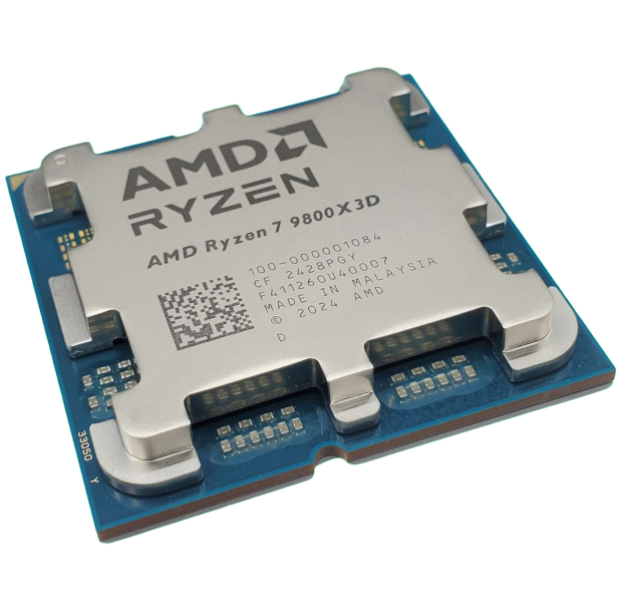
1. Best overall:
AMD Ryzen 7 9800X3D
2. Best budget:
AMD Ryzen 5 5500
3. Best mid-range:
Intel Core Ultra 5 250K Plus
4. Best high-end:
AMD Ryzen 9 9950X3D
5. Best AM4 upgrade:
AMD Ryzen 7 5700X3D
6. Best CPU graphics:
AMD Ryzen 7 8700G
For a 'mere' refresh, Intel has worked wonders with its Arrow Lake tiles, clocks, and configurations to make the Core Ultra 7 270K Plus. The performance and price tag are both very appealing, and it's easily Intel's best desktop processor. It also happens to be one of the best all-round chips you can buy.

You must confirm your public display name before commenting
Please logout and then login again, you will then be prompted to enter your display name.