Our Verdict
This mouse is a very comfortable, satisfying, lightweight option for competitive FPS gamers, and it looks great, too. Unfortunately, it's let down by poor battery life and less than ideal sensor tracking consistency over wireless connection.
For
- Ultra-lightweight
- Sturdy
- Satisfying buttons and scroll wheel
- Comfy relaxed claw grip design
Against
- Worse tracking over wireless
- Local software
- Poor battery life
PC Gamer's got your back Our experienced team dedicates many hours to every review, to really get to the heart of what matters most to you. Find out more about how we evaluate games and hardware.
I had my eye on Pulsar mice for quite a while before getting my hands on the X2 CrazyLight, as they seemed to be aimed at those with competitive FPS gaming sensibilities like my own. After spending a lot of time with this particular mouse, I can confirm this is certainly the market for these mice. But despite me thoroughly enjoying using the Pulsar X2 CrazyLight, it probably won't be the best option out there for many competitive FPS gamers.
If you aren't familiar with the company's line-up of gaming mice, looking at Pulsar's product pages can be very confusing. Even just looking at the X2 series, there are a whole bunch of different models there. There are 'A' versions which are ambidextrous, 'H' versions which have a bigger 'hump' to them, and so on, plus different size variations.

Buttons: 6 (including one DPI)
Connectivity: USB-C and wireless 2.4 GHz
Sensor: XS-1
Switches: Optical (100 million clicks)
Feet: large PTFE, or small UPE dots
Max DPI: 32K
Weight: 39 g dot skates, 41 g PTFE (+/- 1 g)
Max acceleration: 50 G
Max speed: 750 IPS
Polling rate: Up to 8 kHz
Battery life: A few days of heavy use at 1 kHz
RGB lighting: No
Colours: Jet Black / Uyuni White
Price: $130 / £130
The main reason Pulsar mice appealed to me was that they seemed like they were plucking everything I like about what is probably my favourite mouse of all time, the Logitech G Pro X Superlight. They seemed like premium, minimalist, ultra-lightweight gaming mice—ones that offer few unnecessary frills or design but a light shell and great buttons.
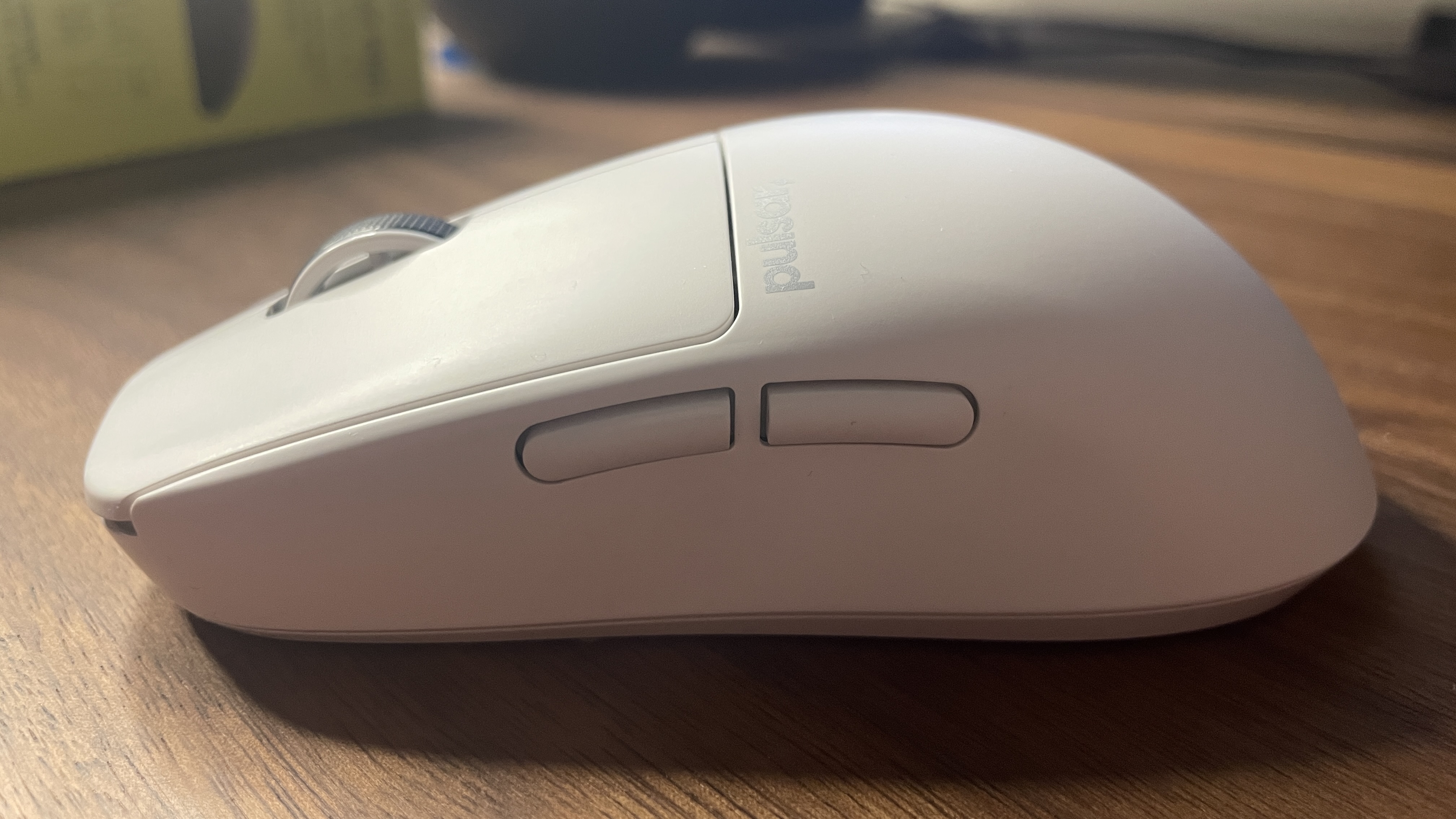
Thankfully, this hope has been proven well-founded with the X2 CrazyLight, as it's sturdy, lightweight, comfy, its PTFE feet make it glide across the mouse pad, and has some satisfying button clicks. There doesn't feel like a single 'cheap' part of this mouse, which is good news considering its $130 price tag.
What best attests to this is the fact that I've found myself thoroughly enjoying using it even though it's a mouse with a hump. Humped mice are predominantly for gamers using a claw-style grip, and I usually use a hybrid claw-palm grip that made this mouse initially feel less comfortable than what I was used to. But it really didn't take long at all for my hand to settle into claw grip gaming, in part thanks to the fact that it's quite a relaxed hump, here.
Saying all this, the $130 price tag is where the real debate lies. It's not as expensive as some of the most premium mice on the market, such as the Razer DeathAdder V4 Pro, but it's not exactly a million miles away, either.
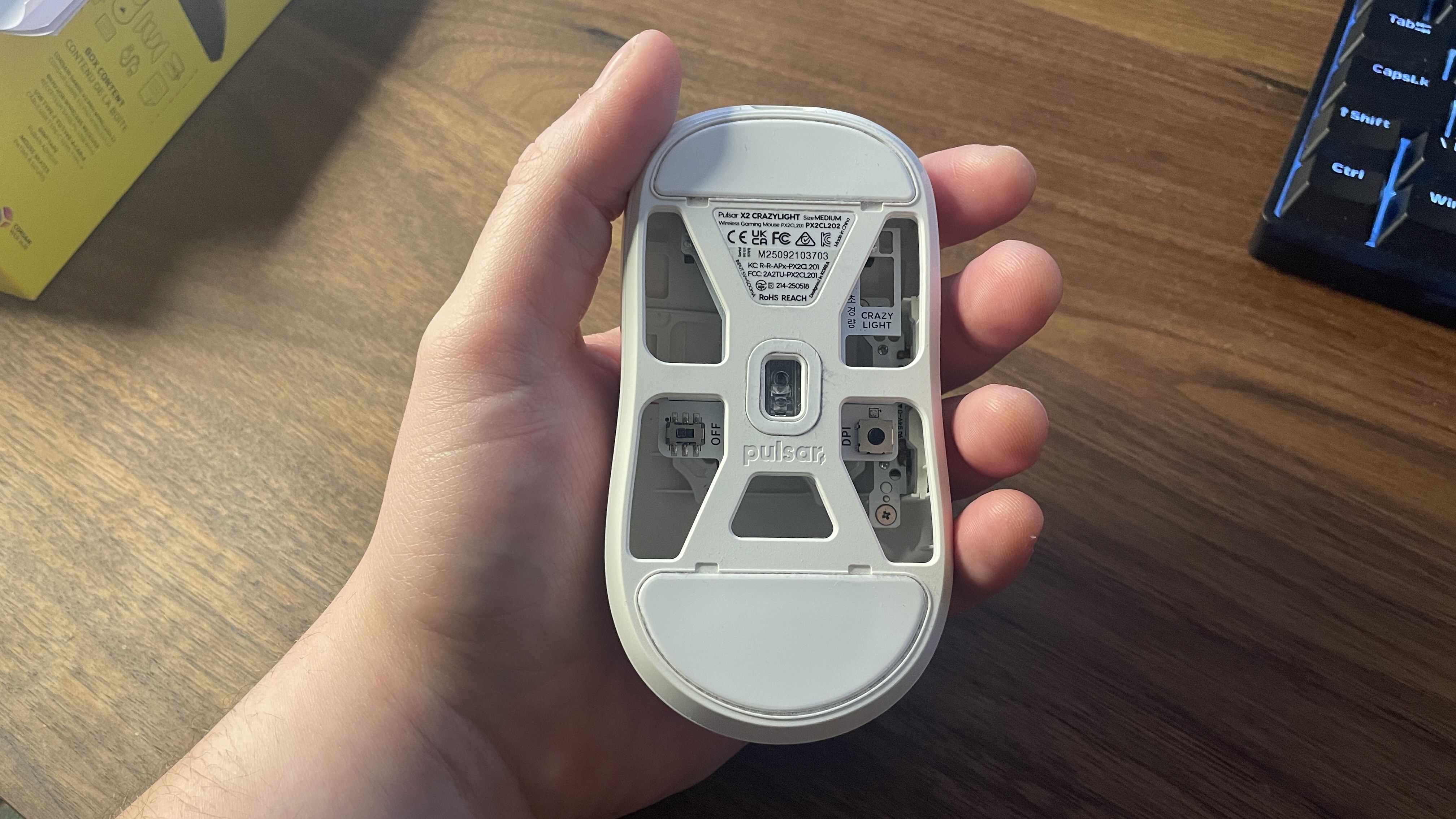
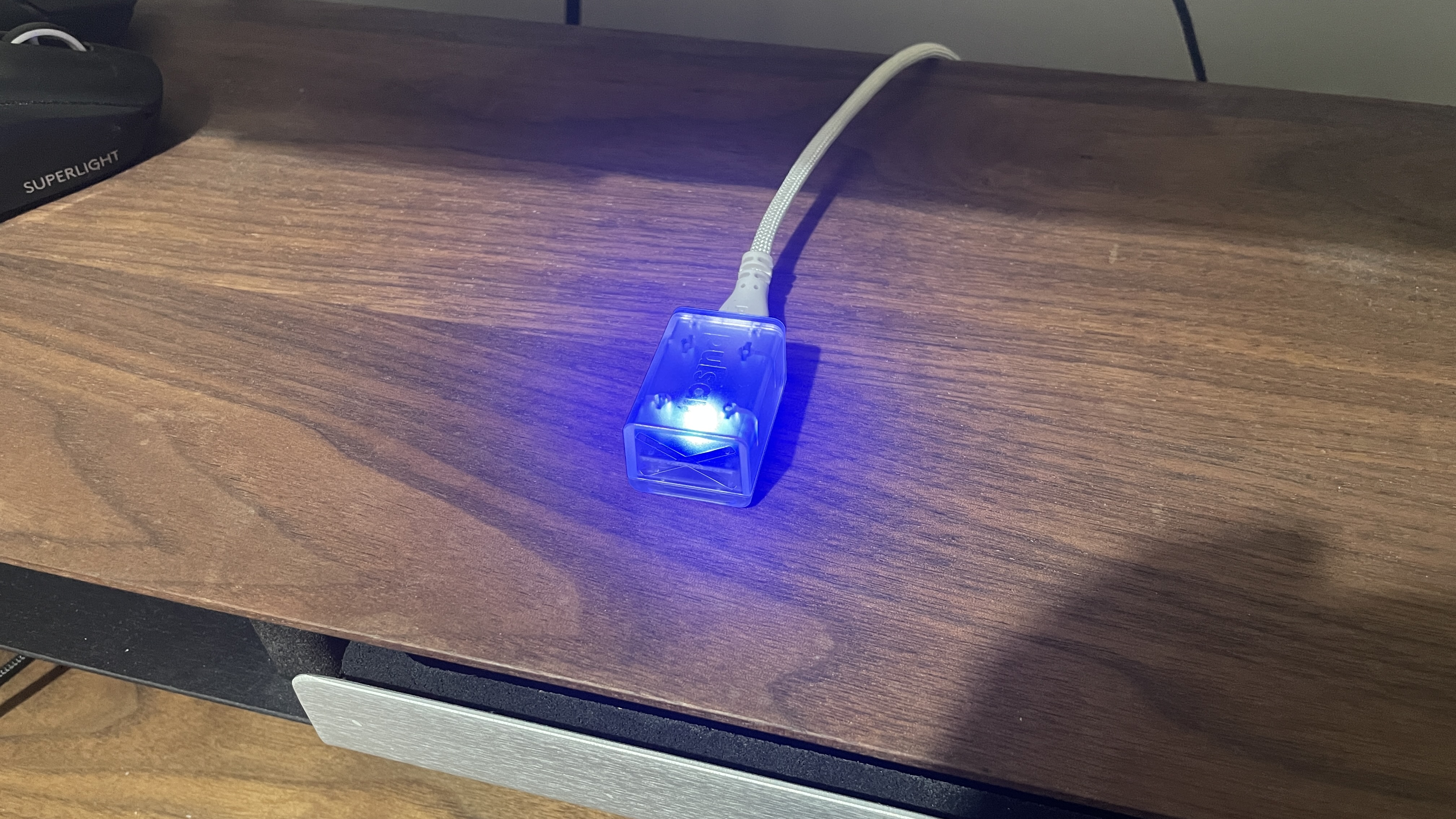
Feature-wise, you're not getting loads, but that's kind of expected with a lightweight mouse like this that's targeted at competitive FPS gamers. You get an on/off switch, an underside DPI button, USB-C charging, and perfectly serviceable, though sadly local rather than browser-based, software. None of these things is particularly relevant to the price for a mouse like this, though.
Regarding things that are relevant, there's good and bad news. Starting with the good, this price is reasonable for such a premium-feeling, comfortable, lightweight mouse.

That last point is worth emphasising, too, as the Pulsar mouse is very light at 39 g with dot skates or 41 g with full PTFE skates (my model is 42 g according to my scales, but Pulsar does specify up to +/- 1 g variation). This definitely puts the mouse in the 'ultralight' bracket, even if it's not quite as light as the Corsair Sabre V2 Pro. The Pulsar one does have holes in its underside to achieve this weight, while the Corsair doesn't have any holes at all; but the Corsair doesn't feel quite as premium as the Pulsar, so it makes sense.
The bad news, however, comes down to what we've not yet discussed, namely, the mouse's actual performance. It's not that it's a bad performer—far from it, thanks to up to 8 kHz polling and a 32K DPI sensor. It's just not as great as I'd like for the price and target market.
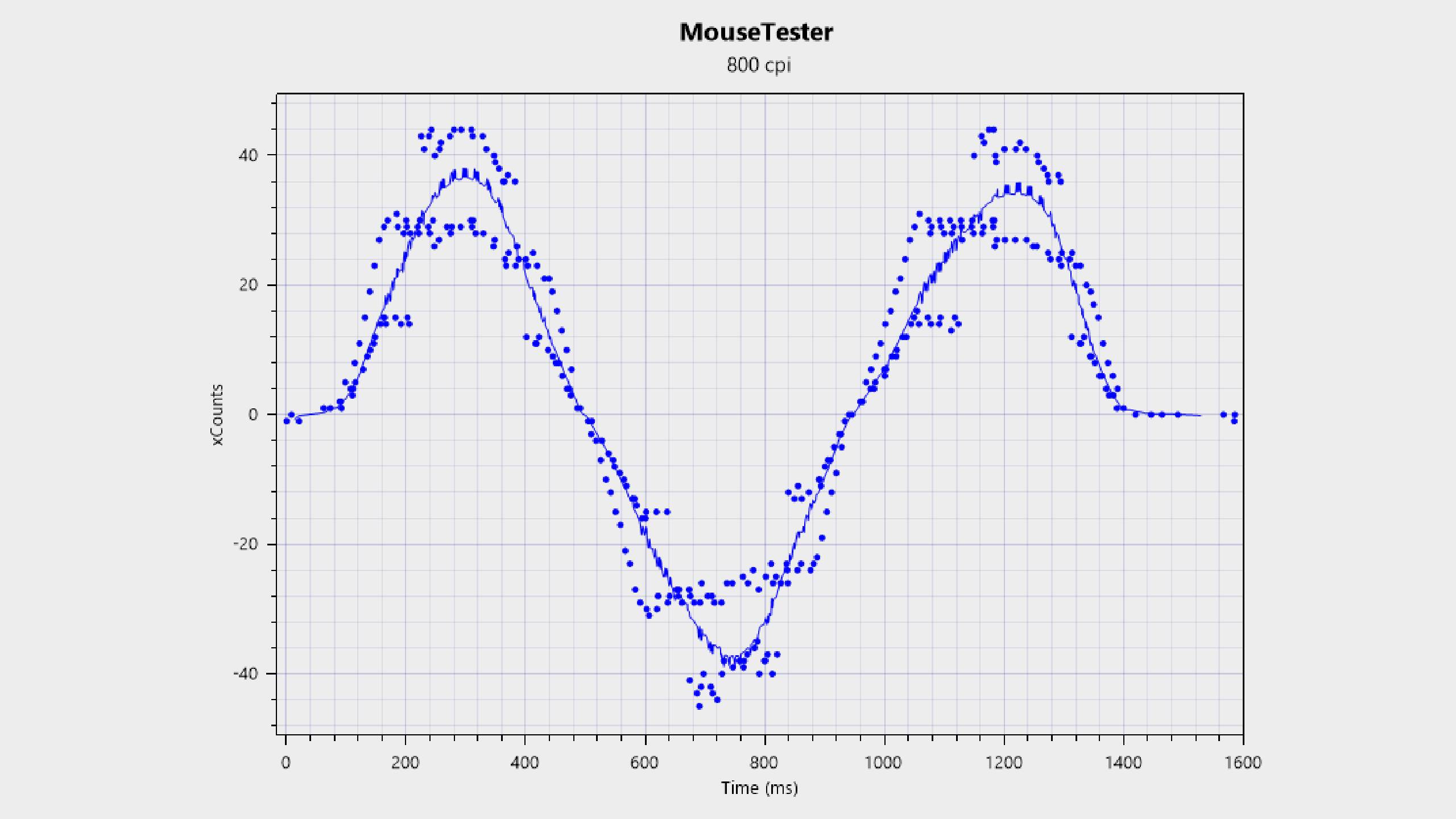
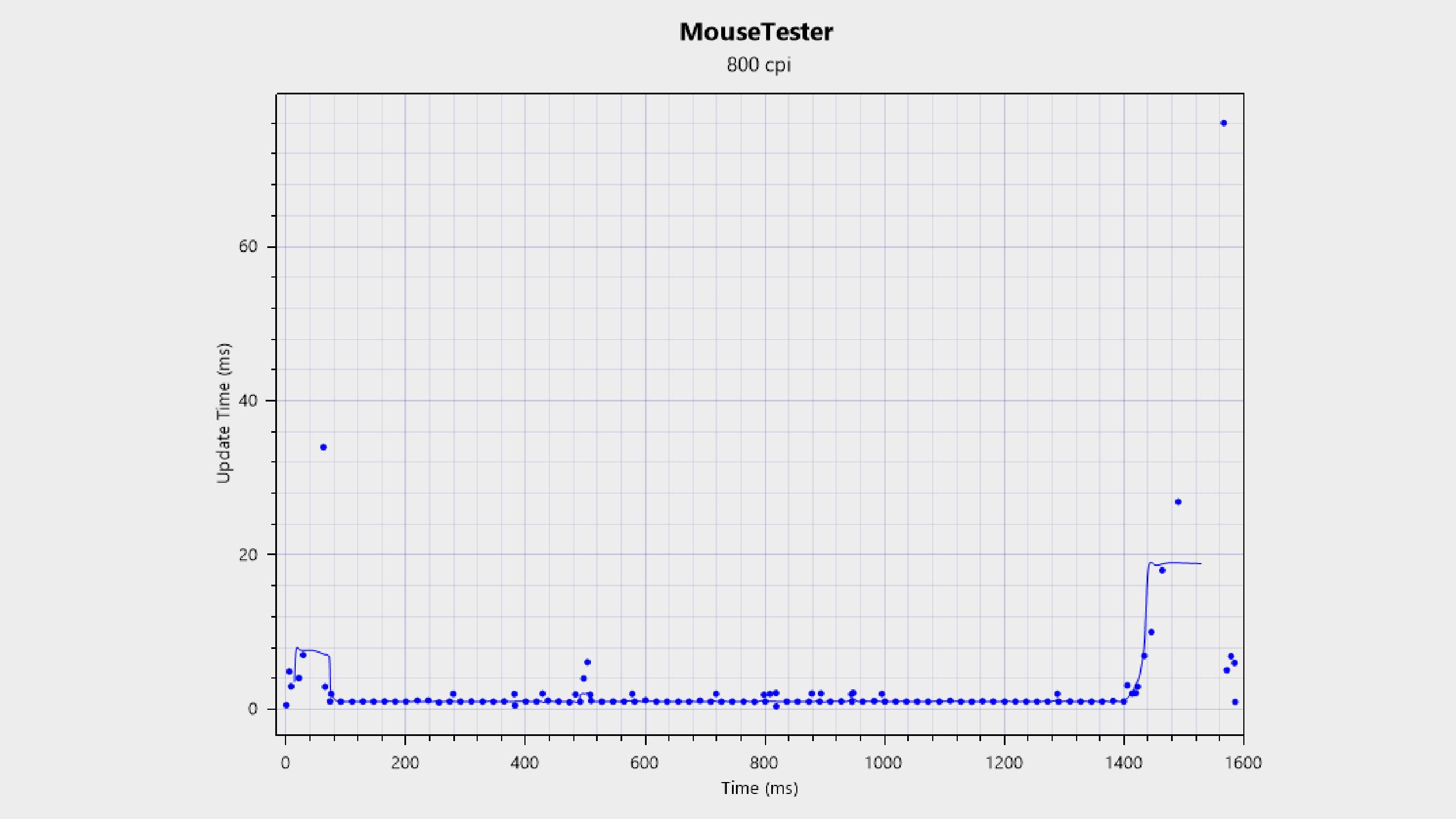
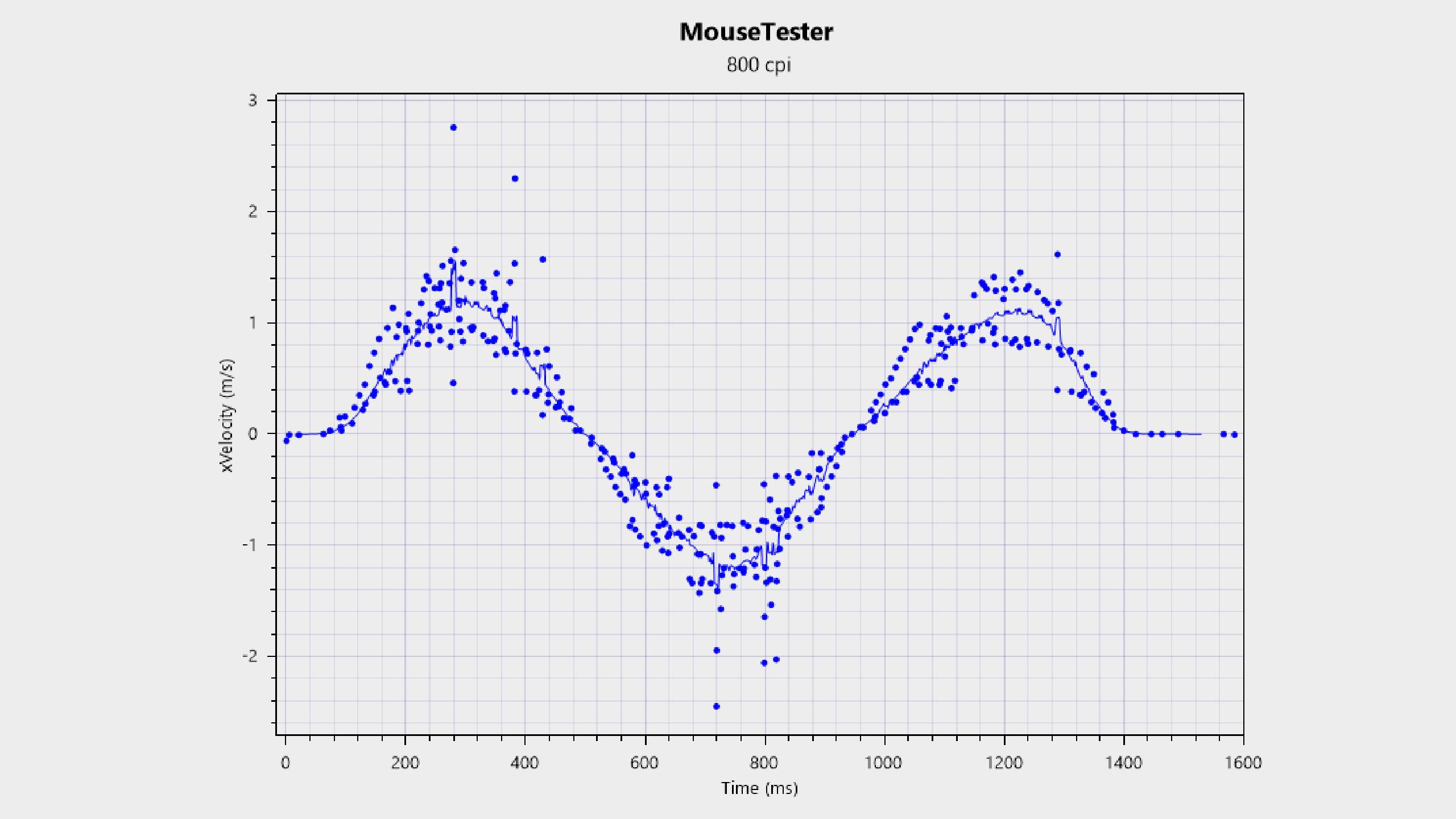
The CrazyLight X2 seems to suffer from the same thing I found the recently launched Glorious Model O3 Wireless to suffer from. Both mice have sensors that track reliably and accurately when connected via a wired USB-C cable, but this reliability and accuracy take a hit when switching over to a wireless 2.4 GHz connection, as my testing in Mouse Tester, a dedicated mouse sensor tracking tool, shows.
This definitely isn't an issue with my setup, either, as I've tested some mice—noticeably, the Corsair Sabre V2 Pro and Logitech G Pro X Superlight—over wireless that don't have this issue at all. I also made sure to test out the mouse in some different USB ports and with the dongle at different distances from the mouse. It just seems to be the case that switching over to wireless introduces some inconsistency to the tracking.

To be clear, I didn't notice this test data translating to inconsistencies in my actual aim in-game. In Counter-Strike 2, for instance, I found fast flicks, smooth corner turns, and micro-adjustments to track perfectly well, at least according to my ageing eyes and fingers. And even the Mouse Tester results themselves aren't exactly awful.
However, there are definitely mice out there with better tracking over wireless, something that's made worse by the fact that one such mouse that I've tested myself—the original G Pro X Superlight—is much older than the Pulsar CrazyLight X2. It's possible that some gamers with higher ELOs/MMRs and keener eyes and ears could notice this slight inconsistency in-game, and even if not, you'll have more peace of mind for high-level competitive FPS gameplay if you're using a mouse with better wireless tracking.
✅ You want claw grip comfort: This mouse almost makes me want to switch to claw grip gaming full-time, with how comfy that relaxed hump is under my palm.
❌ You hate charging: The battery life that this mouse offers is pretty poor, even compared to some other ultralight options.
For someone like me who isn't exactly aiming for the leaderboards, it's a fantastic mouse. It managed to win me over to its claw-like grip requirement very quickly, and it's kept me using it much longer than I had to, just because it feels so nice under my palm and so easy to fling around the top of my mouse pad during Counter-Strike sessions.
It might go without saying, but it's fine for casual gaming, too. Although if you're a casual gamer, you might prefer a heavier mouse with better battery life. I managed to get a few days out of the Pulsar running at 1,000 Hz polling, including using it for work during the day and gaming for a few hours over a couple of evenings. And although I didn't record my hours closely enough to say precisely what the battery life is, it can't add up to much.
For the price and given it's aimed at competitive gaming, I'd probably prefer the peace of mind I'd get from using a mouse with more consistent tracking over wireless. The slightly poorer tracking over wireless probably won't be a massive deal for most gamers, even competitive ones, but when you can get good gaming mice that perform better in this regard, it makes the Pulsar pill a little harder to swallow.
1. Best wireless:
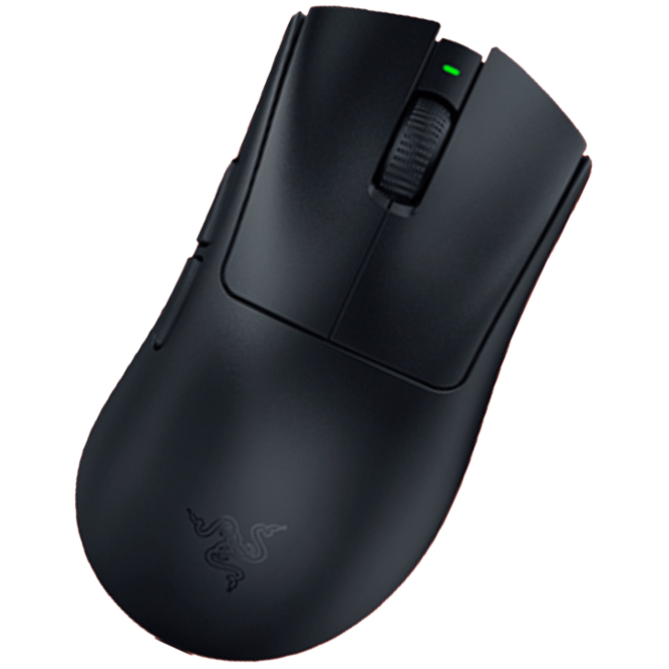
Razer DeathAdder V4 Pro
2. Best wired:
Logitech G502 X
3. Best budget wireless:
Logitech G305 Lightspeed
4. Best budget wired:
Glorious Model O Eternal
5. Best lightweight:
Corsair Sabre V2 Pro
6. Best MMO:
Corsair Scimitar Elite Wireless SE
7. Best compact:
Razer Cobra Pro
8. Best ambidextrous:
Logitech G Pro
9. Best ergonomic:
Keychron M5
10. Best customizable:
Orbital Pathfinder
This mouse is a very comfortable, satisfying, lightweight option for competitive FPS gamers, and it looks great, too. Unfortunately, it's let down by poor battery life and less than ideal sensor tracking consistency over wireless connection.

You must confirm your public display name before commenting
Please logout and then login again, you will then be prompted to enter your display name.