With so many different motherboards on the market, it's hard for vendors to make something that makes you really pay attention to it. And in the case of the new Asus ROG Crosshair X870E Glacial, that's exactly what happened when I first saw it, because the only thing I really noticed was that it has pre-installed Wi-Fi drivers. However, taking a closer look reveals all kinds of things: some good, some great, and something really odd.
As with all of Asus' ROG Crosshair boards, the X870E Glacial is a top-end, mega-bucks model, replete with M.2 slots, heatsinks, and a whopping five-inch LCD panel. An awful lot of motherboards pass through my hands, so I honestly didn't pay that much attention to it (sorry Asus), other than the drivers thing.
Article continues belowMind you, Asus' AIOs are fiercely expensive, so I should imagine it will be a good while before this makes an appearance in any mainstream products.
That's the great stuff. What's possibly good (perhaps great, perhaps rubbish) is that you can pop off a small cover to reveal a couple of connectors for a magnetically attached fan, included with the motherboard, that blasts air along the length of the DRAM sticks installed in the board.
No screws. No struggle. Just snap. 😉❄️ The all-new ROG Memory Q-Fan on X870E Glacial features a snap-on magnetic design — making cooling faster, cleaner, and easier than ever.Explore now 👉 https://t.co/1GVTov5Wep#ROG #X870E pic.twitter.com/FxZe9c3TZ1February 10, 2026
How well it works in practice is an important question, though, because if the fan is loud and cheaply-made, it'll get annoying very quickly. It might not be something most people would ever use, either, because unless you're seriously overclocking the memory modules, they don't really get all that hot.
My main concern about it, though, is that the fan's intake is right next to where the graphics card fits into the board and if you have a long, powerful card, the little DRAM cooler is just going to be drawing in hot air.
And speaking of graphics cards, take a closer look at the board. Yes, that's right, there are no PCIe slots whatsoever. Okay, I'm joking—there are actually two on the motherboard, but by default, they're hidden under two magnetically attached plates.
These "conceal the motherboard's connectors for a cleaner look, or they can be attached to any magnetic surface as a decorative element," according to Asus, though they just seem rather pointless to me. Perhaps not the very bottom one, which does a nice job of hiding the usual array of headers, but that big one?
You physically can't use a graphics card with it in place, so unless you do have a spare chunk of metal somewhere you can slap it onto, then it'll just sit in the box.
A similar fate may befall the ROG Hyper M.2 card, which fits into a PCIe slot, and the ROG Q-DIMM.2 thingy, which you install in that long slot just to the right of the DDR5 connectors. These host two SSDs apiece, which sounds lovely, but then you get to the caveats with using them.

Should you install the Hyper card into the bottom PCIe slot, it will force the top one for your graphics card to run in x8 or x4/x4 mode. The Q-DIMM.2 thing has two PCIe 4.0 M.2 slots, but only one of them is x4; the other is half that speed. Add in the fact that using the second M.2 slot on the motherboard itself will force it to run at half speed, too, if you use any of the USB4 ports.
Admittedly, this is a limitation of all AM5 X870E motherboards, and it's not a failure of the Glacial. But why give us all these connectivity options if there are so many performance restrictions? How many PC gamers need to have seven NVMe SSDs anyway? Three or four, sure, but seven?
Anyway, all of this serves me right for not giving the Asus ROG Crosshair X870E Glacial enough attention when it was first announced. There's a lot to like here, despite some odd design choices (and a $1,200 price tag), and if we manage to get one in for testing, we'll let you know how good the new things really are.
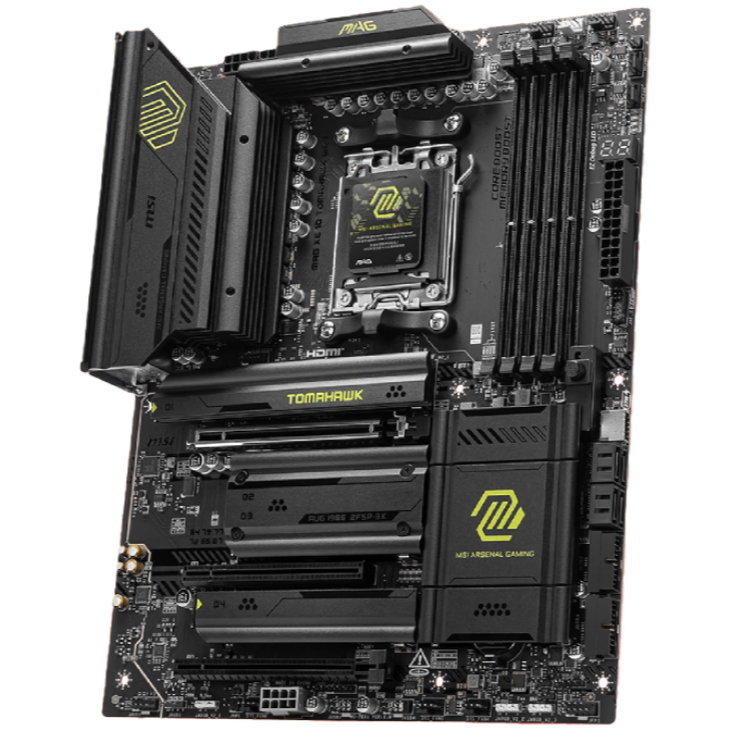
1. Best AM5 - AMD Ryzen 9000/7000:
MSI MAG X870 Tomahawk WiFi
2. Best budget AM5 - AMD Ryzen 9000/7000:
Asus TUF Gaming B650-Plus WiFi
3. Best midrange AM5 - AMD Ryzen 9000/7000:
ASRock B850 Steel Legend WiFi
4. Best AM4 - AMD Ryzen 5000/3000:
Asus ROG Strix B550-E Gaming
5. Best LGA1851 - Intel Core Ultra 200S:
Asus ROG Maximus Z890 Hero
6. Best budget LGA1851 - Intel Core Ultra 200S
ASRock B860 Steel Legend Wi-Fi
7. Best LGA1700 - Intel 14/13th Gen:
MSI MAG Z790 Tomahawk WiFi
8. Best budget LGA1700 - Intel 14/13th Gen:
Asrock B760M PG Sonic WiFi

You must confirm your public display name before commenting
Please logout and then login again, you will then be prompted to enter your display name.