Earlier this year, Nvidia quietly dropped support for 32-bit CUDA applications in its drivers for GeForce RTX 50-series graphics cards. While the move had been long planned and not unexpected, the change did have one disappointing outcome: every game that used 32-bit PhysX libraries for visual effects would be forced to either disable it or process them on the CPU. Well, not any more, as Nvidia has had a change of heart and it's back again in the latest driver set.
However, it is worth noting that the new Game Ready Driver 591.44 drivers won't suddenly run every 32-bit CUDA program, as Nvidia has only added support for certain games. Fortunately, it seems to be all the popular ones that were badly affected by the CUDA change, as detailed in the relevant driver blog. The full list of revitalised games is:
- Alice: Madness Returns
- Assassin’s Creed IV: Black Flag
- Batman: Arkham City
- Batman: Arkham Origins
- Borderlands 2
- Mafia II
- Metro 2033
- Metro: Last Light
- Mirror’s Edge
Batman: Arkham Asylum will eventually join the others, but not until "the first part of 2026". Your guess is as good as mine as to just when that exactly is. For every other game that's not on the list, you'll need to either go down a dual-GPU route (i.e. use an older Nvidia GPU in a second PCIe slot and use the Nvidia Control Panel to force PhysX to be processed on that one) or just accept the wonky performance.
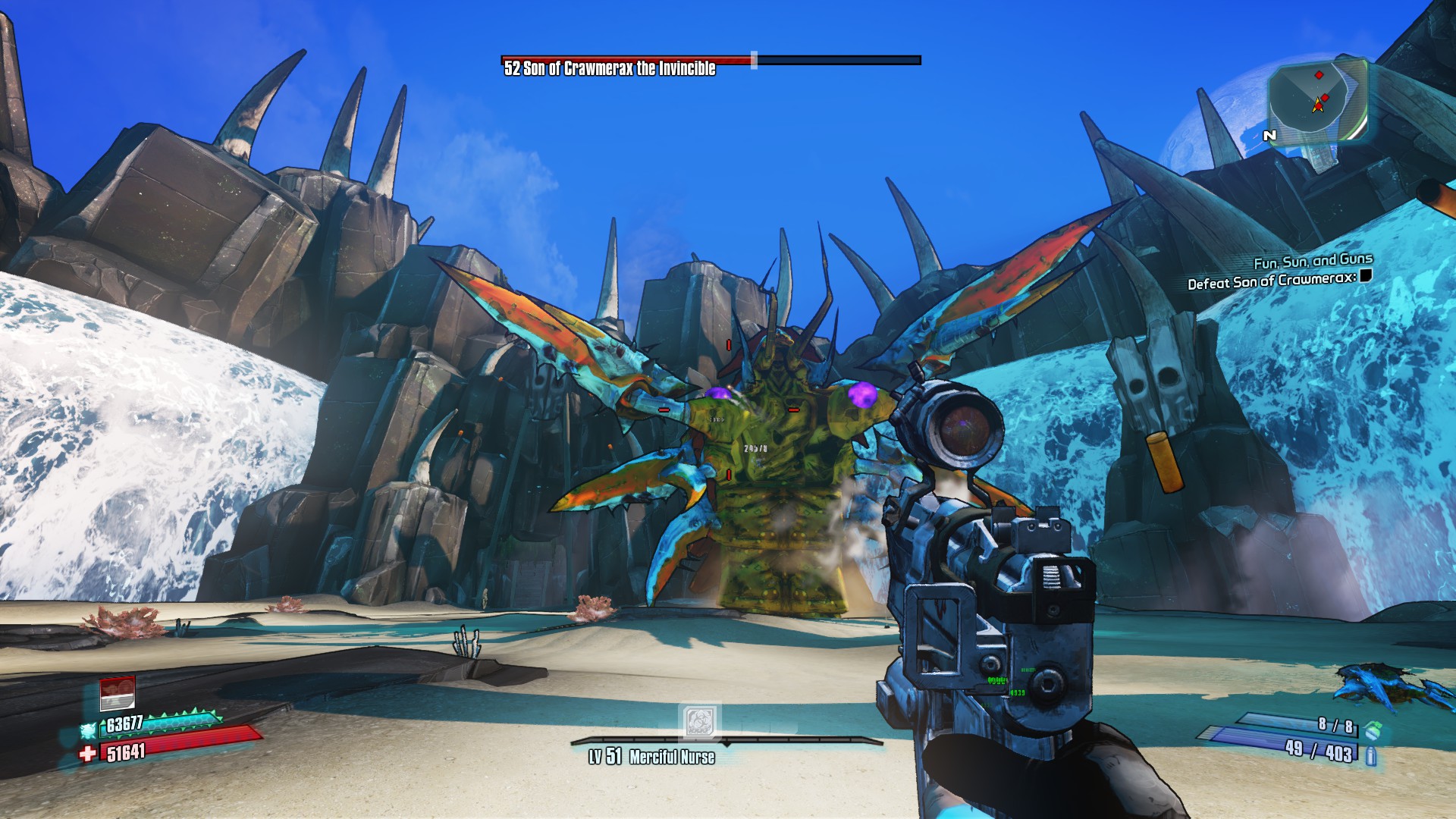
At the risk of fueling some flames, I tried Borderlands 2 with the new 591.44 drivers and the previous 581.57 set. With the latter, the PhysX option in the game's settings is greyed out, but one quick driver install is all that's required to bring the full list of options back (low, medium, high).
To be frank, I don't think you're missing anything by not having PhysX in that game. The difference in visuals is relatively slight, but the performance gap between having an RTX 5070 not doing any fancy physics at all and with it set to high is quite noticeable. The game just runs a lot smoother (and faster) without PhysX.
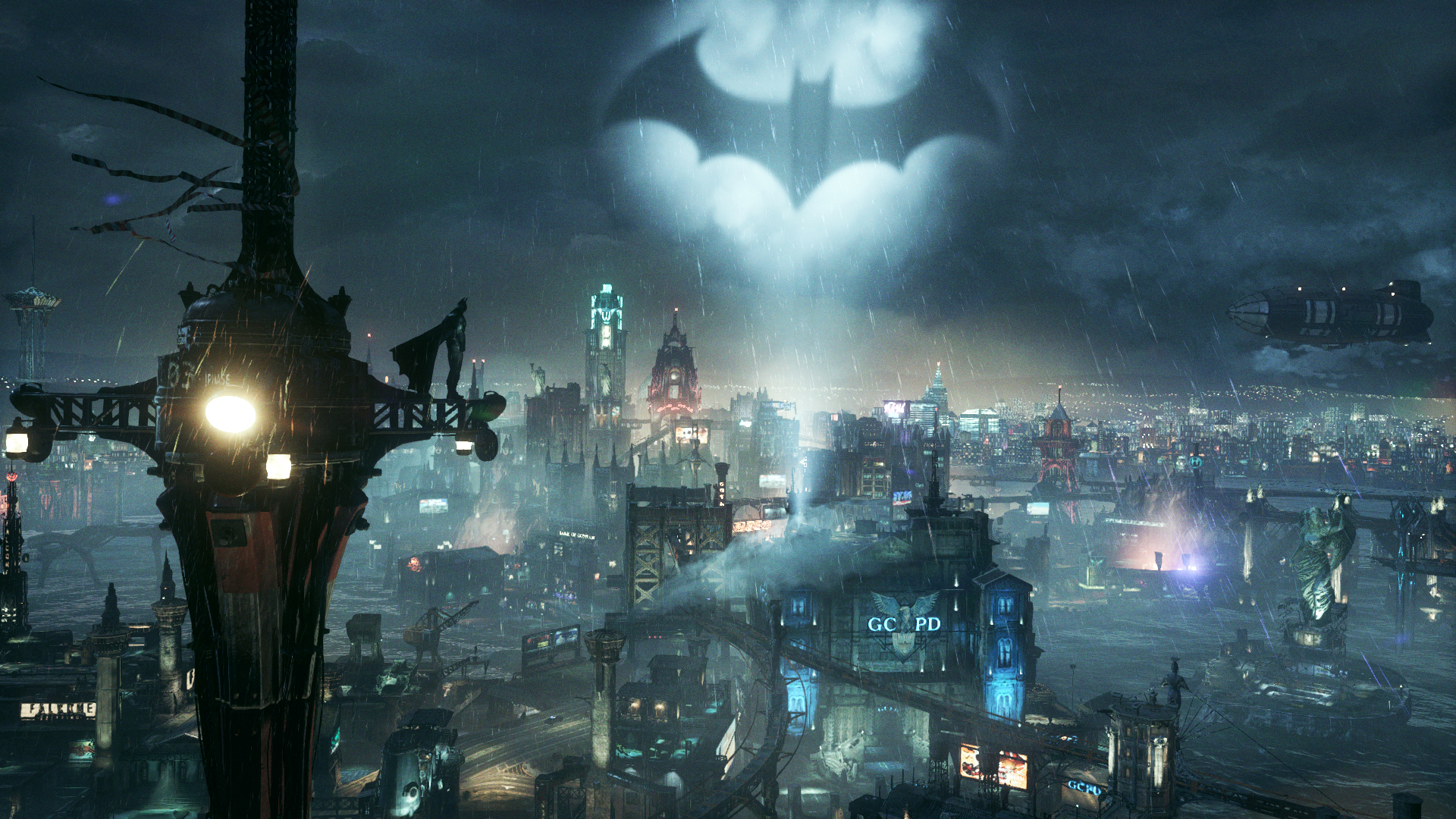
It's a different story with Batman: Arkham City, mind. That does look lovely with PhysX enabled and set to High, but without 32-bit CUDA support, it's a bit of a stuttery mess on RTX 50-series cards. It's not a massive problem indoors, but the moment you start swooping about the open-world city, dropping to the streets to beat up thugs, the hiccups really kick in.
Thankfully, the 591.44 drivers solve that issue, though once again, with PhysX back on the main GPU, you do lose some performance (how much depends on your GPU). It's great that Nvidia's listened to the criticism and brought about a solution to the problem, though you do have to wonder why it's taken since February to reach this point.
1. Best overall: AMD Radeon RX 9070
2. Best value: AMD Radeon RX 9060 XT 16 GB
3. Best budget: Intel Arc B570
4. Best mid-range: Nvidia GeForce RTX 5070 Ti
5. Best high-end: Nvidia GeForce RTX 5090

You must confirm your public display name before commenting
Please logout and then login again, you will then be prompted to enter your display name.