Ever since mouse sensors in premium gaming mice all became generally on par, and especially now that some sensors in budget mice are pretty on par too, it's been difficult to get truly excited about any new rodent-based technologies. But earlier this year, Logitech changed the game with the X2 Superstrike and its haptic-inductive analogue clicks. Now, Razer's got a new techy trick up its own sleeve with its new Viper V4 Pro in the form of FrameSync.
It might not sound quite as initially exciting as analogue switches, but FrameSync promises something that should appeal to a wider base, primarily because of how it can help improve battery life.
Article continues below
The basic idea is the same as with G-Sync, FreeSync, or any other variable refresh rate technology: synchronising the hardware in the peripheral to the data or the polling from your system. With monitors, that means refreshing only when a new frame is ready to be displayed. Here, with Razer's FrameSync, it means keeping the mouse's sensor scan in sync with the MCU.
As Razer breaks it down in its diagram above, there are actually three main parts to the scanning and polling process: the sensor captures the picture, then the MCU prepares that capture to be sent to the PC, and then it hands it off to the PC when it gets polled for it.
Work had previously been done to align your MCU to your PC's polling rate with Motion Sync, a feature available on a fair few mice today. But much like a monitor refreshing multiple times between each frame, mouse sensors were still snapping frames between each poll and MCU hand-off. That's a ton of unnecessary snapshots.
Razer's innovation here is to sync the sensor up with the poll and MCU hand-off, so it's only capturing a picture the moment it needs to, i.e. when it's about to be requested for it. This improves sensor latency and should help with jitter at higher polling rates, but as I said, I think sensors were already doing fine in this regard.

The real benefit here, I think, is that the mouse can achieve this while cutting down on sensor snapshots, which ultimately means cutting down on how much power it consumes each second.
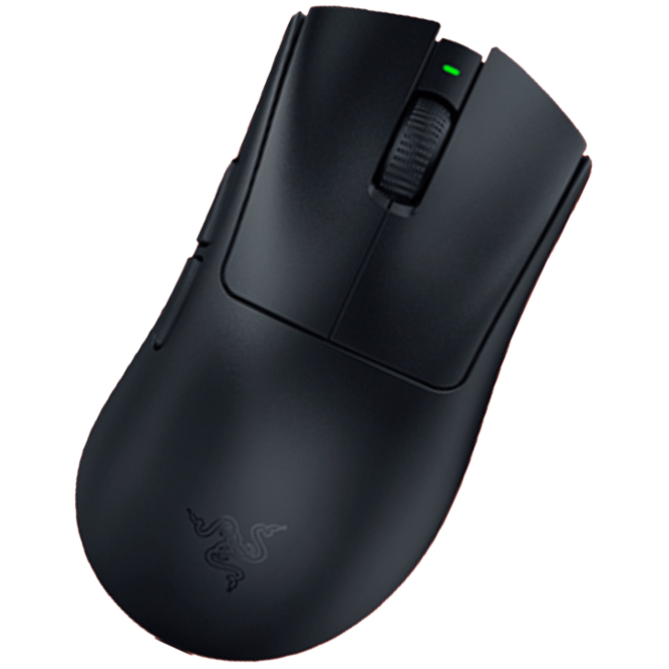
The result seemingly speaks for itself with the Viper V4 Pro, if Razer's claimed battery life stats are accurate. The mouse is said to have 180 hours of battery life, which is just shy of having twice as much effective juice as the V3 Pro. And it's a few grams lighter, too, while having a more performant sensor.
So yeah, just as with Superstrike's haptic-inductive tech, I'm really hoping this FrameSync tech will spread to the gaming mouse market at large. After all, who doesn't care about battery life?
1. Best wireless:
Razer DeathAdder V4 Pro
2. Best wired:
Logitech G502 X
3. Best budget wireless:
Logitech G305 Lightspeed
4. Best budget wired:
Glorious Model O Eternal
5. Best competitive:
Logitech G Pro X2 Superstrike
6. Best lightweight:
Corsair Sabre V2 Pro
7. Best MMO:
Corsair Scimitar Elite Wireless SE
8. Best compact:
Razer Cobra Pro
9. Best ambidextrous:
Logitech G Pro
10. Best ergonomic:
Keychron M5
11. Best customizable:
Orbital Pathfinder

You must confirm your public display name before commenting
Please logout and then login again, you will then be prompted to enter your display name.