





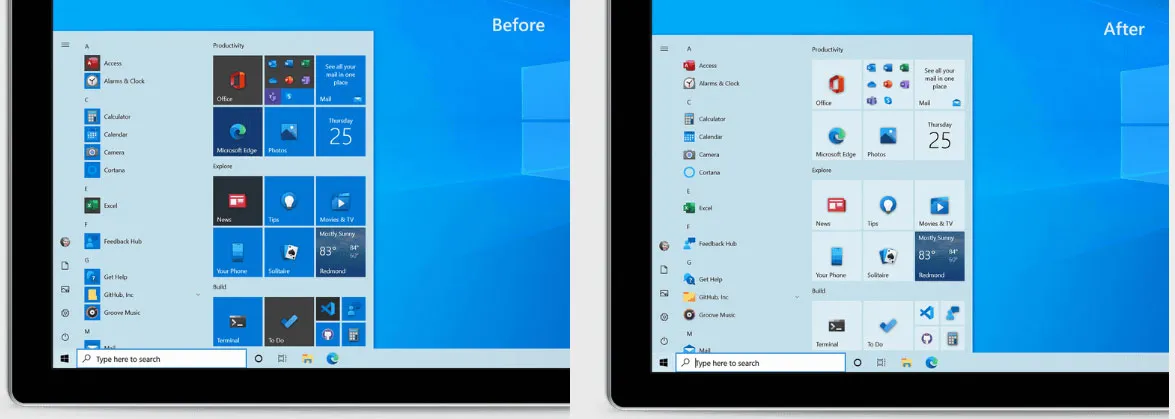
At this point, the Start menu in Windows 10 is what it is—a big blob of shortcuts and tiles. That is not going to change anytime in the near future. However, Microsoft is at least making an effort to have the Start menu blend in better with your desktop by introducing theme-aware tiles.
The updated Start menu is not being pushed out to the general public at large just yet, but is being tested in the latest Windows 10 Insider build (20161).
You can see the difference in the before and after comparison above—notice how the tiles in the 'after' photo blend in better.


"This design creates a beautiful stage for your apps, especially the Fluent Design icons for Office and Microsoft Edge, as well as the redesigned icons for built-in apps like Calculator, Mail, and Calendar that we started rolling out earlier this year," Microsoft explains.
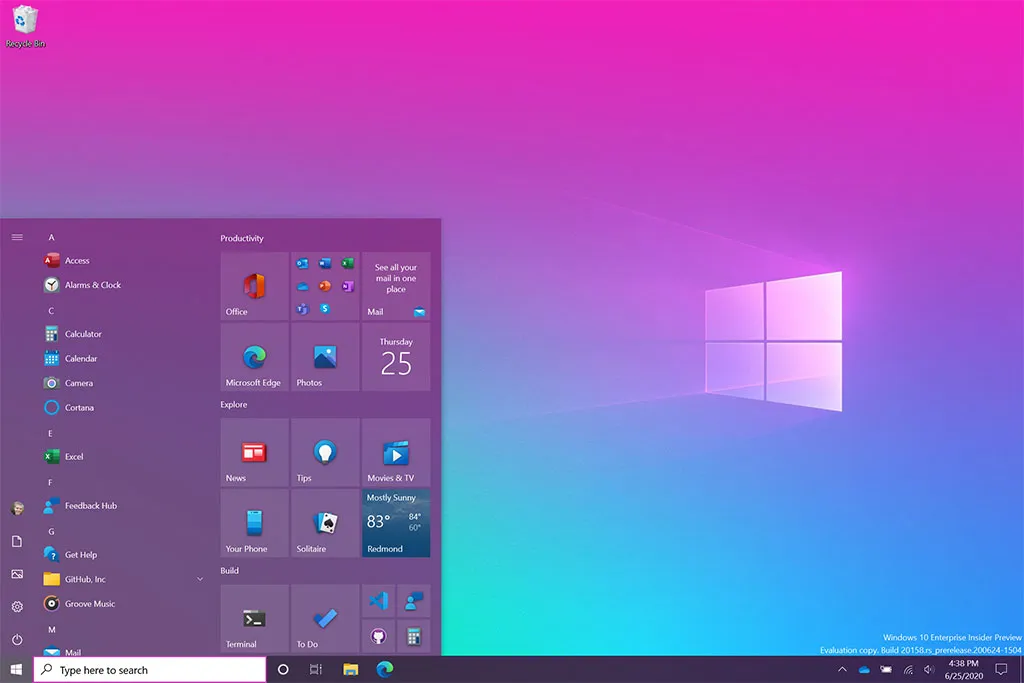
You will also be able to spiffy things up further by toggling a "Show accent color on the following surfaces" option for "Start, taskbar, and action." You can see how it works in the image below.
Microsoft is also testing some new taskbar layouts, including one that is tailored for Windows 10 users who have an Android phone linked to the OS, and another geared towards users with Xbox Live accounts. The taskbar generally looks the same, just with different icons for a more personalized experience.
Finally, the latest Insider build also introduces a better Alt + Tab experience for people who use the Edge browser.
"Beginning with today’s build, all tabs open in Microsoft Edge will start appearing in Alt + Tab, not just the active one in each browser window. We’re making this change so you can quickly get back to whatever you were doing—wherever you were doing it," Microsoft said.
Best gaming mouse: the top rodents for gaming
Best gaming keyboard: your PC's best friend...
Best gaming headset: don't ignore in-game audio
Unlike in the past, Insider builds are not necessarily specific to an upcoming version of Windows 10. Microsoft recently overhauled the Windows Insider program to include a Dev Channel, Beta Channel, and Release Preview Channel.
Users who subscribe to the Beta Channel get access to builds that are tied to upcoming Windows 10 releases, while the Release Preview Channel pushes out polished builds just ahead of public availability.
In contrast, the Dev Channel gives testers access to upcoming features at their earliest point in the development cycle, but the builds themselves are not indicative of a future Windows 10 release. The new features introduced here—retooled Start menu, personalized taskbar layouts, improved Alt + Tab functionality—are available in the Dev Channel.


