If you have an Asus, Gigabyte, MSI, or ASRock motherboard, you need to update the BIOS if you want to continue playing Valorant. That's because a critical flaw was recently found that allows cheaters to bypass hardware-based security checks and potentially inject code before Riot's Vanguard anti-cheat can wake up.
As laid out in the Riot Games blog (via Tom's Hardware), Valorant relies on IOMMU (Input-Output Memory Management Unit) to check the ID of your memory and only allow greenlit devices to get access.
Article continues belowThis means someone getting in before those security functions boot up can effectively bypass the security, and "by the time the system is fully loaded, it can’t be 100% confident that 0 integrity breaking code was injected via DMA." This flaw was shared with manufacturers, and updates will be rolling out going forward.

If you attempt to play Valorant on a system without the new updates, you will receive a VAN: Restriction—effectively stating that your rig isn't too dissimilar to those of a potential cheater.
Riot says, "BIOS updates aren't exactly as exciting as looking at ban numbers, but this is a necessary step in our arms race against hardware cheats". We don't yet know how long bad actors have been using this technique to cheat at Valorant, and the game being free-to-play already removes one of the biggest barriers to entry for reoffenders.
If you're looking to get information on your motherboard and how to update, you can find a handy list of the security advisories below.
- Case VU#382314
- Asus Security Advisory (CVE-2025-11901)
- Gigabyte Security Advisory (CVE‑2025‑14302)
- MSI Security Advisory (CVE-2025-14303)
- Asrock Security Advisory (CVE-2025-14304)
Asus warned motherboard owners of the same problem this week, as it will affect even those lucky enough not to play Valorant, though it does require local access to actually have any effect.
Still, a reminder to update your BIOS and an assurance of fewer cheaters in a single blog post is certainly not a bad way to end the year for Riot. Though users who dislike their anti-cheat software rustling around in their PC's underlying firmware might not be too happy.
1. Best AM5 - AMD Ryzen 9000/7000:
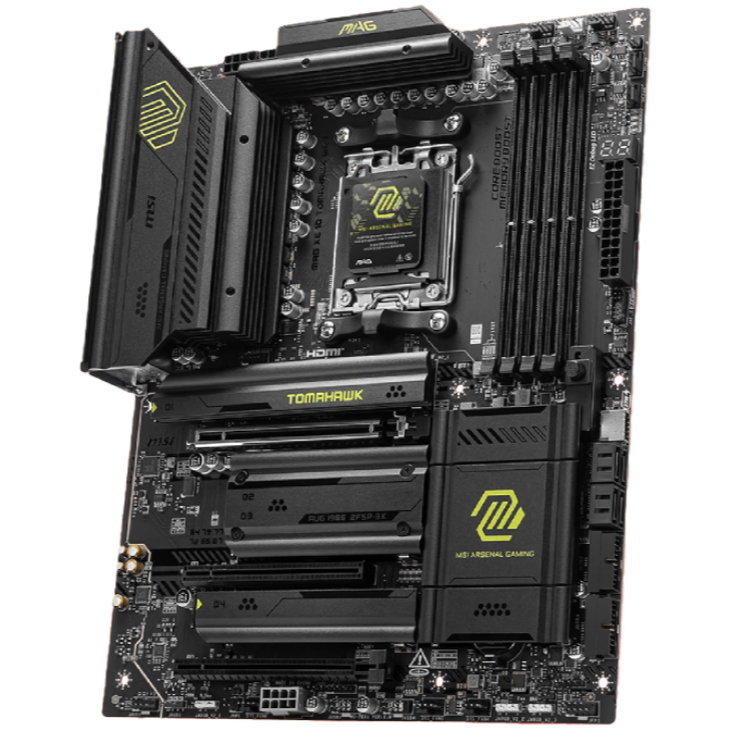
MSI MAG X870 Tomahawk WiFi
2. Best budget AM5 - AMD Ryzen 9000/7000:
Asus TUF Gaming B650-Plus WiFi
3. Best midrange AM5 - AMD Ryzen 9000/7000:
ASRock B850 Steel Legend WiFi
4. Best AM4 - AMD Ryzen 5000/3000:
Asus ROG Strix B550-E Gaming
5. Best LGA1851 - Intel Core Ultra 200S:
Asus ROG Maximus Z890 Hero
6. Best budget LGA1851 - Intel Core Ultra 200S
ASRock B860 Steel Legend Wi-Fi
7. Best LGA1700 - Intel 14/13th Gen:
MSI MAG Z790 Tomahawk WiFi
8. Best budget LGA1700 - Intel 14/13th Gen:
Asrock B760M PG Sonic WiFi

You must confirm your public display name before commenting
Please logout and then login again, you will then be prompted to enter your display name.