Our Verdict
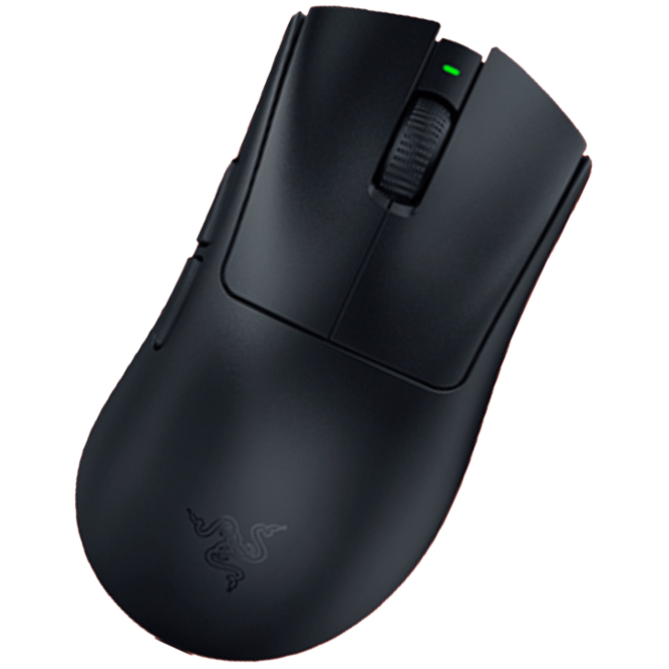
The Razer Viper V4 Pro is an all-round fantastic mouse, with stellar build quality, satisfying clicks, and a nicely tactile scroll wheel. It also balances top-tier performance and a light weight with a surprising amount of juice.
For
- Unrivalled build quality
- Light weight
- Leading performance
- Great battery life
- Web software
Against
- Click sound won't be for everyone
- Expensive
- No extra features like RGB
PC Gamer's got your back Our experienced team dedicates many hours to every review, to really get to the heart of what matters most to you. Find out more about how we evaluate games and hardware.
The Razer Viper V4 Pro is the nicest mouse I've ever used. That's a bold way to begin, but I'm confident enough in the assessment to lead with it.
'Nicest' is also a pretty bland descriptor for what is essentially a flawless mouse, but that's intentional too. The recently released Logitech G Pro X2 Superstrike offers something very new and very exciting with its analogue haptic-inductive clicks, but we're not getting anything quite so viscerally exciting here. Instead, we're getting all-around traditional improvements that have me doing my best Michael Rosen impression.

Buttons: 6
Connectivity: USB Type-C wired, 2.4 GHz wireless
Sensor: Focus Pro 50K optical (Gen 3)
Switches: Gen 4 optical
Feet: PTFE
Max DPI: 50,000
Weight: 49 g (black) / 50 g (white)
Max acceleration: 90 G
Max speed: 930 IPS
Polling rate: Up to 8K
Battery life: 180 hours @ 1,000 Hz
RGB lighting: No
Included extras: Dongle, cable, grip tape, stickers
Price: $160 / £160
I don't use the word 'flawless' lightly, either. I cannot find a single thing to fault the Viper V4 Pro for, other than one thing—click sound—and that's a matter of preference that isn't really a flaw at all.
Immediately upon unboxing the mouse, I can tell it's a tier above the rest. There is zero creak to the shell even when I squeeze the sides with quite a lot of pressure, and it feels somehow as sturdy as the sturdiest mouse I've ever used, the $200 Corsair Sabre V2 Pro Wireless CF. The scroll wheel is the best I've used, too: easy to spin through despite clearly defined steps that it's almost impossible to land between.
All of the buttons are a genuine joy to click. It's the first time I've been able to say that of side buttons, too. I'm not sure how to explain it other than to say they are tactile without feeling too clicky; they feel more mechanical and thunky than clicky and they're very easy to delineate and click, with your thumb resting easily against their flat surfaces.
The left and right mouse buttons are also fantastic, although they still have a telltale clicky and slightly hollow ring of optical switches. They're far from quiet clicks and certainly won't be to everybody's tastes, but I got used to them pretty quickly. More importantly than sound, though, is feel, and on this front the left and right buttons are flawless. There's no discernable pre-travel, only a slight amount of post-travel, and each click feels very defined and tactile across any part of the buttons. Again, the Viper V4 Pro offers better quality in this respect than any other mouse I've tested.

You might assume the Viper V4 Pro to be relatively heavy to keep everything so sturdy and tactile, but you'd be wrong. The white version I've been testing weighs just 50 g, and an extra gram gets shaved off if you opt for the black version. That's well within 'ultralight' territory, and a good 20 g lighter than its predecessor, the Viper V3 Pro, and a few grams lighter than the DeathAdder V4 Pro.
It's kept the same shape as the V3 Pro, and here you're getting a pretty safe ambidextrous design. I tend to think of it as Razer's version of Logitech's safe G Pro/Superlight shape. Though the Viper is a little shallower and has the staple Razer flair to the edges of the left and right mouse buttons. I've had no problem using it with a palm grip, and the fact that the clicks are responsive throughout the full length of the buttons means it should be good for claw grip, too, though there might be better options for a more aggressive fingertip grip, such as the Razer Cobra HyperSpeed.

I've found the skates to be wonderful, too—zero complaints. Just note they're shaped slightly differently to those on the V3 Pro, so you won't be able to fit aftermarkets for those on the V4 Pro, sadly.
In addition to the exceptional design and build quality, the Viper V4 Pro also performs incredibly well. That's thanks to both sides of the wireless equation: the mouse, and the dongle. On the latter front, the Viper V4 Pro comes with an orb-like puck a la DeathAdder V4 Pro.

I've found the connection to be nothing less than completely solid and reliable, which is presumably helped by the dongle being bigger than a standard USB one, allowing for a larger antenna. On the outside, though, you get three convenient LEDs: one indicating battery life, another DPI setting, and another connection strength/status.
One of the biggest benefits, though, is that it actually stays put—the right way up, too—unlike the dongles you get with most other mice.

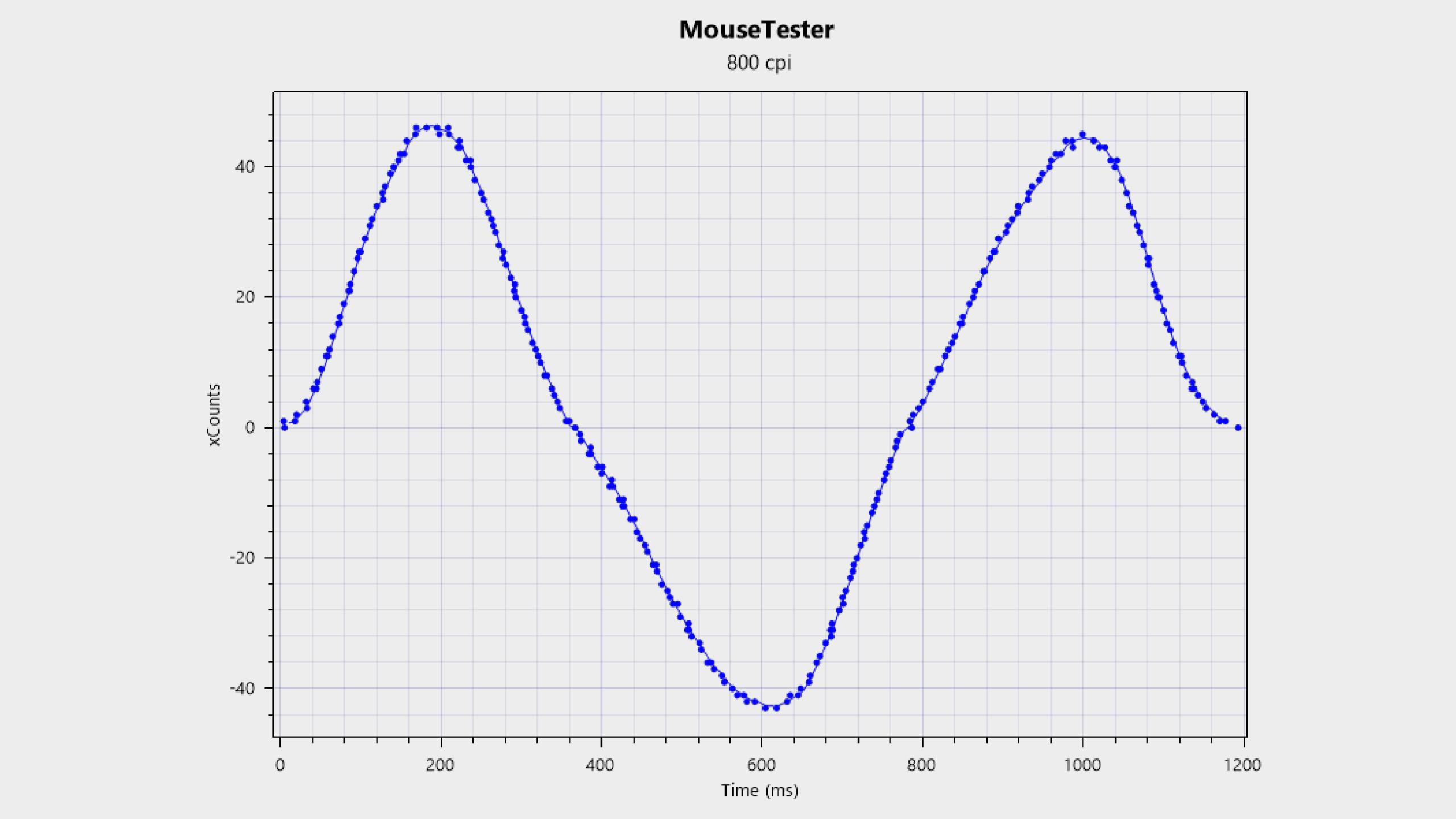
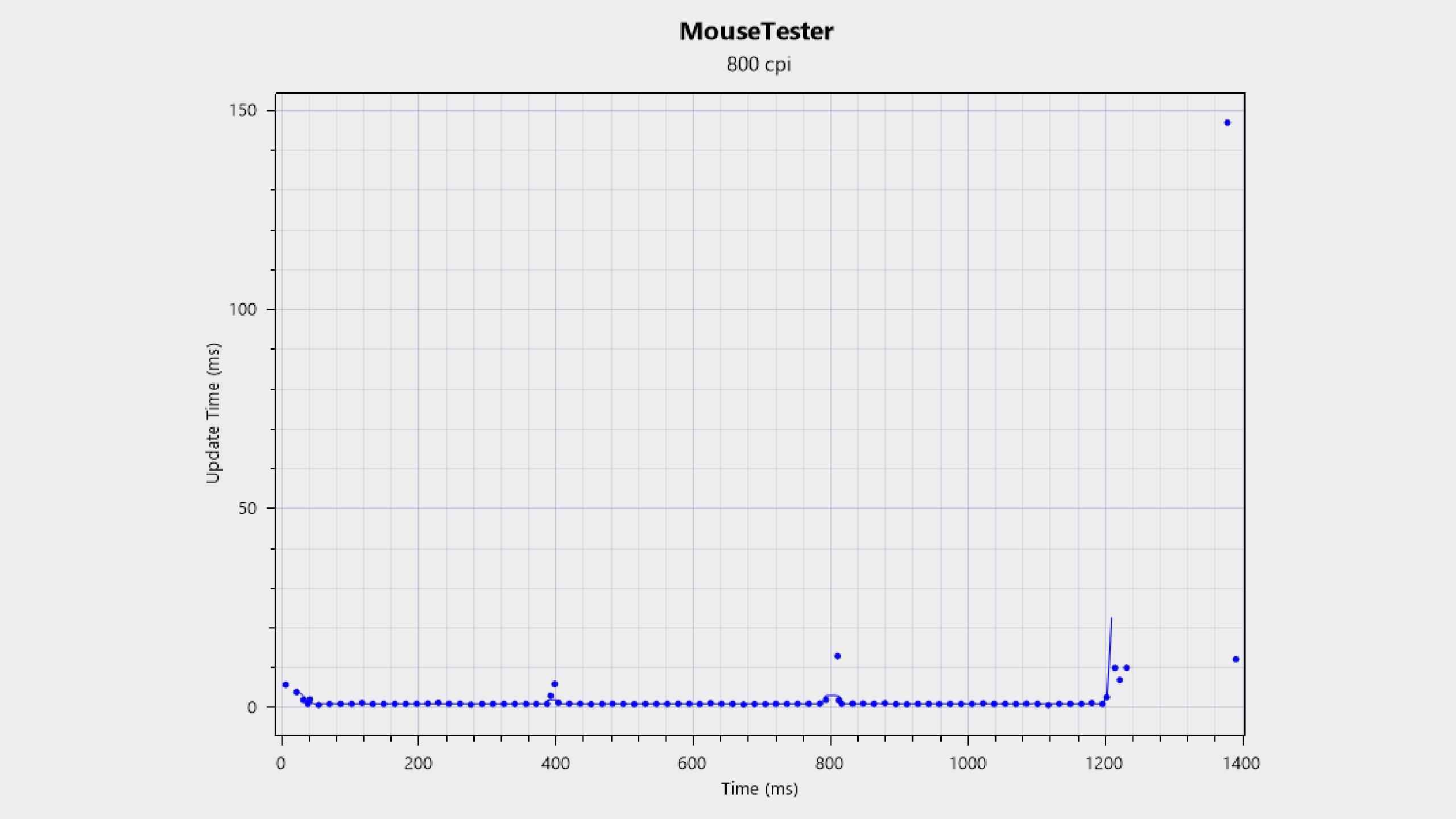
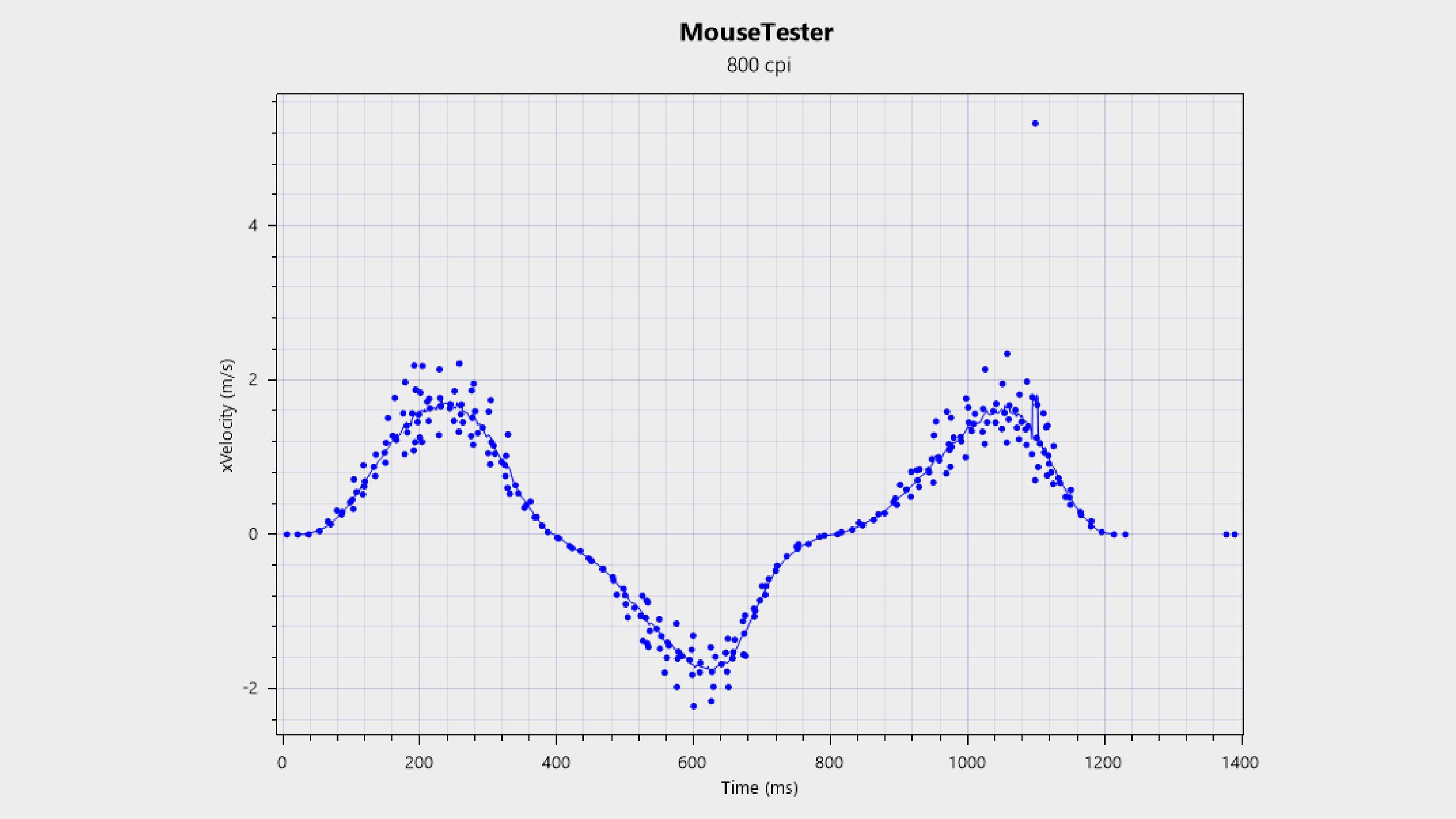
As for the rodent itself, you're getting an improved sensor that beats every other mainstream mouse on the market in terms of raw specs. 50K DPI, 930 IPS, and 90 G of acceleration is no joke, and while you really don't need anywhere near that much for gaming, if you're looking for top-tier performance, this is it. My MouseTester benchmark results, which you can see below, show the most accurate tracking I've seen alongside the Corsair Sabre V2 Pro.
You're not even sacrificing battery life for these specs, either. Far from it, in fact, as you're getting much more battery life than most other high-spec gaming mice on the market these days. 180 hours is 30 more than you get with the DeathAdder V4 Pro and twice what you get with the Superstrike.
This is in part thanks to Razer's new FrameSync technology. I've explained this more comprehensively elsewhere, but the basic idea is a bit like variable refresh rates (VRR) on monitors. With FrameSync, the sensor captures a frame (sends a scan-out) in sync with when the system and dongle polls for it, meaning there are fewer sensor captures required to keep latency low for any given polling rate. And the fewer captures there are, the less juice is required.

Now, a review of any Razer peripheral usually comes with a big Synapse-flavoured caveat. But you're not even getting that with the Viper V4 Pro, because this is the first mouse to be supported on Razer's Synapse Web, the company's browser-based software which is currently in beta. I've found everything to work well, and you can make the usual adjustments, including nice-to-haves like sensor rotation and lift-off distance (LOD).
✅ You want top-tier performance: The sensor in the Viper V4 Pro has better specs than we've seen before from a mainstream gaming mouse.
✅ You want something that feels premium: Everything about this mouse screams quality and attention to detail, from the sturdy clicks to the side-buttons.
❌ You like ergonomic shapes: The Viper V4 Pro is a great mouse, but it sticks to a regular ambidextrous design that lacks some ergonomic features.
Given the Viper V4 Pro's honestly unrivalled build quality, design, and performance, I have zero hesitation in recommending it if it's within your budget. Given the Viper beats the DeathAdder in the battery stakes, the only other elephant in the room is the Superstrike, but I don't foresee a massive dilemma for most gamers. If you're not a competitive gamer who mains tactical shooters with a focus on quick clicks—mainly games like CS2 and Valorant—the Viper V4 Pro offers a better all-round experience for a lower cost.
The Superstrike is in its element in that niche, but the Viper V4 Pro is in its element pretty much everywhere else, especially if you care more about performance than, say, an ergonomic shape, RGB, or more buttons. It's definitely aimed more at the competitive gamer, but given how fantastic the design and build quality is, I think any PC gamer would get a lot out of it.
That being said, it isn't cheap. There are slightly more expensive mice on the market these days, sure, but $160 is still a lot for a rodent and it won't be worth it for everyone. If you know you prefer a different kind of shape in a mouse, for instance, I'd certainly prioritise that.
But if you want competitive performance in a luxurious package, and are willing to spend the money to get it, the Razer Viper V4 Pro is undoubtedly where it's at.
1. Best wireless:
Razer DeathAdder V4 Pro
2. Best wired:
Logitech G502 X
3. Best budget wireless:
Logitech G305 Lightspeed
4. Best budget wired:
Glorious Model O Eternal
5. Best competitive:
Logitech G Pro X2 Superstrike
6. Best lightweight:
Corsair Sabre V2 Pro
7. Best MMO:
Corsair Scimitar Elite Wireless SE
8. Best compact:
Razer Cobra Pro
9. Best ambidextrous:
Logitech G Pro
10. Best ergonomic:
Keychron M5
11. Best customizable:
Orbital Pathfinder
The Razer Viper V4 Pro is an all-round fantastic mouse, with stellar build quality, satisfying clicks, and a nicely tactile scroll wheel. It also balances top-tier performance and a light weight with a surprising amount of juice.

You must confirm your public display name before commenting
Please logout and then login again, you will then be prompted to enter your display name.