It may be 2026, but the best gaming chair recommendation remains a very familiar proposition. As a collective of enthusiastic sitters, he PC Gamer team has spent many a long day parking our posteriors upon the finest seats around—and have also twisted our spines in many of the worst—to bring you the definitive list of the best gaming chairs you can buy right now. We've also spoken to a team of experts to help guide us in what to look for in terms of proper ergonomics, too, so we're covering all bases.
We regularly test a range of different chairs, including the best office chairs. And we've put them all through rigorous testing to make sure we can thoroughly recommend all the picks that we have on this page and can honestly stand by each and every one of them. So, invest in something that'll last and give your butt and back the comfort and support they deserve.
The quick list

The best chair overall
The Secretlab Titan is the benchmark by which we judge all other gaming chairs. To earn that role, it ticks all the boxes you could ask of gaming furniture: it's comfy, supportive, and looks great too. The recommendation might be a regular one, but it's a chair that has stood the test of time.

Best budget chair
ThunderX3 has concocted a very well-rounded chair for the price, here, combining comfy, firm cushioning with adjustable armrests and a sleek design. To get such quality seating for such a cheap price is rare.

The best luxury chair
If adjustability is key to ergonomics and comfort (and it is) the LiberNovo Omni is where it's at. That's because its movable parts and soft foam allow it to dynamically adjust to your movements and keep you comfy. Oh, and its motorised lumbar support can give you a massage—what says 'luxury' more than that?

The best for back support
The ThunderX3 Core came out of nowhere to deliver excellent lumbar support in an affordable package. We love it, and your back will love it, too.

The best for larger frames
Available in two sizes (L and XL), the Kaiser 4 XL is the best gaming chair for anyone who finds most chairs a bit of a squeeze. It's big and comfy, and the adjustable lumbar support is great. It looks the bee's knees, too.

The best office chair
With slight confusion over whether it wants to be an office chair or a gaming chair, ThunderX3 has almost created the best office chair for gaming. It's more affordable than a standard office seat with a lot of the same features.

I'm a human with a spine and a posterior. I've sat on chairs for longer than I can remember, and have been doing so in a professional capacity for many years, too. In fact I've probably sat in, and personally tested more gaming chairs than any person on PC Gamer. Which all makes me suitably qualified to tell you what the best gaming chair is when it comes to cost, comfort, and spinal support.
March 17, 2026: Added the ThunderX3 Solo 360 as our pick for the best budget gaming chair, and the LiberNovo Omni as our pick for the best high-end gaming chair, ie, the best luxury chair. The former offers a well-rounded mix of features and comfort for a very appealing price, and the latter brings something genuinely new to the market in the form of dynamic ergonomic adjustments. It also costs half as much as our previous pick, the Herman Miller x Logitech G Embody, which has been added to our Also Tested section alongside the Corsair TC100 Relaxed, our previous budget pick.
February 6, 2026: Added in a short video covering our pick for the best gaming chair you can buy right now, and predictably it's still the Secretlab Titan Evo. But we've also reviewed a couple of newbies, which have gone into the also tested section, namely the Andaseat Kaiser 3E XL and the otherworldly electrical gaming chair, the DXRacer Martian XL. Neither of which have quite earned their place in the pantheon of greatness that is our best gaming chair list.
October 16, 2025: Reviewed our top recommendations once more, deciding to nudge the ThunderX3 Flex Pro into the limelight as our top pick for the best office chair for gaming. We've removed the best affordable office chair category entirely, moving the NeueChair into our Also Tested section as a result. It's joined by three other new additions: the Humanscale Freedom, the LiberNovo Omni, and the Flexispot OC3/BS3.
The best gaming chair overall


✅ Adjustability is key: Getting a chair in just the right position is hugely important to your experience, and the Titan Evo makes tweaking until you find a comfy spot easy.
✅ You’re looking for something durable: Our review model continues to truck on in the office, with nary a mark to show for all the use it's had over the years.
❌ You want a long warranty: Three years isn't terrible, but we've seen chairs with much longer warranties. Still, given the durability here, it's not the biggest concern in the world.
💺 The Secretlab Titan Evo is the pinnacle of gaming chairs for a reason. Yes, it's pricey, but it's also extremely well-made and impressively long-lasting. There's a reason every cheaper brand is trying to copy it and why subsequent models have barely changed the formula: it's a great gaming chair.
The Secretlab Titan Evo is the best gaming chair. That's it, recommendation over. Oh alright then, let's get into the reasons why—and there are a lot of them.
We loved Secretlab's previous chairs, and two of them used to rule the top spots in this very guide. Though nowadays we heartily recommend just the one model, the Titan Evo, as it does everything well.
There's a slightly bigger curve to the seat base to keep you in a good sitting position all day long compared to previous models, and while we couldn't quite tell if it was making a big difference, what we can say is this: the Titan Evo is extremely comfortable, even over very long periods of time. There are three models available, S, R, and XL, and while those looking for something extra-large would do well to check out the AndaSeat Kaiser 4 XL, for the rest of you, the Titan Evo should do very nicely.
Our initial review model came in a coating Secretlab called Neo Hybrid leatherette, which feels airy and cool over the course of a long day, and really looks the part. We have also recently reviewed the Titan Evo NanoGen edition, which is the latest addition to Secretlab's lineup, and features a new approach to the materials it uses. Aiming to match two presumably mutually exclusive goals—namely being supportive and soft.
And it does that mighty well, creating a chair that ends up feeling even more comfortable than the standard Titan Evo. But with Secretlab asking another $200 for the privilege, it's a fair bit extra to pay over the standard model.
The upholstery of both, however, is immaculate, and the overall quality of the fit and finish is pin-sharp perfect. Something as big and as dominating as a gaming chair should look good on all levels, and the Titan Evo certainly ticks the right boxes, no matter which finish you pick.
What's more, the original chair has been in constant use in our office since we first reviewed it in 2021—gosh, has it really been that long? Since then, it's been rolled around, bumped into, and carelessly caressed by many staff members, yet it's still in excellent condition. That Neo Hybrid Leatherette is really holding up great. The chair's not squeaky, either, which is a plus.
The detachable head cushion is magnetic and very supportive. For that matter, so are the armrests, which deliver 4D movement (up, down, forwards, backwards, side-to-side, and rotation) and should fit into most desks—and most arms, for that matter, as these are about as adjustable as they come.
Mechanically, the cavalcade of quality continues. The hydraulics are superbly smooth, as is the recline. You can also adjust the lean tension, which means finding a comfortable seating position is no problem at all. Everything here is customisable, good-looking, well-built and confidence-inspiring.
Prices start at $449/£379, which, if you've been looking at no-name gaming chairs on some of the bigger retailers' sites, might seem like a lot for a throne. Let me say this with absolute confidence: If you're ever going to spend up on a piece of equipment, make it the chair you sit in all day long. Compared to many of its rivals, it's still well-priced, and the Secretlab Titan Evo really is worth the money.
It's the best gaming chair we've ever tested, and believe me, we've tried the top contenders. The Titan Evo? Well, it beats them all.
Read our full Secretlab Titan Evo review.
The best budget gaming chair


✅ You aim for the perfect arm position: If you have a particular way you like your arms to sit, you'll be happy to know the ThunderX3 Solo 360 has 360-degree armrests, meaning they turn all the way around, in addition to the other standard adjustments.
✅ You like to keep things subtle: This chair won't look out of place in an office, as it has a sleek, minimal design.
❌ You want tons of adjustment: While it has pretty adjustable armrests and an up-down adjustable headrest, plus overall recline, there's no additional lumbar support or headrest pillow.
💺 Good gaming chairs don't have to be expensive. The ThunderX3 Solo 360 is not only very affordable, it's simply a brilliant gaming chair overall, with plenty of customisability, an easy build process, and a wonderfully comfortable design.
Great budget gaming chairs are pretty hard to come by. Usually you're sacrificing something major, whether that's build quality, comfort, or features. Occasionally, though, something comes along that delivers pretty well on all these fronts while keeping the cost low. The ThunderX3 Solo 360 is one such chair, and it does so well enough to be crowned the absolute best budget gaming chair on the market right now.
The Solo 360 is great, in particular, if you're keen on getting the best bang for your buck when it comes to things that actually matter: not a flashy design or pointless 180-degree recline, but comfort, adjustability, and an easy build process. Admittedly it's not the absolute best in any one of these respects when compared to more expensive chairs, but it's great for its price bracket.
On the adjustability front, you're getting 360-degree adjustable armrests (thus the '360' moniker), plus a car seat-style headrest that you can slide up or down. Admittedly you're not getting an additional pillow or anything like that, but the headrest itself is plenty comfy. Ditto the lack of additional lumbar support: the chair shape itself is comfy enough.
You're also getting a generous recline, and this comes with 'syncrhonous tilt.' This means the seat adjusts along with the backrest when you recline, as opposed to keeping the seat static while the back reclines. This should keep things optimally comfy whatever level of recline you're going for, and you can lock it into place, too.
The chair comes in a choice of a few different kinds of materials: multi-layer breathable fabric, breathable mesh, or leatherette. The one our Jess tried was the first of these, the fabric, which for some reason goes by 'Loft Air.' She found this to be comfy, especially given it's sitting on on top of firm foam, but difficult to wipe clean. Though I suppose that's true for most fabric—mesh or leatherette patiently awaits, if such a dealbreaker for you.
The icing on the cake, depending on your taste, is that the ThunderX3 Solo 360 looks rather suave, in a subtle and minimal kind of way. It certainly doesn't look out of place in an office, which will be a bonus for many but might be a drawback for some.
Read our full ThunderX3 Solo 360 review.
The best high-end gaming chair


✅ You're looking for luxury-level comfort: This chair is comfortable with a capital C, whether working, gaming or otherwise.
✅ You want something adjustable: Calling this chair 'adjustable' might be a bit of an understatement, given it literally adjusts to you on the fly, as you move around.
❌ You're on a budget: Yes, this is an expensive chair. Though it's not as expensive as some other luxury chairs on the market.
❌ You want completely adjustable lumbar support: While this chair is incredibly adjustable overall, the motorised lumbar support is only adjustable in one direction.
💺 We've surely seen it all when it comes to luxury chairs, right? Well, not quite, because the LiberNovo Omni has added "dynamic ergonomics" into the mix, meaning it adjusts to you as you move about, thanks to all the movable parts and foams. It even has motorised lumbar support. Given adjustability is key to ergonomics, this adds something genuinely new and luxury into the mix. Just bear in mind it isn't tested over the long-term.
What is it about a chair that shouts 'luxury' and 'high-end'? I'd wager for most people it's comfort and ergonomics that are the key barometers, and if so, the LiberNovo Omni has something genuinely game-changing to offer. There are plenty of other luxury seats—from Steelcase, Herman Miller, and the likes—but none that offer exactly what this one does.
The company calls it "the world's first dynamic ergonomic chair", meaning as you shift and shimmy around in your chair, it, too, shifts and shimmies to keep you comfy. If you recline, for instance, the armrests gently follow and slide back. If you move your head left and right, the headrest should move along with you, too.
It also comes with (rechargeable) motorised lumbar support moves in/up and forward/out. This can be controlled by buttons on the armrest, so no need to get up and out the chair to adjust things, you can adjust easily, as often as you please. The motor also allows for what the company calls a 'massage', which lets you lie back and have the lumbar support move in and out for a few minutes to stretch your spine.
Apart from the single directionality for the lumbar support, everything else is very adjustable. The armrests, for instance, are 4D adjustable and can be nudged in every direction until you get it just right. Although in his review, Kizito found these to be a little loose and too easy to nudge out of place.
Overall, though, he found this to be "the first chair I've actually wanted to keep" out of the many he's reviewed: "The dynamic support and overall plushness of the Omni simply outclassed every gaming chair I've tried, making long sessions at my desk feel genuinely more enjoyable in comparison."
It's no surprise, though, really. The LiberNovo Omni is clearly focused on long-term comfort, as it's incredibly adjustable, and adjustability is probably the key factor for good ergonomics. It also uses a ton of different kinds of foams and fabrics to really nail that comfortable and tailored sitting experience.
The only real caveat to all this is that it's still a new product and hasn't been given the true test of time. The chair itself has a few years of warranty, which is great, but the electronics get just two years, so bear that in mind. The benefit of something like a popular Steelcase or Herman Miller is they're tried and tested over the long haul, but here you're taking a little more of a risk for the revolution in dynamic ergonomics. Still, that aside and as far as high-end luxury goes, the LiberNovo Omni really can't be beaten right now.
Read our full LiberNovo Omni review.
The best gaming chair for back support
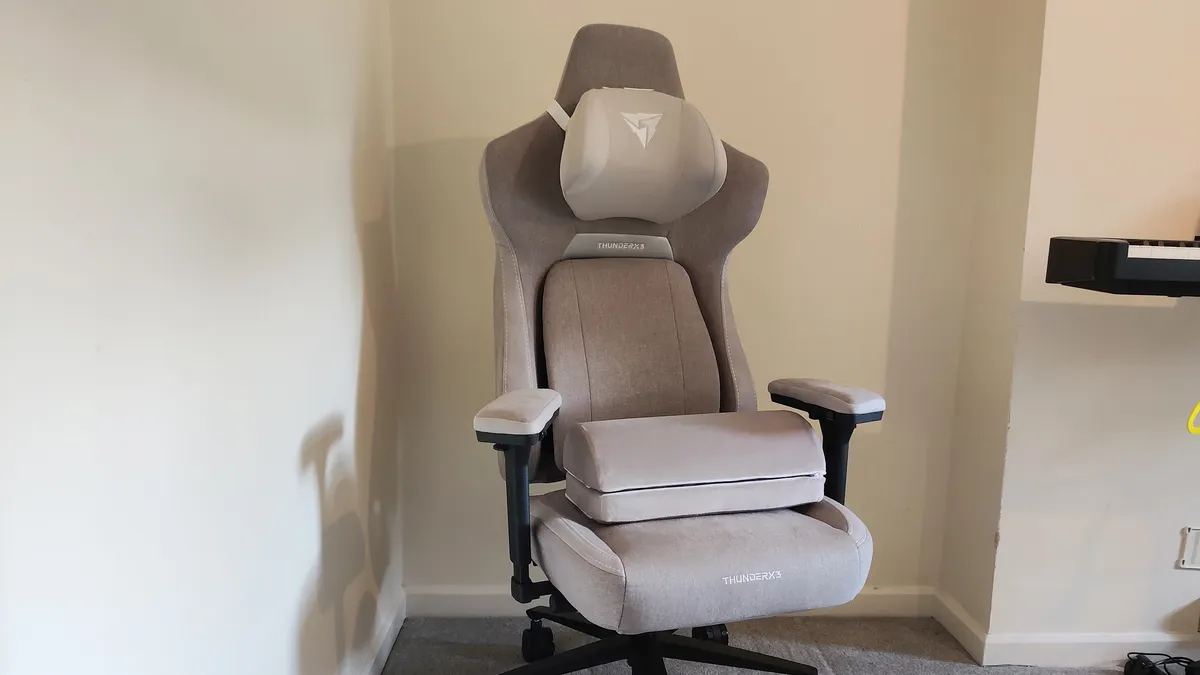


✅ You want exceptional support for your back: Well, it is in the title after all. But seriously, the ergonomic mechanisms here are superb and will adapt to your every supportive need.
✅ You don't want to overspend: The ThunderX3 core isn't the cheapest chair in this list, but it's still very well priced for the plush comfort and great build quality it provides.
❌ You like to recline with arm support: The synchronous tilt mechanism here is very good, but it's a shame the armrests don't move with it.
💺 If you struggle with normal chairs, your spine might thank you for spending the cash on the ThunderX3 Core chair. The smart lumbar support cushion manages to follow you as you move, providing a level of comfort and support we've not found in any other chair. Certainly not in one that's priced at this level.
While some chairs take a rigid approach to supporting your back, if you're looking for something that's supremely comfortable while also looking after your spine, you should really hunt down a ThunderX3 Core. It manages to be not only the best chair for back support but also one of the most plush and good-looking chairs we've tested, too.
That adjustability really is key. We all shift around in our chairs, and while some models try their hardest to push you into the correct shape, the ThunderX3 Core takes a different approach. It's ready for your odd seating positions, choosing instead to employ a variety of mechanisms that allow it to conform itself to your particular seating styles for ultimate support.
The Lumbar 360° tech backrest is designed to move around with you as you shift your weight, meaning that it's always ready to support your lower back when needed. 4D armrests are an increasingly common feature on modern gaming chairs, but they're usually covered in a "soft-touch-esque" kind of material that's less rigid than hard plastic but not what you'd call cushy. Not so here, as the ThunderX3 Core adds proper cushioning into the mix for arm leaners and forearm resters.
All of this adds to the feeling and look of a chair that invites you to sit down. The aesthetic is refreshingly sleek yet comfy-looking, and while it's got stick-out "wings" that won't be for everyone, it doesn't look particularly gamer bling—meaning it's unlikely to look out of place no matter where you put it. Some gamer chairs scream "I have hobbies" to the rest of the world, but this one is much more Scandinavian cool.
Back to back support. The clever Sync6 box underneath has synchronous tilt, which allows you to lean back while still keeping your feet flat on the floor. You can also tilt it forward to lean in, although the armrests will end up staying where they are. Speaking of leaning back, the backrest locks at four different angles, although you can't lean it back all the way like some other chairs. Still, there should be a position there that suits most leaning styles.
Fabric and leatherette versions are available in various colors, all for an MSRP of $399. That's a fair bit cheaper than a lot of other competing chairs, and since the ThunderX3 Core is up there for affordable back support, it gets a big thumbs up from us. A well-looked-after spine doesn't have to come with an overly firm cost, and this chair proves it.
Read our full ThunderX3 Core review.
The best gaming chair for a larger frame
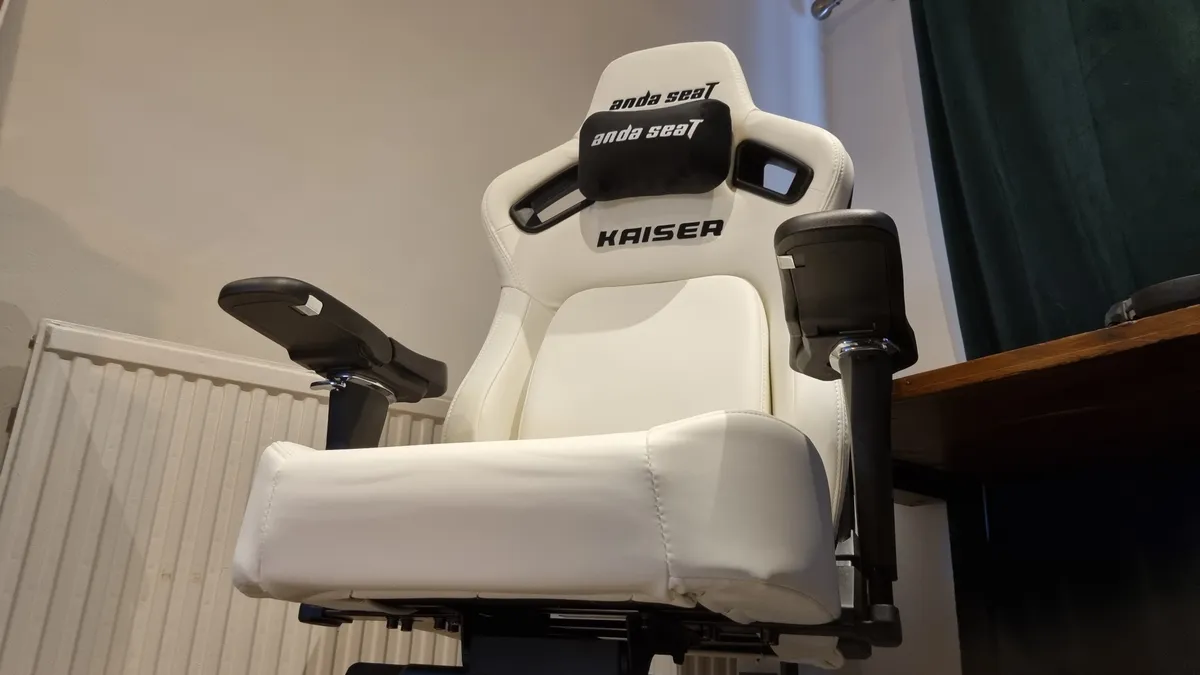


✅ You want plenty of room: The Kaiser 4 XL is appropriately named and appropriately sized.
✅ You like proper lumbar support: The new pop-out lumbar cushion is a real upgrade over the previous model, and is both extremely comfortable and plenty supportive, no matter your size.
❌ You bang the rear of the chair into furniture on the regular: The plush rear backing looks great, but it does make this chair prone to damage from the back if you're clumsy with it.
💺 The AndaSeat Kaiser 4 XL is a big boi chair for the larger human, but its comfortable, capacious surrounds mean that it's also a fantastic chair for anyone who wants to be enthroned in a seat. And maybe doesn't sit precisely how ergonomists recommend you should...
If regular gaming chairs are a bit tight, or you're the sort of person who likes to spread all over a seat, then the AndaSeat Kaiser 4 XL is the gaming throne for you. Available in L and XL configurations, we were very impressed by our XL model—so much so that it had to go in this guide as the best chair for a larger frame.
First off, this is a good-looking seat. Lots of color options are available, but all of them will have wide shoulders, proper side bolstering and good attention to detail in the fit and finish. It's very USS Enterprise, and despite its large dimensions for sittin,g it's not too dominant in your average gaming setup.
Be warned, however: construction is not an easy task. That's nothing to do with a lack of tools or bad design, but more that this chair is large, wide, and heavy, so we'd highly recommend bringing a friend. Or, if you want one of these because you're covered in muscle, enjoy the free workout.
That being said, once you do have the Kaiser 4 XL together, you'll find plenty of room. The wide seat cushion and flared shoulder sections mean most should fit very well, and even if you're not a giant, you won't feel too swallowed up. It's very nicely judged in its dimensions. Larger than just about everything else, not so large that it looks cartoonish.
There's lots of adjustability here, including a side-mounted lever for backrest adjustment that makes a whole lot of sense. Why some chairs choose to mount the tilt mechanism underneath is beyond us, but here you can lean and use the handle at the same time to find the perfect amount of recline.
The best bit, though, is the pop-out adjustable lumbar cushion. It's very comfortable to lean against, but firm enough to provide proper, robust support, and it's adjustable in a multitude of different ways. Combine that with a magnetic head pillow that can be adjusted easily, yet stays anchored in place once you've found the ideal spot, and this is a chair that's easy to set up just the way you like.
It does have a couple of drawbacks. Firstly, the branding isn't particularly subtle, so you'll find the word "Kaiser" emblazoned all over it in big letters. And second, the rear backing material is a lovely textured plush material that looks great.
Doesn't sound like a drawback? Well, as nice as it looks and feels, it's prone to damage. You'll be fine if you treat it gently, but if you bang the rear of the chair into your furniture, it's likely to rip or leave a mark. And, if we're being picky, the (otherwise huge and very comfortable) armrests do wobble rotationally a little more than we'd like.
Other than that, the AndaSeat Kaiser 4 XL is a bit of a winner all around. If what you really want is size and comfort combined in a chair, this is the one we reckon you should go for. Big, bold, and brilliant.
Read our full AndaSeat Kaiser 4 XL review.
The best office chair for gaming


✅ You want endlessly adjustable comfort: The ThunderX3 Flex Pro moves in almost every dimension you can think of, mostly without you even having to think about it
❌ You want an office chair that supports excellent posture: The lumbar support is great, but I struggled to get the Flex Pro to adjust around a really straight spine.
💺 The ThunderX3 Flex Pro maybe has a bit of an identity problem, being some sort of halfway house between a task chair and a standard gaming chair, but that actually works to its advantage. It has a lot of the benefits of an office seat, but the relaxed comfort of a leaning-back-to-play gaming chair.
Okay, maybe the ThunderX3 Flex Pro can't quite make up its mind exactly what sort of chair it is, but honestly that actually plays right into a PC gamer's hands. Or buttocks, even. With a dizzying total of 19 different "dimensions of adjustment" the chair is certainly playing to our choir of experts, offering consistent support as you move around in the Flex Pro.
With so many different moving parts you can really feeling it shifting around to accommodate you as you fidget around in the ergonomically recommended way every half hour or so.
And with lumbar and head/neck support, shifting seatpan, and continuous recline mechanism, the Flex Pro comes with a lot of different features you will generally find in serious office-based task chairs. Though, in reality, we found that it didn't quite work as well as the Neuechair in terms of providing a true active posture for working at a desk, which would normlly earn it a black mark, and a place in the 'Also tested' section.
That's not to say it isn't supportive when you are in work mode, the back and lumbar support sections capably prop you up while you might be typing away, but, because of that incredible flexibility and the stellar lumbar support, as soon as you kick back and relax in it, the ThunderX3 Flex Pro becomes an excellent tasky gaming chair.
It's an incredibly comfortable chair to sit back with a gamepad and play on, and still retains enough support to remain a decent option for the work day.
And even though there are myriad moving parts that doesn't make it a nightmare to build. It doesn't come fully realised, with fully six major components to put together, but it only took us around 30 minutes solo work to get it up, rolling, and reclining.
If you're after the range of task chair features without paying Neuechair or Steelcase money, then the Flex Pro gets you most of the way there on a bit of a budget. Okay, it's not cheap, but it is around half the price of those other brands. But where it stands out is that it can really compete with other primarily gaming chairs when it comes to reclined comfort, and not all office chairs are able to do that.
Read our full ThunderX3 Flex Pro review.
Also tested
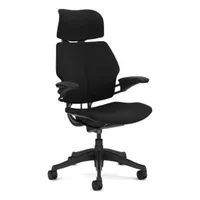
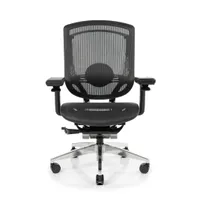
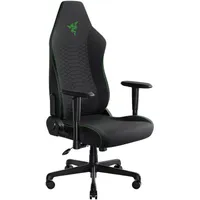
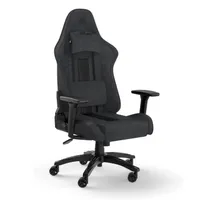
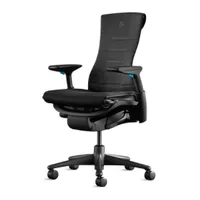
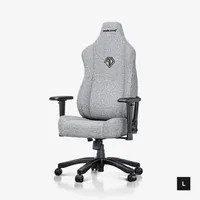
⬇️ Click to load more tested gaming chairs ⬇️
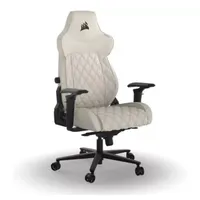
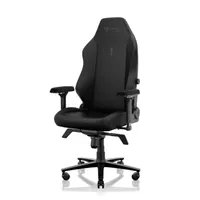
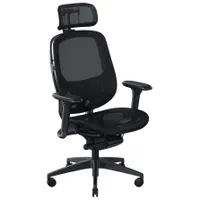
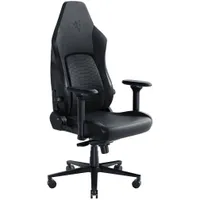
How we test gaming chairs

Let's face it, we spend a lot of time here at PC Gamer sitting on our butts. And that makes us perfect candidates for testing gaming chairs. We will dedicate a significant amount of time to parking our posteriors in a variety of gaming and office chairs when it comes to testing them out, because it's only really by using a chair over an extended period that you get to know where it supports you and where it might be lacking.
Of course, the first step is about building your chair; most gaming chairs come in various stages of disassembly and you'll have to put them together yourself. This process can already tell an experienced reviewer a lot about both the quality of the materials being used in the chair, and about the finished article's overall quality, too. If it's stripping thread when you're screwing in bolts, or parts are loose when they should be tight, then you can already tell something might be missing.
We also use each of the gaming chairs we test as our main working seat for the time that we are testing a chair. That way, we can get a feel for what it would be like to actually live with a particular piece of gaming furniture, as we would if we'd purchased it ourselves.
It also means that we can test the longevity of things like the different levers and controls over time, too. We've had issues where some cheaper brands had plastic levers that just wouldn't last, and where seat materials fail when used for extended periods of time.
And it means we can tell how it makes us feel after using a particular chair for a while. Now, that's not about some emotional connection with a seat, but with ergonomics being such a vital part of gaming chairs when it comes to your overall physical health, this long-term testing is important for us to tell when something doesn't feel right in our own bodies while we're using a chair. Conversely, when something fits you as though it's been made especially for you, then you know you've found a genuinely quality gaming chair.
And value is key to us as well. A chair doesn't have to be cheap, but so long as it feels like it's worth the money you're being expected to pay, then it has value.
Our panel of ergonomics experts
Collectively, here on PC Gamer, we've spent hundreds of human hours testing a host of different gaming chairs. We have a lot of experience and have built up a whole lot of expertise on the subject. That puts us in a great position to be able to let you know why some chairs are better than others, and to be able to pick out the absolute best options in the different categories.
But we can't just rely on our own expertise when it comes to putting your body on the line when you're spending hours sat in a seat. So we've recently got in touch with several trained and certified ergonomists, and interviewed them on what makes a great gaming chair, what you should be looking out for, and how to spend time at your desk without putting your body in peril.
Three of our experts are from companies that specialise in manufacturing ergonomically fit chairs, and one independent physical and occupational therapist.

Kevin Butler is a Board Certified Professional Ergonomist who holds both a Bachelors and Masters Degree in Industrial Engineering. Although Kevin has extensive experience as an ergonomics consultant, for the last several years he has been almost completely dedicated to the holistic topic of Wellbeing. While Kevin’s primary role at Steelcase began in understanding the meaning of workplace Wellbeing by bench-marking and best-practice-sharing, it has evolved into maximizing his knowledge and expertise as a practitioner. This is realized by assisting organizations of varying sizes in the design and implementation of their Ergonomic and Wellness program development efforts, always striving to leverage the workplace as a resource to increase both individual and organization Wellbeing.

Jonathan is a board certified professional ergonomist who holds undergraduate and graduate degrees in human factors and ergonomics from Cornell University. He has extensive experience in the areas of occupational health & safety, musculoskeletal injury prevention, software usability and workplace design. Jonathan has worked with the International Standards Organization (ISO) on the development of international ergonomic standards for office environments and holds several U.S. patents for the design of ergonomic work tools.

Dr. Gallucci Jr. is President and CEO of JAG Physical Therapy, one of the fastest-growing comprehensive physical and occupational therapy practices providing rehabilitative care to patients and sports teams in over 160 locations throughout the Northeast. He has significantly impacted his field in the Tri-State area and holds a national presence in the sports medicine community. A noted published author, Gallucci released his first book, Soccer Injury Prevention and Treatment, in May 2014. His second book, Play Ball: Don't Let Injuries Sideline You This Season, was released on May 1, 2018. His third book, The JAG Method, was released on October 10th, 2023.

Dr Tsai started gaming at the age of five on the original NES and was immediately hooked. He served three years in the Army, including a deployment to Iraq before going back to school. He graduated from USC's #1 ranked Doctorate of Physical Therapy program in 2018 and started working with Cloud9 that year. Since then, he has been on staff with three LCS Championship teams with five total titles so far. His mission is to help gamers of every level practice habits that will enable them to continue playing pain-free as long as possible.
What you should look for in a chair according to the experts

Look for a chair that keeps you supported and moving.
Kevin Butler
We can provide advice on what gaming chair to buy based on our experience, comparative pricing, comfort, and build quality, but when it comes to the science of ergonomics there are clear, objective things that you should always be looking for in a new gaming chair purchase. Our ergonomic experts are unified on the main thing that you need to consider, though.
"Look for a chair that keeps you supported and moving," says Kevin Butler. "Long gaming sessions demand a seat that adapts to your body, not the other way around."
And that's what Secretlab's advisor, Dr. Tsai notes, too. "You want a chair that gives you room to naturally move about and able to provide support for your body at the same time. Because when you’re able to shift and change your sitting position regularly, you will naturally adopt comfortable positions as needed."
Jonathan Puleio, global VP at Humanscale agrees, stating that: "Movement and postural variation are critical for maintaining long-term comfort and health. Consider chairs that have self-adjusting features such as weight sensitive recline mechanisms and form-sensing mesh."
Dr. Gallucci, however, is more concerned with adjustability. "The most important thing to look for in a chair is ergonomic adjustability. A good chair should support your posture for long periods without causing discomfort or fatigue. That means it should allow you to adjust the seat height, seat pan depth, armrests, lumbar support and backrest tilt."
"Because we’re all built differently," agrees Dr.Tsai, "adjustments are key to tailoring the chair to best match your needs. That’s why it’s not just about whether they have certain features, but to what degree of adjustments said features actually give us."
The advice has previously been that there is an ideal posture, but as Dr. Stuart McGill, Professor Emeritus of Waterloo and expert in back pain, notes in the study Secretlab links from its site: The science of stress: How to reduce back pain while sitting (.pdf warning), "this may be the ideal sitting posture, but for no longer than 10minutes!"
"Tissue loads must be migrated from tissue to tissue to minimize the risk of any single tissue accumulating microtrauma," Dr. McGill continues. "This is accomplished by changing posture. Thus, an ergonomic chair is one that facilitates easy posture changes over a variety of joint angles."
Therefore, you need to be looking for a chair that can accommodate a range of movement and a range of different seating positions. For years, I assumed that my favourite sitting posture, with one leg crossed beneath me, was dreadful. And yes, it would be if I stuck to it, but so long as you are changing positions regularly, sitting cross-legged can be an effective posture, too.
How you should sit at a desk

We have spoken with ergonomists in the past about the 'right' way to sit at a desk, and the general guidelines remain largely the same, except with more emphasis now on movement being key to continued physical health.
Dr. John Gallucci Jr. CEO of JAG Physical Therapy, told me recently that "a good rule of thumb is to stand or move every 30–60 minutes. Even just a quick stretch, short walk or posture reset can reduce the strain on your back, hips and neck. During the workday, even on your busiest days, it’s good to get up for a micro-break—motion is medicine!"
Recommendations of these micro-breaks can be as simple as standing from the chair and maintaining a relaxed standing posture for 10 to 20 seconds. During this break if you perform some neck rolls and arm windmills you can help relieve neck and shoulder discomfort from sitting at your desk desk.
Secretlab's advisor and founder of Respawn Therapy, Dr. Jordan Tsai, had similar advice on that point. "You want to create “micro-breaks” for your body by introducing movement, and switching between sitting positions is an incredibly effective way to do this. I usually recommend my patients to:
- Vary their sitting positions every hour at a minimum. Listening to your own body is also key. If you feel like you need to raise a leg for a bit, then you should!
- A simple exercise to do while sitting would be to move your trunk in each direction: forward, backward, and side to side—to the limit of their range of motion, ideally once every hour.
- Stand up and walk around for a few minutes every 2-3 hours as well."
But when you are sat down, there are some key things to consider to ensure that you are at least starting out with the 'correct' posture. Even if it is advisable to be constantly shifting around in your chair—fidgeting is good for you—considering these initial pointers is a great starting position for your seated posture.
- Your knees should be bent at 90 degrees, and your feet flat on the floor.
- Your elbows should be level with your desk and close to your body (meaning that you shouldn't have to extend your arms to reach your mouse and keyboard).
- Your shoulders should be relaxed.
- Your lower back should be supported. If your chair doesn't have built-in lumbar support, a small pillow can do the job.
- Your monitor should be positioned such that you don't have to tilt your head up, with the top monitor bezel level with your eyes.
- Unlock the backrest of the chair and adjust the tension to allow for movement.
- Adjust the seatpan such that there is at least two inches of clearance behind the back of the knee.
- Stay in motion: Even small shifts throughout your session make a big difference.
- A great gaming chair should support every move, from clutch plays to mid-match breaks.
One other bit of advice for the dudes out there is that if you still carry a wallet, and it resides in your back pocket, you should remove it before you sit down. We've been told that some experiments have even used a wallet in the back pocket to intentionally create back pain in a subject.
And finally, if you're trying to avoid back pain from long hours of sitting at your desk, you ought to do some sort of physical exercise in the middle of the day, even if that's just a short walk. Go walk the dog, for example.
Best gaming chairs FAQ
Are gaming chairs actually bad?
Between our articles about the effects of sitting down on your body and our experimentation with standing desks, you might think PC Gamer has fallen out of love with the humble chair.
That could not be further from the truth.
As gamers and office workers, we spend a significant chunk of each day sitting on our money makers in front of screens. Given that most of us don't plan to change that anytime soon, it only makes sense to do so in a great chair. So that's what I set out to find.
We wanted to find chairs that maximized comfort, support, and value. We spoke with Melissa Afterman, MS CPE, a Senior Principal Ergonomist with VSI Risk Management & Ergonomics, Inc., who specializes in workstation setups.
"Absolutely, chairs are still okay," she told me. "Yes, we know that sitting too long is bad for you. The reality is that standing too long is just as bad for you, so the answer is movement. Taking breaks, getting up at least every hour and moving, or changing your position from standing to sitting every hour so that you're not standing too long either."
"If you're typing and working at the computer, you really want more upright support so that you can maintain neutral spine posture and let the chair hold you up," she said. "But when you switch to a gaming mode, you may want to recline a little bit to relax your lower back while still having good support in that position. So a locking backrest and/or some tension control is important."
Another feature to look for, though it tends to be found on more expensive models, is a seat pan slider. This enables you to slide the positioning of your butt forwards or backward relative to the backrest.
Are gaming chairs really worth it?
The best gaming chairs will complete your PC setup, not just from an aesthetic point of view, but because you will likely be spending hours sitting in front of your machine, which means they will give you the support needed to keep your spine healthy, too.
Is a gaming chair better than an office chair?
Nope! You can find good or bad examples of both, and believe us there are plenty. That said, some office chairs are great for gaming and vice versa, and there are 'office chairs', like the Herman Miller Embody, that blend the line between both.
Really it's about finding what's right for you, and a lot of the time that's a gaming chair because, let's be honest, you like the look of it. That's a perfectly good reason to make that decision, just make sure you're not sacrificing comfort and ergonomics for style and flair.
A cheap office chair can be a great pick if you want to save cash and be comfy.
Are gaming chairs good for your posture?
The best gaming chairs look out for you and your back. When it comes to chair design, lumbar support is vital. The first thing you should look for in a new gaming chair is whether it has any built-in support to help your body maintain an ideal posture. Some even come with lumbar support pillows that work to some extent. Multi-adjustable armrests, upholstery, and general style are also important; note these features aren't cheap.
That said, a gaming chair can't do everything. The best gaming chairs encourage good posture, but the other half of the equation is on you to stick to it.
Does every gaming chair fit every body type?
Different chair models accommodate different heights and weights, so make sure to check your fit. Look at the width and depth of the seat, too. Some chairs claim that you should sit cross-legged, but that depends on your size and leg length.


