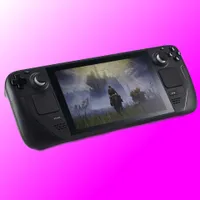
GeForce Now is a great way to game on a handheld gaming PC, such as a Steam Deck. You can play games that aren't available on that Linux-powered handheld. For example, Destiny 2. And usually you'll save heaps of battery by streaming rather than playing locally. What's not been so great is trying to install GeForce Now as something akin to an easy-to-use app. It's traditionally required a good deal of tweaking, and I've long wished for a GeForce Now app on Steam Deck. Thankfully, Nvidia is now going to do the brunt of that fiddling with the settings for you.
New GeForce Now installation files are now available for Steam Deck, ROG Ally, Legion Go, and the MSI Claw. These include a script that will effectively install Google Chrome, the web browser of choice for running GeForce Now, and tweak its launch options to optimise for each handheld.
You might be wondering why you need to install a browser-based game streaming service at all, but, on the Steam Deck at least, it's not possible to use the Steam Deck's many controller configurations through Google Chrome (and therefore while playing games on GeForce Now) without some further tweaks to the browser.
Though I'm not sure exactly what it's doing for the Windows-based handhelds mentioned, as there is a dedicated GeForce Now app for Windows already.
I've downloaded the script and given it a go on my Steam Deck, to see exactly how it works. It basically boots up a quick script with the following information:
This script sets up Nvidia GeForce Now on your Steam Deck by:
- Installing Google Chrome (browser supporting GeForce Now), if it's not already installed
- Adjusting Google Chrome's Flatpak settings to allow for gamepad use
- Adding a GeForce Now shortcut to Steam
And at the end of the process, lo and behold, I have a new GeForce Now shortcut in my Steam library, much in the same way I previously had one that I'd set up myself. This new script makes quick work of the process, and is much easier for newbies.
I did have to tweak the gamepad settings in Steam to get GeForce Now working as intended within the newly created shortcut, though I had to do the same when I set it up myself. For the record, setting the Steam Deck's controller configuration for GeForce Now to 'Gamepad with Joystick Trackpad' tends to work well. You can always hit the Steam button then and tweak the controller config for each game, if required.
I'm still hoping for an officially sanctioned application made by Nvidia for Steam, which was supposedly in discussion at one point in time, though for now I'll take the effort to simplify this process for all.