Last week I not only got my grubby mitts on the most exciting mouse of the past few years, courtesy of Logitech, but I also got a peek behind the curtain of gaming mouse design and testing. There were tons of things that surprised me about what goes into making a good peripheral, from giant antennas and padded faraday cage-esque rooms to mouse-swiping machines.
But what surprised me more than any of these things was a block of wood.
This block of wood—which is actually chemical wood, I believe, which is more like plastic but is still worked on physically like wood—was located in Logitech's artsy-crafty design room, next to a table-full of different half-finished mouse designs. It had pencil marks on it, and myself and the other folks being shown around were told that starting a mouse design on wood like this is actually a pretty common occurrence.
Article continues belowI'd assumed pretty much everything was done via CAD and 3D printer these days—and there were, indeed, three 3D printers in the design studio, chugging away simultaneously—so this surprised me. After the talk, I took Jinkinson to one side to learn more. I asked whether they do such woodworking for every mouse.

Okay, that explains the how, but what about the why? Why use this old-fashioned method instead of just 3D printing it?
"Because it's instant", Jinkinson says. "You can see it emerging in front of you, so you can fine tune every angle, every bit, and it's one to one size, you can touch it. That's something software basically can't replicate."
I can gel with that. I think a part of what makes PC gaming so appealing, for instance, is that it often—or at least traditionally—involves getting down and dirty with your components. And the more you interact with something physically, the more you can connect with it.
Jinkinson agrees on the connection front:
"To me, it's reassuring as a designer to have those classic, timeless skills... like judging form, proportion, touch and the actual giving of the shape... you really feel like you own it, like your little baby that you just hatched. And then you're more invested in the outcome as well. So it's kind of win-win, really."
"One of the barriers that we have, actually, is when we look for new team members to work with—there's a specialized team working on mice—and the kids coming out of education now do less of that [woodworking etc]. Inevitably, they're more purely on CAD, on-screen, making beautiful visuals, but not necessarily realistic. So that's a new skill for them to acquire."

Towards the end of our conversation, Jinkinson directed my attention towards a few MX Master 2 mice displayed on the wall. (We're onto the MX Master 4, now.) There were three lined up next to each other, each looking more developed and complete than the previous.
"It's probably 2015 when we worked on that one, but that's one of the early models on the left there that we kept. That's the first model that nailed the expression and the form. So you've got different generations of models over there which sort of show key moments in the projects."
I suggested Logitech could do giveaways with such in-progress woodworked models. Wouldn't that be cool, to have a mid-development wooden prototype version of your favourite gaming mouse? I suppose they're so cool that Logitech is keeping them all for itself, and fair enough, Logi. Fair enough.
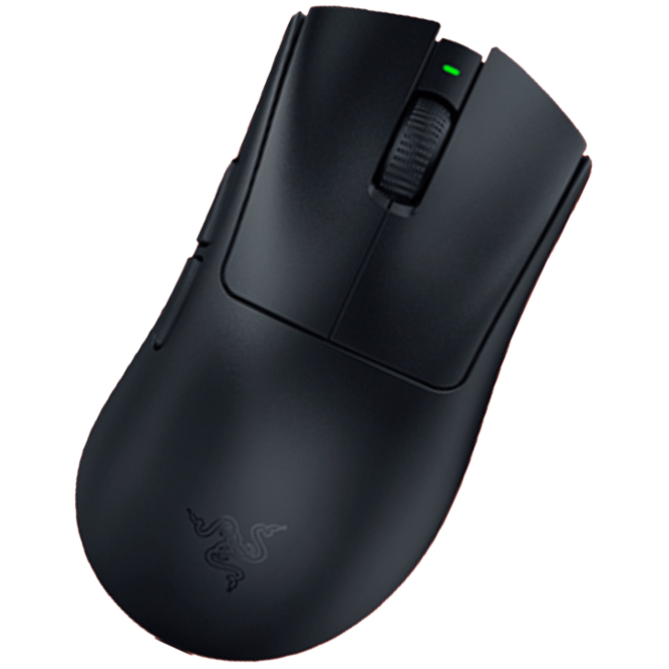
1. Best wireless:
Razer DeathAdder V4 Pro
2. Best wired:
Logitech G502 X
3. Best budget wireless:
Logitech G305 Lightspeed
4. Best budget wired:
Glorious Model O Eternal
5. Best lightweight:
Corsair Sabre V2 Pro
6. Best MMO:
Corsair Scimitar Elite Wireless SE
7. Best compact:
Razer Cobra Pro
8. Best ambidextrous:
Logitech G Pro
9. Best ergonomic:
Keychron M5
10. Best customizable:
Orbital Pathfinder

You must confirm your public display name before commenting
Please logout and then login again, you will then be prompted to enter your display name.