

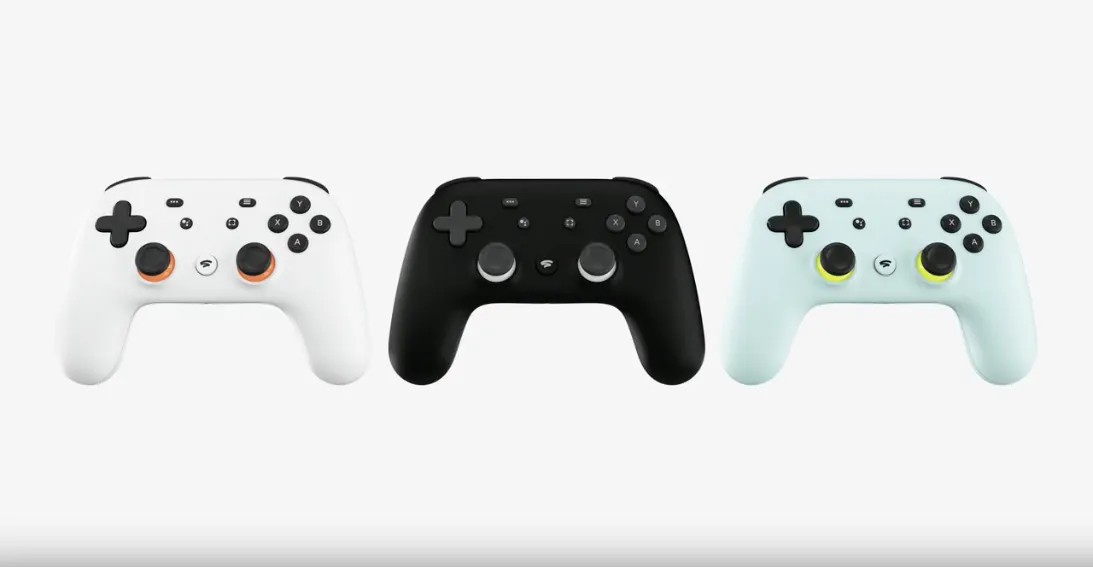
After five months Google's Stadia Controller is fully functional on PC
Google is rolling out wireless functionality for the Stadia Controller on browser-based devices.
Keep up to date with the most important stories and the best deals, as picked by the PC Gamer team.
You are now subscribed
Your newsletter sign-up was successful
Want to add more newsletters?
Every Friday
GamesRadar+
Your weekly update on everything you could ever want to know about the games you already love, games we know you're going to love in the near future, and tales from the communities that surround them.
Every Thursday
GTA 6 O'clock
Our special GTA 6 newsletter, with breaking news, insider info, and rumor analysis from the award-winning GTA 6 O'clock experts.
Every Friday
Knowledge
From the creators of Edge: A weekly videogame industry newsletter with analysis from expert writers, guidance from professionals, and insight into what's on the horizon.
Every Thursday
The Setup
Hardware nerds unite, sign up to our free tech newsletter for a weekly digest of the hottest new tech, the latest gadgets on the test bench, and much more.
Every Wednesday
Switch 2 Spotlight
Sign up to our new Switch 2 newsletter, where we bring you the latest talking points on Nintendo's new console each week, bring you up to date on the news, and recommend what games to play.
Every Saturday
The Watchlist
Subscribe for a weekly digest of the movie and TV news that matters, direct to your inbox. From first-look trailers, interviews, reviews and explainers, we've got you covered.
Once a month
SFX
Get sneak previews, exclusive competitions and details of special events each month!
A USB Type-C cable is no longer required to connect your Google Stadia Controller to your laptop or PC. Google has announced wireless controller functionality is currently rolling out to Google Stadia users and will allow for cable-free connectivity between the Stadia Controller and browser-based Stadia devices.
Between its November launch date and now, the Stadia Controller supported wireless mode only on Chromecast Ultra devices. This left the browser-based version of Stadia in use across desktop and laptop PCs, and other compatible devices, with the choice of native inputs—such as a mouse, keyboard, or controller—or a wired Stadia Controller.
However, starting this week, it will be possible to connect your Stadia Controller to desktop and laptop devices without a USB Type-C cable.
Wireless functionality on PC was announced within a "this week on Stadia" update.
"Starting this week, you can now use the Stadia Controller to play wirelessly on your laptop and desktop," says the Google Stadia team. "You no longer need to connect your Stadia Controller physically to your computer to play your favourite games. You’ll be able to link your Stadia Controller and Stadia.com through your Wi-Fi network and play without a USB-C cable connection."
Reports from Reddit suggest the move has been popular among Stadia's players, and that the roll out is already in full swing. It also appears that wireless controller support is available on unsupported mobile devices through the browser functionality.
How to wirelessly connect a Stadia Controller to your PC or laptop
In order to connect your Stadia controller on PC, follow the steps below:
Keep up to date with the most important stories and the best deals, as picked by the PC Gamer team.
- Head to the stadia.google.com page.
- Click on the controller icon in the top right corner.
- Hold down the Stadia button on your Stadia Controller for one second, or until it rumbles.
- Enter the code within the Stadia browser app.
- You're all set!
You can find detailed instructions on the Google Stadia support pages.

Jacob earned his first byline writing for his own tech blog, before graduating into breaking things professionally at PCGamesN. Now he's managing editor of the hardware team at PC Gamer, and you'll usually find him testing the latest components or building a gaming PC.

