I do a lot of prattling on about how videogame music is a core component of design. Its exclusion is like baking a cake without any sugar or sweetener. Sure, you can still eat it, but it's not going to taste anywhere near as good without that syrupy twang.
Something I don't prattle too much about, though, are the sounds that reverberate beyond a game's score. Audio design is equally integral, though infinitely more difficult to perfect. Good sound design should feel effortless, despite the mountain of work that certainly goes behind it. Noises that immerse you further in a game's world, or act as audio cues that allow you to react to whatever is happening around you.
Welcome to Critical Hit (formerly known as Soundtrack Sunday), where I celebrate and lament all things videogame music, audio design, and the ways our favourite games make our ears tingle.
I've been thinking a lot about what makes for good sound design since hopping back onto Overwatch—formerly known as Overwatch 2, the sequel to Overwatch—last month. For the tumultuous love-hate relationship I've had with Blizzard's hero shooter over the last decade, the one thing that has remained in my good books is just how robust its overall sound design is.
Article continues below 
Footsteps to alert me of a flanking enemy, satisfying little trills each time I eliminate an opponent, wooshes and bleeps that signal what kind of bullets are whizzing past my head or whose ultimate is about to eviscerate me. Even the way my own character communicates—like the sounds that tell me when my Wuyang's water orbs have successfully smacked an enemy around the corner, or the whir of Moira's damage that lets me know I've latched onto a target.
It's not always perfect, mind. New hero Jetpack Cat has drawn ire for being incredibly quiet, coupled with her small frame that makes surprise ambushes from her just a little more frustrating than they need to be.
But for the most part, I really dig it. So imagine my delight when I discovered that some of Overwatch's key sound designers offer glimpses behind the curtain. All of the different ways to manipulate noises that not only act as effective communication, but speak to a character's aesthetic and personality.
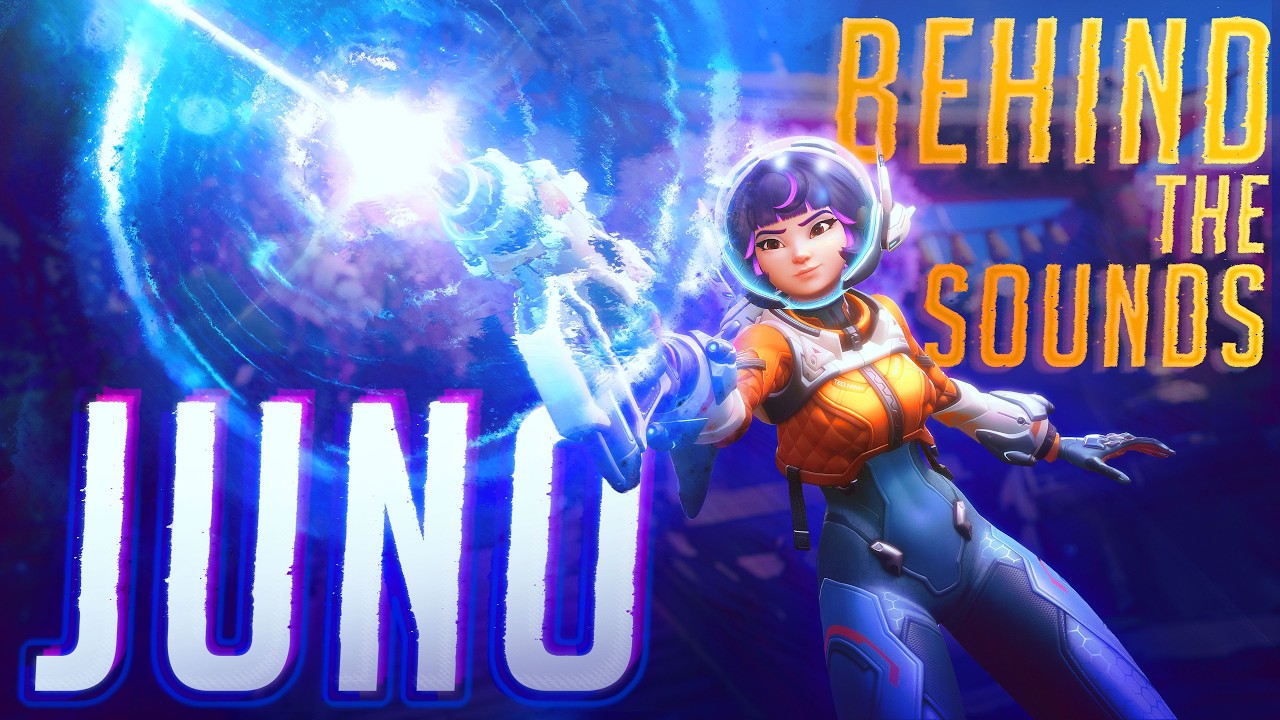
I've been having an absolute blast playing Juno since my return to Overwatch. An adorable, slightly skittish Mars-born human who gives me major Starfire from Teen Titans vibes—an incredibly futuristic character rooted by retro design and mannerisms like her incredibly proper speech. She sports a small blaster, torpedoes that lock on to heal allies and damage foes, boots that allow her to hover and float, and a neat little speed ring.
Not only does her visual designs evoke huge galactic vibes, but her accompanying audio is so delightfully otherworldly. It's real glorpcore, y'all. And getting to see how senior sound designer Nicholas Yochum brought her unique audio to life is a fascinating glimpse into just how much damn thought goes into these things.
Yochum explains that he wanted that retro sci-fi feel to come through with Juno's kit, but also keeping things punchy and modern without leaning too heavily on cliché in the process. It's also a lovely insight into the process of foley—using everyday items to contort their sounds into something entirely new. Yochum used things like pliers and screwdrivers layered with blorpy-sounding synths to get her reload animation sounding just right, a mix of mechanical and martian.

Something I hadn't thought about either is designing audio around prioritising offense versus defence. Yochum notes that some of his initial sound effect creations were too aggressive, or deprioritised the healing part of her toolkit just a little too much. Things like making her healing torpedos more obvious compared to damage was a way to emphasise her role as a support character.
Perhaps my biggest surprise of all was that her Orbital Ray ultimate was initially supposed to damage enemies as well as heal allies—truly a terrifying thought—which meant that its sound, too, was initially far more aggressive. But after tweaking the ultimate to only provide support to teammates, Yochum instead layered in sounds that possessed "more positive healing" vibes.
It's a truly fascinating video, and I couldn't recommend you watching it enough. Yochum has also provided insight into the sound design of Wuyang and Domina, while fellow senior sound designer Felipe Pereira also has a YouTube channel with deep dives on characters like Freja, Illari, and Venture.
If anything, getting a sneak peek behind the scenes has given me a deeper appreciation for how much work goes into making each character's sound feel just right—for those playing them, their teammates, and their opponents. Getting all three right takes an awful lot of time and thought, but in Overwatch's case it more than pays off.

You must confirm your public display name before commenting
Please logout and then login again, you will then be prompted to enter your display name.