You are now subscribed
Your newsletter sign-up was successful
Want to add more newsletters?

Every Friday
GamesRadar+
Your weekly update on everything you could ever want to know about the games you already love, games we know you're going to love in the near future, and tales from the communities that surround them.

Every Thursday
GTA 6 O'clock
Our special GTA 6 newsletter, with breaking news, insider info, and rumor analysis from the award-winning GTA 6 O'clock experts.

Every Friday
Knowledge
From the creators of Edge: A weekly videogame industry newsletter with analysis from expert writers, guidance from professionals, and insight into what's on the horizon.

Every Thursday
The Setup
Hardware nerds unite, sign up to our free tech newsletter for a weekly digest of the hottest new tech, the latest gadgets on the test bench, and much more.

Every Wednesday
Switch 2 Spotlight
Sign up to our new Switch 2 newsletter, where we bring you the latest talking points on Nintendo's new console each week, bring you up to date on the news, and recommend what games to play.

Every Saturday
The Watchlist
Subscribe for a weekly digest of the movie and TV news that matters, direct to your inbox. From first-look trailers, interviews, reviews and explainers, we've got you covered.

Once a month
SFX
Get sneak previews, exclusive competitions and details of special events each month!
For reasons unbeknownst to mankind, there are a surprising number of applications designed to arbitrarily select and destroy processes on a PC until it crashes.
This morning, I was made aware of an application made by user IceSolst on X with AI coding platform Cursor AI that randomly selects a process on your computer via its process ID (PID) and terminates it. If you're wondering why, you're probably overthinking it. From subsequent tweets, it appears a storefront has been added that allows you to buy malware via $hitcoins earned from every spin of the roulette wheel.
I wrote Task Unmanager: keeps killing processes Russian Roulette style, until your machine crashes pic.twitter.com/ET0gNDbIxxJanuary 14, 2026
As stupid as it sounds, one can assume that's the whole point. Needless to say, don't install malware on your machine, but this specific application isn't available to download, anyways.
I did, however, discover a few Github repositories for applications that do something similar (minus the malware, as far as I can tell, anyways). Nothing is original on the internet, as the saying goes, but an application that will eventually crash your PC on purpose is a surprisingly popular concept.
There's process roulette on Github that was published around five years ago by Codebox. You can choose how many rounds you want to play and presumably hope you make through before a crash occurs.
The game is described as: "A silly little game that could mess up your machine pretty badly (please use a VM!)."
You can only stop process roulette early by typing the phrase: "i am a coward'.
I also found another application created 10 years ago, born from a tweet posted by user Jamis. Further to the mental damage I just received upon realising 2016 was ten years ago, the application, also called process roulette, encourages a group of players to hop onto a virtual machine to play. This is a slightly more well-defined game than the others, with a "croupier" acting as the game's referee, and a 'controller' that actually runs the game. And you're not killing your own PC to play, though you could.
A cursory Github search reveals more masochistic programs, too.
It's worth noting, unless you install some form of malware on your PC, just restarting it after a crash will generally fix it.
In light of these applications, I was speaking to someone (who shall not be named) that informed me that, at an old workplace, their colleague created a similar application and would use it on unsuspecting users; in an act tantamount to a small-scale localised cyber attack. So, if you're the type of person to eat stinky fish in the office, best secure your PC with a password.
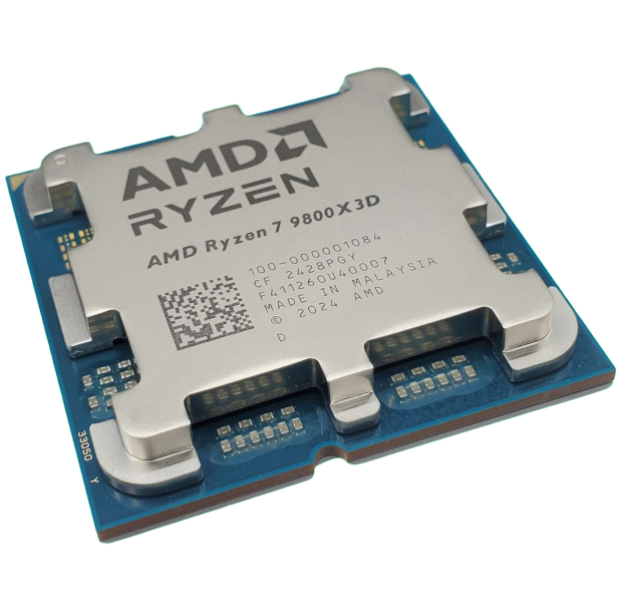
1. Best CPU: AMD Ryzen 7 9800X3D
2. Best motherboard: MSI MAG X870 Tomahawk WiFi
3. Best RAM: G.Skill Trident Z5 RGB 32 GB DDR5-7200
4. Best SSD: WD_Black SN7100
5. Best graphics card: AMD Radeon RX 9070

You must confirm your public display name before commenting
Please logout and then login again, you will then be prompted to enter your display name.