





Corsair may have secured its place among many best gaming keyboard roundups, but there's forever been one demographic that would never make the change. It wasn't for anything technical. No, rather these people, including myself, are vain. For the longest time, a non-standard bottom row on all Corsair keyboards meant that it was impossible to change out your keycaps for custom or creative ones—until now.
Best gaming mouse: the top rodents for gaming
Best gaming keyboard: your PC's best friend...
Best gaming headset: don't ignore in-game audio
Yes, with the introduction of the Corsair K100 gaming keyboard, Corsair is promising to support a more conventional bottom row. That means that all those packs of keycaps you have littering your house (everyone else has those, right?) will now be able to slot snugly onto your keyboard with no issue.
Corsair also tells us this change isn't for the K100 alone. In fact, all new Corsair keyboards will adopt the new standard sizing, so from here on we'll all be able to customise our Corsair boards to our heart's content, and potentially to Corsair's chagrin.
Previously, Corsair gaming keyboards used a proprietary sizing for just the bottom row of keys: ctrl, alt, spacebar, etc. This had meant that only the remaining keys could be switched out with most kits (with the exception of those specifically tailored to Corsair's keyboards, namely its own).
And what a world of beautiful and stunning keycaps many will now be able to enjoy with their new gaming keyboard. From complete sets of themed keys to bespoke artisanal keycaps that will potentially sting your bank account, there are roughly around 104 opportunities to make any full-size keyboard your own.
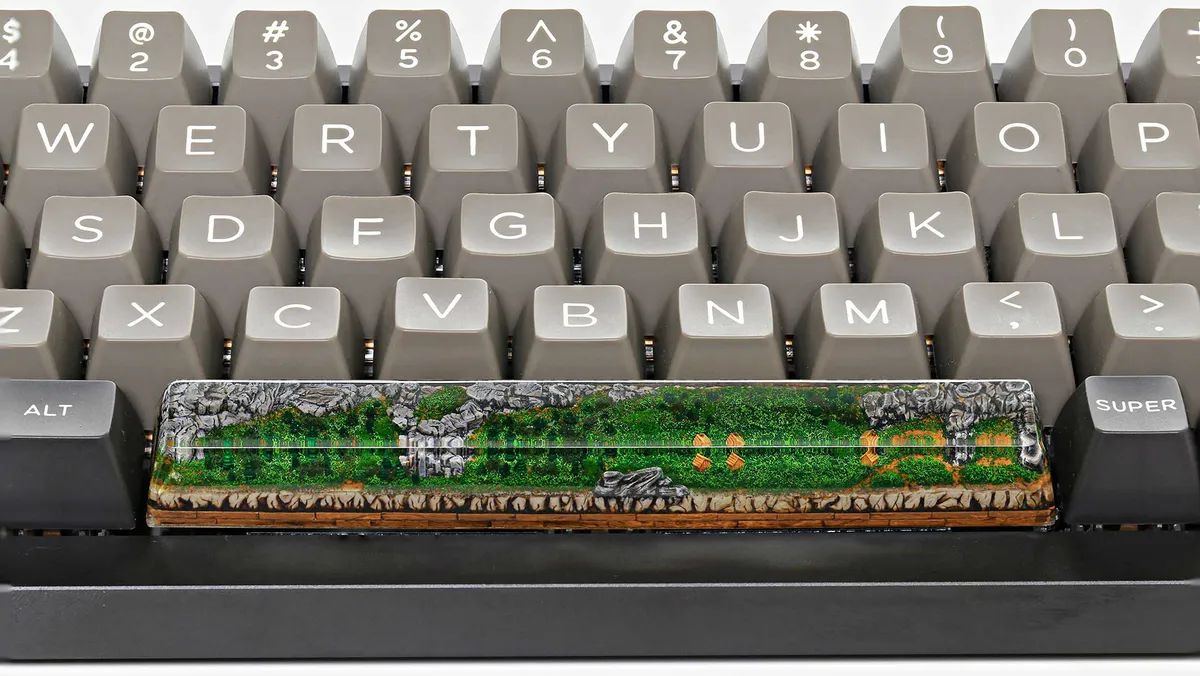
Since Corsair also uses the Cherry MX stem, and largely Cherry MX keys, you can be sure that a lot of custom keycaps will fit too. That's the most common stem type found on custom sets, and so you won't have to worry too much about compatibility.
I don't have the exact keycap sizing measurements just yet, but I've reached out to Corsair for the full details.

