


We've sat in plenty of gaming chairs over the years—our thoroughly scientific method of testing them—and that means we're very confident in our recommendations below. We've used gaming chairs from every major manufacturer, at all sorts of price points, and if that's not enough, we've also spoken to a team of experts to help guide us in what to look for in terms of proper ergonomics, too.
The best gaming chair, based on hundreds of human hours of testing myriad different chairs, remains one that we've been recommending for years: the Secretlab Titan Evo. It delivers a great level of comfort and support, and it's incredibly durable, too.
If you're on a more limited budget, however, the ThunderX Solo 360 offers a great mix of comfort and features for a relatively light monetary buttprint-sorry, footprint.
We regularly test a range of different chairs, including the best office chairs. And we've put them all through rigorous testing to make sure we can thoroughly recommend all the picks that we have on this page and can honestly stand by each and every one of them. So, invest in something that'll last and give your butt and back the comfort and support they deserve.
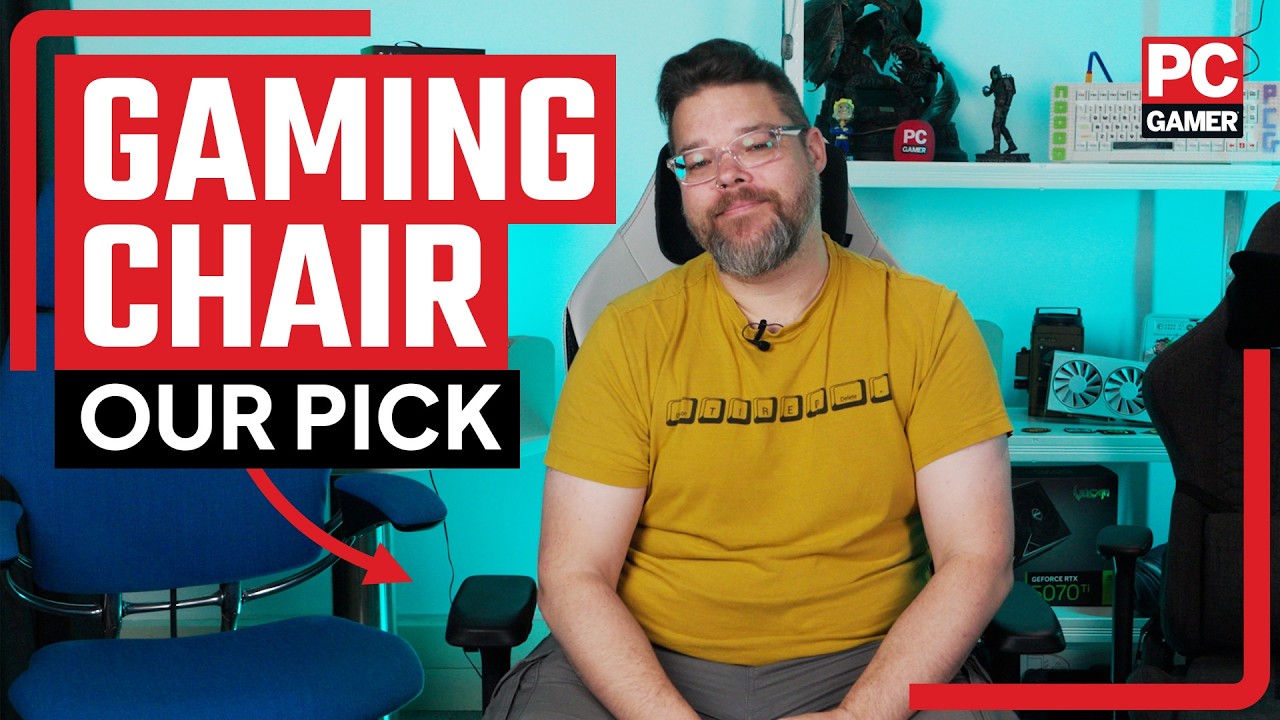

I'm not just a regular sitter, I've been testing gaming chairs in a professional capacity for many years, too. I've sat in loads of gaming chairs over the years, including some with strange features, like heating and cooling. This all makes me suitably qualified to tell you what the best gaming chair is when it comes to cost, comfort, and spinal support.
October 2, 2026: I've checked through our recent reviews, yes even Razer's RGB chair and Boulies impressive budget chair, to see whether anything else makes the grade. But I'm still confident these are the best gaming chairs to buy right now.
August 21, 2026: Added a new review search widget to the page to help you navigate our existing review content. If you don't see a particular recommendation on the page, give it a search to see what we actually thought of it!
August 6, 2026: Adjusted our recommendations as we reach the midway point in 2026.
The best gaming chair




✅ Adjustability is key: The Titan Evo makes it easy to find a comfy spot.
✅ You’re looking for something durable: Our review model still looks great after years of use, with nary a mark to show for it. As does the newer NanoGen version.
❌ You want a long warranty: Three years isn't terrible, but we've seen chairs with much longer warranties. Still, given the durability here, it's not the biggest concern in the world.
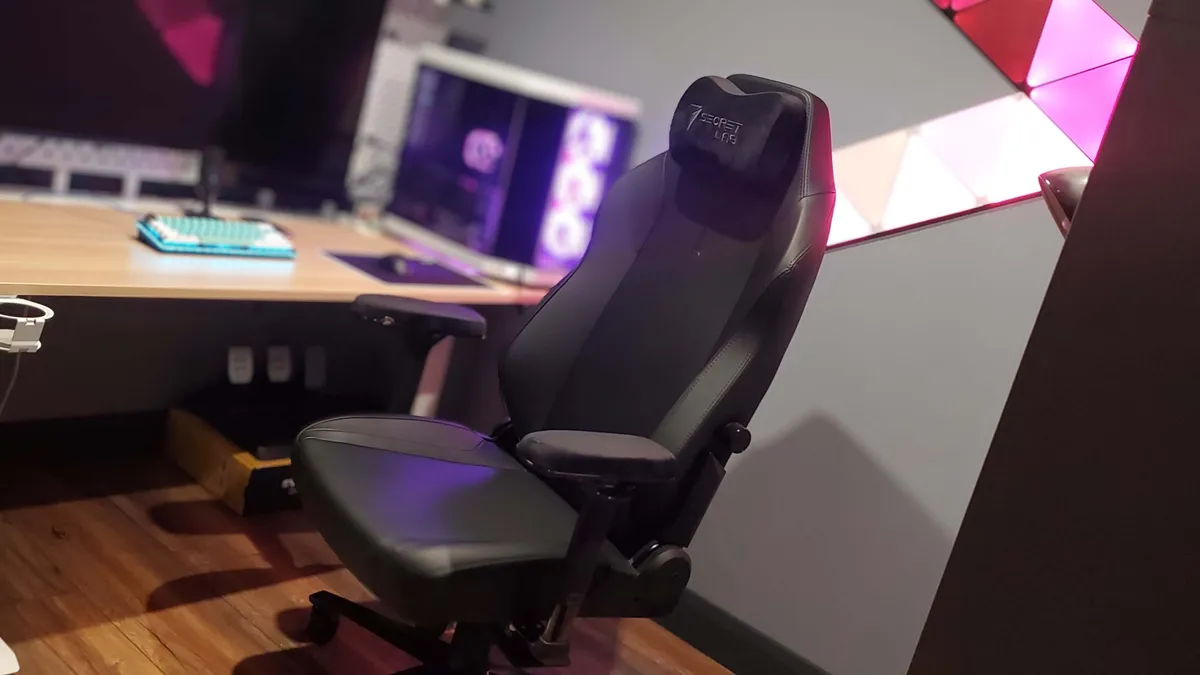
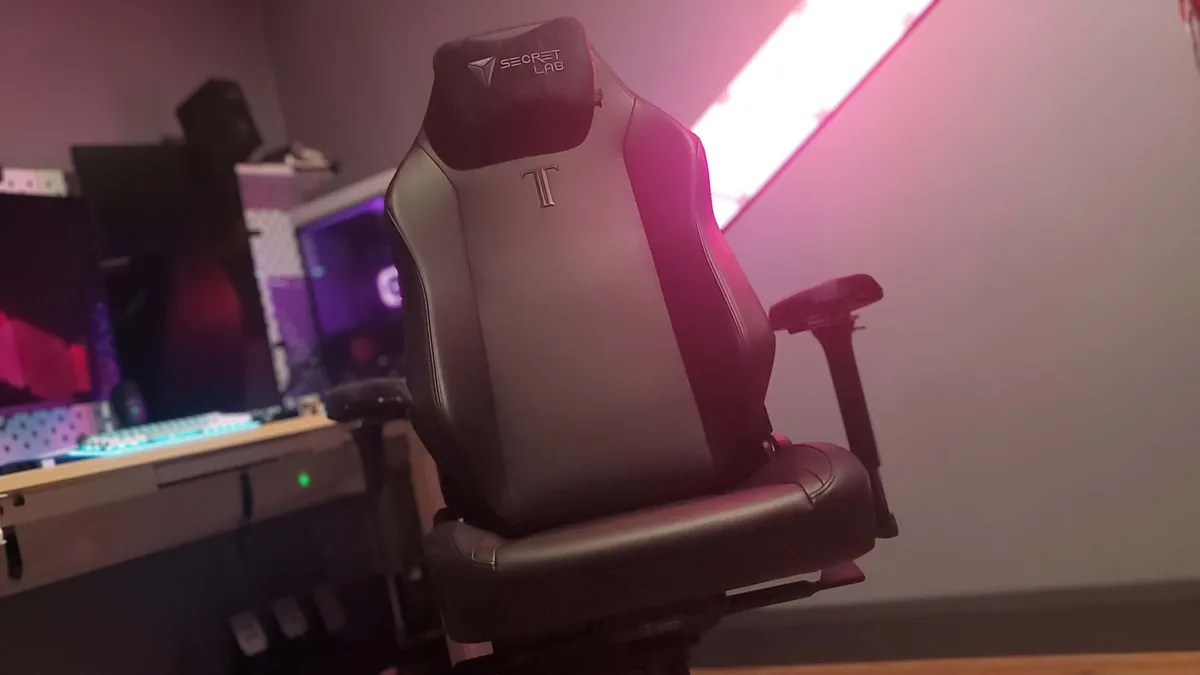
💺 The Secretlab Titan Evo is the pinnacle of gaming chairs for a reason. Yes, it's pricey, but it's also extremely well-made and impressively long-lasting. There's a reason every cheaper brand is trying to copy it and why subsequent models have barely changed the formula: it's a great gaming chair.
The Secretlab Titan Evo is the best gaming chair. That's it, recommendation over. Oh alright then, let's get into the reasons why—there are a lot of them.
We loved Secretlab's previous chairs, and two of them used to rule the top spots in this very guide. Though nowadays we heartily recommend just the one model, the Titan Evo, as it does everything well.
There's a slightly bigger curve to the seat base to keep you in a good sitting position all day long compared to previous models. As a result, the Titan Evo is extremely comfortable, even over very long periods of time. There are three models available, S, R, and XL.
Our initial review model came clad in leatherette, which is robust and good-looking; however, we have also more recently reviewed the Titan Evo NanoGen edition. This aims to be supportive and soft. And it does that mighty well, creating a chair that ends up feeling even more comfortable than the standard Titan Evo. But it's a fair bit extra to pay over the standard model.
The upholstery of the Titan Evo is immaculate. What's more, the original chair has been in constant use in our office since we first reviewed it in 2021—gosh, has it really been that long? Since then, it's been rolled around, bumped into, and carelessly caressed by many staff members, yet it's still in excellent condition. The chair's not squeaky, either, which is a plus.
The detachable head cushion is magnetic and very supportive. So are the armrests, which deliver 4D movement (up, down, forwards, backwards, side-to-side, and rotation). The hydraulics are superbly smooth, as is the recline. You can also adjust the lean tension, which means finding a comfortable seating position is no problem at all, alongside the adjustable lumbar support built into the backrest.
Prices start at $449/£379, which, if you've been looking at no-name gaming chairs on some of the bigger retailers' sites, might seem like a lot for a throne. Let me say this with absolute confidence: If you're ever going to spend up on a piece of equipment, make it the chair you sit in all day long. Compared to many of its rivals, it's still well-priced, and the Secretlab Titan Evo really is worth the money.

Read our full Secretlab Titan Evo review.
The best budget gaming chair


✅ You aim for the perfect arm position: The ThunderX3 Solo 360 has 360-degree armrests, meaning they turn all the way around, in addition to the other standard adjustments.
✅ You like to keep things subtle: This chair won't look out of place in an office with a sleek minimal design (three styles available).
❌ You want tons of adjustment: There's no additional lumbar support or headrest pillow.
💺 Good gaming chairs don't have to be expensive. The ThunderX3 Solo 360 is not only very affordable, it's simply a brilliant gaming chair overall, with plenty of customisability, an easy build process, and a wonderfully comfortable design.
Great budget gaming chairs are pretty hard to come by. Usually you're sacrificing something major, whether that's build quality, comfort, or features. Occasionally, though, something comes along that delivers pretty well on all these fronts while keeping the cost low. The ThunderX3 Solo 360 is one such chair.
The Solo 360 is the best budget gaming chair on the market today, in particular if you're keen on comfort, adjustability, and an easy build process. Admittedly, it's not the absolute best in any one of these respects, nor the flashiest, but it's great for its price bracket.
On the adjustability front, you're getting 360-degree adjustable armrests (thus the '360' moniker), plus a car seat-style headrest that you can slide up or down. It lacks an additional pillow or anything like that, but the headrest itself is plenty comfy. Ditto the lack of additional lumbar support. Though you are getting a generous recline with syncrhonous tilt.
You have a choice of a few different materials: multi-layer breathable fabric, breathable mesh, or leatherette. The one our Jess tried was the fabric option, which for some reason goes by 'Loft Air.' She found this to be comfy, especially given it's sitting on on top of firm foam, but difficult to wipe clean. Though I suppose that's true for most fabric—mesh or leatherette patiently awaits, if you're prone to accidents.
The icing on the cake is that the ThunderX3 Solo 360 looks rather suave, in a subtle and minimal kind of way. It certainly doesn't look out of place in an office, which will be a bonus for many but might be a drawback for some.

Read our full ThunderX3 Solo 360 review.
The best high-end gaming chair


✅ You're looking for luxury-level comfort: This chair is comfortable as heck, whether working, gaming or otherwise.
✅ You want something adjustable: Calling this chair 'adjustable' might be a bit of an understatement, given it literally adjusts to you on the fly, as you move around.
❌ You're on a budget: Yes, this is an expensive chair. Not as expensive as some but a lot more than others.
❌ You want completely adjustable lumbar support: While this chair is incredibly adjustable overall, the motorised lumbar support is only adjustable in one direction.
💺 We've surely seen it all when it comes to luxury chairs, right? Well, not quite, because the LiberNovo Omni has added "dynamic ergonomics" into the mix, meaning it adjusts to you as you move about, thanks to all the movable parts and foams. It even has motorised lumbar support.
I'd wager for most people, high-end means comfort and ergonomics are a key focus, and if so, the LiberNovo Omni has something genuinely game-changing to offer. There are plenty of other luxury seats—from Steelcase, Herman Miller, and the likes—but none that offer exactly what this one does.
The company calls it "the world's first dynamic ergonomic chair", meaning as you shift and shimmy around in your chair, it, too, shifts and shimmies to keep you comfy. If you recline, for instance, the armrests gently follow and slide back. If you move your head left and right, the headrest should move along with you, too.
It also comes with (rechargeable) motorised lumbar support that moves in/up and forward/out. This can be controlled by buttons on the armrest, so no need to get up and out the chair to adjust things, you can adjust easily, as often as you please. The motor also allows for what the company calls a 'massage', which lets you lie back and have the lumbar support move in and out for a few minutes to stretch your spine.
Apart from the single directionality for the lumbar support, everything else is very adjustable. The armrests, for instance, are 4D adjustable and can be nudged in every direction until you get it just right. Although in his review, Kizito found these to be a little loose and too easy to nudge out of place.
Overall, though, he found this to be "the first chair I've actually wanted to keep" out of the many he's reviewed.
The LiberNovo Omni is clearly focused on long-term comfort, as it's incredibly adjustable, and adjustability is probably the key factor for good ergonomics. The only real caveat to all this is that it's still a new product and hasn't been given the true test of time. The chair itself has a few years of warranty, which is great, but the electronics get just two years, so bear that in mind.
Still, that aside and as far as high-end luxury goes, the LiberNovo Omni really can't be beaten right now.

Read our full LiberNovo Omni review.
The best gaming chair for a larger frame


✅ You want plenty of room: The Kaiser 4 XL is appropriately named and appropriately sized.
✅ You like proper lumbar support: The new pop-out lumbar cushion is a real upgrade over the previous model, and is both extremely comfortable and plenty supportive, no matter your size.
❌ You bang the rear of the chair into furniture on the regular: The plush rear backing looks great, but it does make this chair prone to damage from the back if you're clumsy with it.
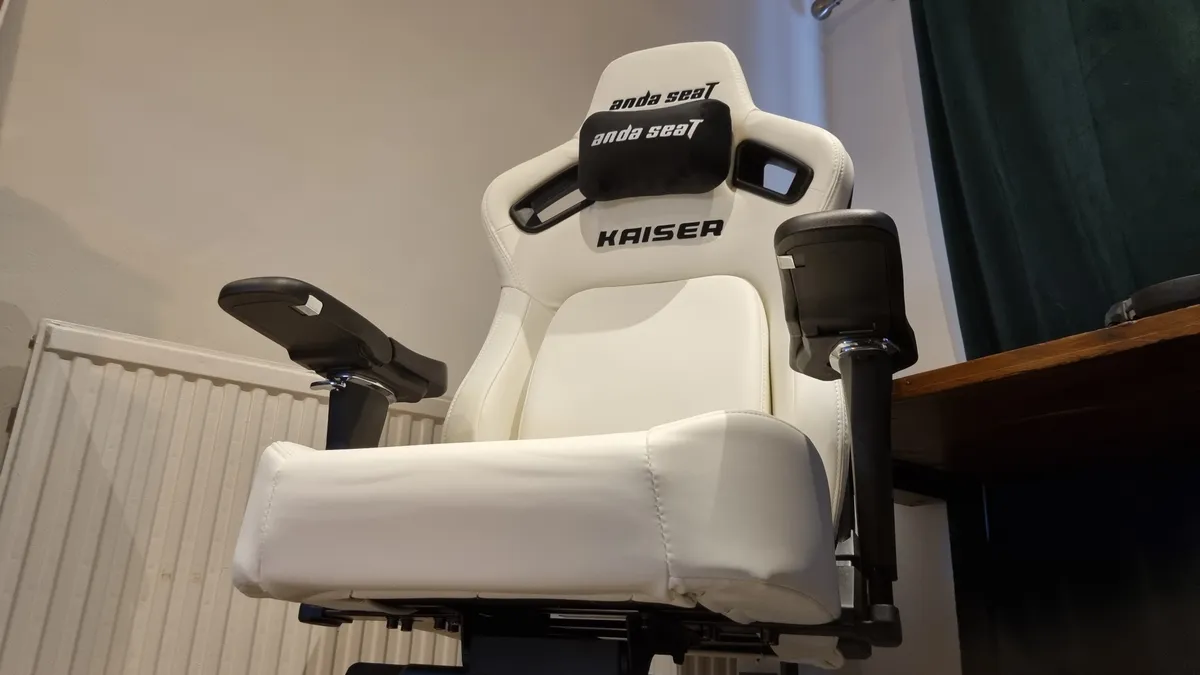
💺 The AndaSeat Kaiser 4 XL is a big boi chair for the larger human, but its comfortable, capacious surrounds mean that it's also a fantastic chair for anyone who wants to be enveloped in a seat. And maybe doesn't sit precisely how ergonomists recommend you should...
If regular gaming chairs are a bit tight, or you're the sort of person who likes to spread all over a seat, then the AndaSeat Kaiser 4 XL is the gaming throne for you. Available in L and XL configurations, we were very impressed by our XL model. So much so that it had to go in this guide as the best chair for a larger frame.
This is a good-looking seat. Lots of color options are available, but all of them will have wide shoulders, proper side bolstering and good attention to detail in the fit and finish. Be warned, however: construction is not an easy task. That's nothing to do with a lack of tools or bad design, but more that this chair is large, wide, and heavy, so we'd highly recommend bringing a friend.
The wide seat cushion and flared shoulder sections mean most should fit very well, and even if you're not a giant, you won't feel too swallowed up. It's very nicely judged in its dimensions. Larger than just about everything else, not so large that it looks cartoonish.
There's lots of adjustability here, including a side-mounted lever for backrest adjustment that makes a whole lot of sense. The best bit, though, is the pop-out adjustable lumbar cushion. It's very comfortable to lean against, but firm enough to provide proper, robust support, and it's adjustable in a multitude of different ways. Combine that with a magnetic head pillow that can be adjusted easily, yet stays anchored in place once you've found the ideal spot, and this is a chair that's easy to set up just the way you like.
It does have a couple of drawbacks. Firstly, the branding isn't particularly subtle, so you'll find the word "Kaiser" emblazoned all over it in big letters. And second, as nice as it looks and feels, the rear back material is prone to damage.
Other than that, the AndaSeat Kaiser 4 XL is a bit of a winner all around. If what you really want is size and comfort combined in a chair, this is the one we reckon you should go for. Big, bold, and brilliant.

Read our full AndaSeat Kaiser 4 XL review.
The best office chair for gaming


✅ You want endlessly adjustable comfort: The ThunderX3 Flex Pro moves in almost every dimension you can think of, mostly without you even having to think about it
❌ You want an office chair that supports excellent posture: The lumbar support is great, but I struggled to get the Flex Pro to adjust around a really straight spine.
💺 The ThunderX3 Flex Pro maybe has a bit of an identity problem, being some sort of halfway house between a task chair and a standard gaming chair, but that actually works to its advantage. It has a lot of the benefits of an office seat, but the relaxed comfort of a leaning-back-to-play gaming chair.
With a dizzying total of 19 different "dimensions of adjustment" the ThunderX3 Flex Pro is certainly playing to our choir of experts, offering consistent support as you move around during work hours or while gaming.
With so many different moving parts you can really feeling it shifting around to accommodate you as you fidget around in the ergonomically recommended way every half hour or so.
And with lumbar and head/neck support, shifting seatpan, and continuous recline mechanism, the Flex Pro comes with a lot of different features you will generally find in serious office-based task chairs. Though, in reality, we found that it didn't quite work as well as the Neuechair in terms of providing a true active posture for working at a desk.
That's not to say it isn't supportive when you are in work mode, the back and lumbar support sections capably prop you up while you might be typing away, but, because of that incredible flexibility and the stellar lumbar support, as soon as you kick back and relax in it, the ThunderX3 Flex Pro becomes an excellent tasky gaming chair.
And even though there are myriad moving parts, that doesn't make it a nightmare to build. It doesn't come fully realised, with fully six major components to put together, but it only took us around 30 minutes solo work to get it up, rolling, and reclining.
If you're after the range of task chair features without paying Neuechair or Steelcase money, then the Flex Pro gets you most of the way there on a bit of a budget. Okay, it's not cheap, but it is around half the price of those other brands. But where it stands out is that it can really compete with other primarily gaming chairs when it comes to reclined comfort, and not all office chairs are able to do that.

Read our full ThunderX3 Flex Pro review.
How we test gaming chairs

Let's face it, we spend a lot of time here at PC Gamer sitting on our butts. And that makes us perfect candidates for testing gaming chairs. We will dedicate a significant amount of time to parking our posteriors in a variety of gaming and office chairs when it comes to testing them out, because it's only really by using a chair over an extended period that you get to know where it supports you and where it might be lacking.
Of course, the first step is about building your chair; most gaming chairs come in various stages of disassembly and you'll have to put them together yourself. This process can already tell an experienced reviewer a lot about both the quality of the materials being used in the chair, and about the finished article's overall quality, too. If it's stripping thread when you're screwing in bolts, or parts are loose when they should be tight, then you can already tell something might be missing.
We also use each of the gaming chairs we test as our main working seat for the time that we are testing a chair. That way, we can get a feel for what it would be like to actually live with a particular piece of gaming furniture, as we would if we'd purchased it ourselves.
It also means that we can test the longevity of things like the different levers and controls over time, too. We've had issues where some cheaper brands had plastic levers that just wouldn't last, and where seat materials fail when used for extended periods of time.
And it means we can tell how it makes us feel after using a particular chair for a while. Now, that's not about some emotional connection with a seat, but with ergonomics being such a vital part of gaming chairs when it comes to your overall physical health, this long-term testing is important for us to tell when something doesn't feel right in our own bodies while we're using a chair. Conversely, when something fits you as though it's been made especially for you, then you know you've found a genuinely quality gaming chair.
And value is key to us as well. A chair doesn't have to be cheap, but so long as it feels like it's worth the money you're being expected to pay, then it has value.
Our panel of ergonomics experts
Collectively, here on PC Gamer, we've spent hundreds of human hours testing a host of different gaming chairs. We have a lot of experience and have built up a whole lot of expertise on the subject. That puts us in a great position to be able to let you know why some chairs are better than others, and to be able to pick out the absolute best options in the different categories.
But we can't just rely on our own expertise when it comes to putting your body on the line when you're spending hours sat in a seat. So we've recently got in touch with several trained and certified ergonomists, and interviewed them on what makes a great gaming chair, what you should be looking out for, and how to spend time at your desk without putting your body in peril.
Three of our experts are from companies that specialise in manufacturing ergonomically fit chairs, and one independent physical and occupational therapist.

Kevin Butler is a Board Certified Professional Ergonomist who holds both a Bachelors and Masters Degree in Industrial Engineering. Although Kevin has extensive experience as an ergonomics consultant, for the last several years he has been almost completely dedicated to the holistic topic of Wellbeing. While Kevin’s primary role at Steelcase began in understanding the meaning of workplace Wellbeing by bench-marking and best-practice-sharing, it has evolved into maximizing his knowledge and expertise as a practitioner. This is realized by assisting organizations of varying sizes in the design and implementation of their Ergonomic and Wellness program development efforts, always striving to leverage the workplace as a resource to increase both individual and organization Wellbeing.

Jonathan is a board certified professional ergonomist who holds undergraduate and graduate degrees in human factors and ergonomics from Cornell University. He has extensive experience in the areas of occupational health & safety, musculoskeletal injury prevention, software usability and workplace design. Jonathan has worked with the International Standards Organization (ISO) on the development of international ergonomic standards for office environments and holds several U.S. patents for the design of ergonomic work tools.

Dr. Gallucci Jr. is President and CEO of JAG Physical Therapy, one of the fastest-growing comprehensive physical and occupational therapy practices providing rehabilitative care to patients and sports teams in over 160 locations throughout the Northeast. He has significantly impacted his field in the Tri-State area and holds a national presence in the sports medicine community. A noted published author, Gallucci released his first book, Soccer Injury Prevention and Treatment, in May 2014. His second book, Play Ball: Don't Let Injuries Sideline You This Season, was released on May 1, 2018. His third book, The JAG Method, was released on October 10th, 2023.

Dr Tsai started gaming at the age of five on the original NES and was immediately hooked. He served three years in the Army, including a deployment to Iraq before going back to school. He graduated from USC's #1 ranked Doctorate of Physical Therapy program in 2018 and started working with Cloud9 that year. Since then, he has been on staff with three LCS Championship teams with five total titles so far. His mission is to help gamers of every level practice habits that will enable them to continue playing pain-free as long as possible.
What you should look for in a chair, according to the experts

Look for a chair that keeps you supported and moving.
Kevin Butler
We can provide advice on what gaming chair to buy based on our experience, comparative pricing, comfort, and build quality, but when it comes to the science of ergonomics there are clear, objective things that you should always be looking for in a new gaming chair purchase. Our ergonomic experts are unified on the main thing that you need to consider, though.
"Look for a chair that keeps you supported and moving," says Kevin Butler. "Long gaming sessions demand a seat that adapts to your body, not the other way around."
And that's what Secretlab's advisor, Dr. Tsai notes, too. "You want a chair that gives you room to naturally move about and able to provide support for your body at the same time. Because when you’re able to shift and change your sitting position regularly, you will naturally adopt comfortable positions as needed."
Jonathan Puleio, global VP at Humanscale agrees, stating that: "Movement and postural variation are critical for maintaining long-term comfort and health. Consider chairs that have self-adjusting features such as weight sensitive recline mechanisms and form-sensing mesh."
Dr. Gallucci, however, is more concerned with adjustability. "The most important thing to look for in a chair is ergonomic adjustability. A good chair should support your posture for long periods without causing discomfort or fatigue. That means it should allow you to adjust the seat height, seat pan depth, armrests, lumbar support and backrest tilt."
"Because we’re all built differently," agrees Dr.Tsai, "adjustments are key to tailoring the chair to best match your needs. That’s why it’s not just about whether they have certain features, but to what degree of adjustments said features actually give us."
The advice has previously been that there is an ideal posture, but as Dr. Stuart McGill, Professor Emeritus of Waterloo and expert in back pain, notes in the study Secretlab links from its site: The science of stress: How to reduce back pain while sitting (.pdf warning), "this may be the ideal sitting posture, but for no longer than 10minutes!"
"Tissue loads must be migrated from tissue to tissue to minimize the risk of any single tissue accumulating microtrauma," Dr. McGill continues. "This is accomplished by changing posture. Thus, an ergonomic chair is one that facilitates easy posture changes over a variety of joint angles."
Therefore, you need to be looking for a chair that can accommodate a range of movement and a range of different seating positions. For years, I assumed that my favourite sitting posture, with one leg crossed beneath me, was dreadful. And yes, it would be if I stuck to it, but so long as you are changing positions regularly, sitting cross-legged can be an effective posture, too.
How you should sit at a desk, according to the experts

We have spoken with ergonomists in the past about the 'right' way to sit at a desk, and the general guidelines remain largely the same, except with more emphasis now on movement being key to continued physical health.
Dr. John Gallucci Jr. CEO of JAG Physical Therapy, told me recently that "a good rule of thumb is to stand or move every 30–60 minutes. Even just a quick stretch, short walk or posture reset can reduce the strain on your back, hips and neck. During the workday, even on your busiest days, it’s good to get up for a micro-break—motion is medicine!"
Recommendations of these micro-breaks can be as simple as standing from the chair and maintaining a relaxed standing posture for 10 to 20 seconds. During this break if you perform some neck rolls and arm windmills you can help relieve neck and shoulder discomfort from sitting at your desk desk.
Secretlab's advisor and founder of Respawn Therapy, Dr. Jordan Tsai, had similar advice on that point. "You want to create “micro-breaks” for your body by introducing movement, and switching between sitting positions is an incredibly effective way to do this. I usually recommend my patients to:
- Vary their sitting positions every hour at a minimum. Listening to your own body is also key. If you feel like you need to raise a leg for a bit, then you should!
- A simple exercise to do while sitting would be to move your trunk in each direction: forward, backward, and side to side—to the limit of their range of motion, ideally once every hour.
- Stand up and walk around for a few minutes every 2-3 hours as well."
But when you are sat down, there are some key things to consider to ensure that you are at least starting out with the 'correct' posture. Even if it is advisable to be constantly shifting around in your chair—fidgeting is good for you—considering these initial pointers is a great starting position for your seated posture.
- Your knees should be bent at 90 degrees, and your feet flat on the floor.
- Your elbows should be level with your desk and close to your body (meaning that you shouldn't have to extend your arms to reach your mouse and keyboard).
- Your shoulders should be relaxed.
- Your lower back should be supported. If your chair doesn't have built-in lumbar support, a small pillow can do the job.
- Your monitor should be positioned such that you don't have to tilt your head up, with the top monitor bezel level with your eyes.
- Unlock the backrest of the chair and adjust the tension to allow for movement.
- Adjust the seatpan such that there is at least two inches of clearance behind the back of the knee.
- Stay in motion: Even small shifts throughout your session make a big difference.
- A great gaming chair should support every move, from clutch plays to mid-match breaks.
One other bit of advice for the dudes out there is that if you still carry a wallet, and it resides in your back pocket, you should remove it before you sit down. We've been told that some experiments have even used a wallet in the back pocket to intentionally create back pain in a subject.
And finally, if you're trying to avoid back pain from long hours of sitting at your desk, you ought to do some sort of physical exercise in the middle of the day, even if that's just a short walk. Go walk the dog, for example.
Best gaming chairs FAQ

Are gaming chairs worth it?
Between our articles about the effects of sitting down on your body and our experimentation with standing desks, you might think PC Gamer has fallen out of love with the humble chair.
That could not be further from the truth.
As gamers and office workers, we spend a significant chunk of each day sitting on our money makers in front of screens. Given that most of us don't plan to change that anytime soon, it only makes sense to do so in a great chair. So that's what I set out to find.
We wanted to find chairs that maximized comfort, support, and value. We spoke with Melissa Afterman, MS CPE, a Senior Principal Ergonomist with VSI Risk Management & Ergonomics, Inc., who specializes in workstation setups.
"Absolutely, chairs are still okay," she told me. "Yes, we know that sitting too long is bad for you. The reality is that standing too long is just as bad for you, so the answer is movement. Taking breaks, getting up at least every hour and moving, or changing your position from standing to sitting every hour so that you're not standing too long either."
"If you're typing and working at the computer, you really want more upright support so that you can maintain neutral spine posture and let the chair hold you up," she said. "But when you switch to a gaming mode, you may want to recline a little bit to relax your lower back while still having good support in that position. So a locking backrest and/or some tension control is important."
Another feature to look for, though it tends to be found on more expensive models, is a seat pan slider. This enables you to slide the positioning of your butt forwards or backward relative to the backrest.
Is a gaming chair better than an office chair?
Nope! You can find good or bad examples of both, and believe us there are plenty. That said, some office chairs are great for gaming and vice versa, and there are 'office chairs', like the Herman Miller Embody, that blend the line between both.
Really it's about finding what's right for you, and a lot of the time that's a gaming chair because, let's be honest, you like the look of it. That's a perfectly good reason to make that decision, just make sure you're not sacrificing comfort and ergonomics for style and flair.
A cheap office chair can be a great pick if you want to save cash and be comfy.
