You can hurt yourself playing videogames, and I'm not just talking about kicking a coffee table with your shin while using a VR headset. (Though I have accidentally punched a shelf while in VR, and it did hurt.) The seemingly neutral act of sitting in a chair, looking at a monitor, and using a mouse and keyboard or a controller can, over time, cause pain and discomfort—and even lead to a repetitive strain injury.
With help from sponsor AMD, which has been supporting all of our ergonomics articles, we've spent the last several months answering questions and looking at ways to make PC gaming safer and healthier. We're going to keep examining this important topic, but for now, here's all the advice we've collected on how to set up your desk and avoid hurting yourself while playing PC games:
Creating an ergonomic PC gaming setup

If you're using a seated desk, we highly recommend getting a desk chair with an adjustable height. Adjustable arm rests are great, too, but at the very least, you want to be able to move your chair up and down so that you can get your eyeline and elbows lined up with your monitor and desk in a comfortable way.
Here are some basic rules to follow when adjusting your chair and monitor:
- You should be able to sit with your feet flat on the ground. If you can't, consider getting a stool or platform to put under your desk.
- The top of your monitor should be at around eye-level. In other words, you shouldn't have to look up to see anything. You also shouldn't need to lean forward. Having your monitor about an arms-length away from your eyes is generally good.
- Your elbows should be at the same height as your desk, and bent at approximately 90 degrees when using your mouse and keyboard.
- Also see our advice on lumbar support pillows, wrist rests, and headrests.
For more tips on setting up your desk, read our guide to sitting with good posture. One important piece of advice in that article comes from physical therapist Dr Caitlin McGee, who says that "your best posture is your next posture." What she means is that, even though there is a recommended posture (meaning that you shouldn't sit in a way that strains your neck or back), what may cause more pain is sitting in the exact same position for too long. It's good to move around, which can mean getting up and walking away from your PC now and then.
For more tips, here's 9 simple ways to make your desk healthier and more comfortable.
Finally, here's our guide to configuring your mouse for the best experience.
Wrist pain: What causes it and what to do about it

One common problem PC gamers may experience is acute or chronic wrist pain. It's no surprise: we spend a lot of time using our wrists.
There are three categories of problem to consider: muscle, tendon, and nerve. A trigger point injury, for instance, involves a "knot" of muscle. Tendinitis, however, is an inflamed or irritated tendon. Finally, nerve compression, which is usually caused by another condition, can result in numbness or tingling. Dr McGee broke down all the common causes of wrist pain for us in Ask a Medic: Why does my wrist hurt?
The other question is: What should I do about it? If you're experiencing severe wrist pain or pain that has been around for a long time, or is getting worse, you may want to talk to a doctor or occupational therapist. If the discomfort is more mild, though, changing your habits may be enough to help you avoid long-term pain.
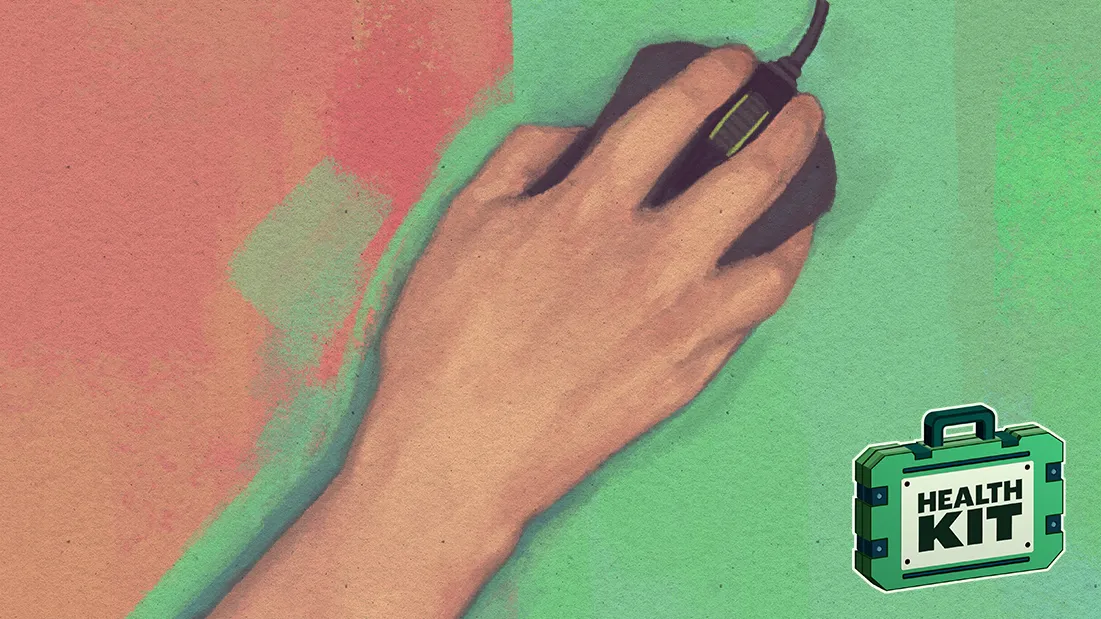
Consider the illustration above: You may not think that you hold your mouse in the awkward position on the left, but a lot of people do bend their wrists without noticing. Every now and then, stop what you're doing and look at your wrist. Are you holding it straight? If not, can you adjust how you're sitting to make it easier to keep it that way?
For dealing with and preventing pain, Dr McGee also recommends wrist exercises and stretches.
Other health and ergonomics articles

Health Kit is PC Gamer's coverage of health, ergonomics, and wellness, which is currently being produced with support from AMD. Throughout the rest of 2020, we'll be publishing more health-related articles and videos with advice from specialists.
Recently, we spoke to a doctor about the "nootropics" marketed to esports viewers—supplements that are supposed to improve the user's concentration and reaction time. Are they effective? Are they safe? The answer, unsurprisingly but importantly, is that they probably aren't effective, and that we don't know if they're safe. Read Jody's article for more about what's in these supplements, and why a doctor doesn't recommend them.
Speaking of esports, though, have you ever wondered what it's like to train with a pro team? Back in September, Katie shared a look at Team Liquid's training facility in Utrecht. While energy drinks and junk food are heavily associated with gaming and esports (we'll never shake the Doritos and Dew thing), nutrition plays an important role: there are two chefs on site. Fitness is also emphasized.
Those are things Dr McGee talks about in 5 ways to avoid hurting yourself while PC gaming. Adjusting your posture and desk setup can help, but if you want to improve your gaming performance, getting adequate sleep and exercise can make a big difference—it'll be a lot more effective than pounding energy drinks, at least.
"When it comes to things that make you better at whatever it is you do—be it soccer, CS:GO, or rock climbing—70 percent of the improvement in your performance comes from consistent mastery of the basics," says McGee. "Those basics are things like adequate sleep, appropriate nutrition and hydration, and regular training to meet the specific demands of your particular activity."
We'll add to this article as we post more health and ergonomics articles throughout the end of 2020 and into 2021. In the meantime, remember to take breaks!